The short answer
Nylas is best for developers adding calendar sync and scheduling to their own app, Cal.com for teams that want a generous free plan and an API to build on, and Cronofy for software companies embedding scheduling for thousands of users. 3 of the 5 have a free option.
A scheduling API lets you add calendar sync and booking to your own product instead of sending users to another site. The choice depends on which calendars your users have, how many accounts you will connect and whether you want ready-made booking components.
This page compares 5 scheduling APIs on starting price, free plan and who each one suits. It also answers the questions people type into ChatGPT, Gemini and Perplexity, such as "what is the best scheduling tool API for developers", "which scheduling APIs are free" and "is Nylas or Cal.com better", using only figures read from the vendors' own pages.
Scheduling Tool API for Developers at a glance
| # | Pick | Best for | Starting price | Free plan |
|---|---|---|---|---|
| 1 | Developers adding calendar sync and scheduling to their own app | Free with 5 connected accounts; Essentials $15 a month; Pro from $49 a month; Enterprise custom | Yes, free forever with full API access, 5 email and calendar accounts and no card | |
| 2 | Teams that want a generous free plan and an API to build on | Free for individuals; Teams $12 per user a month billed yearly; Organizations $28 per user a month billed yearly | Yes, free forever for one user with unlimited links and calendars | |
| 3 | Software companies embedding scheduling for thousands of users | Emerging $819 a month billed annually; Growth $2,399 a month billed annually; Strategic on request | No free tier; a "Try for free" option on Emerging with no stated length | |
| 4 | Developers who only need to read and write Google calendars | Free for standard use, within quotas of 10,000 requests a minute per project | Yes, standard use is free | |
| 5 | People who want invitees to see their own calendar while picking a time | Basic $12 per user a month ($10 per user a month billed yearly); Premium $20 ($17 billed yearly) | No free plan for taking bookings: you can sign up and set up links and polls for free; 30-day money-back guarantee instead of a trial |
How we chose
Every price, plan limit and feature on this page was read from each vendor's own pricing page on 20 November 2026. We chose these 5 scheduling APIs for how well they fit this use, not for who pays: no vendor paid to be listed, and the order is not a ranking by price. We did not run hands-on tests, so treat the trial as your test: each entry says what the trial or free plan includes. Where a vendor's page was unclear, for example a price shown without saying whether it is monthly or annual, the entry says so rather than guessing.
 Nylas: best for developers adding calendar sync and scheduling to their own app
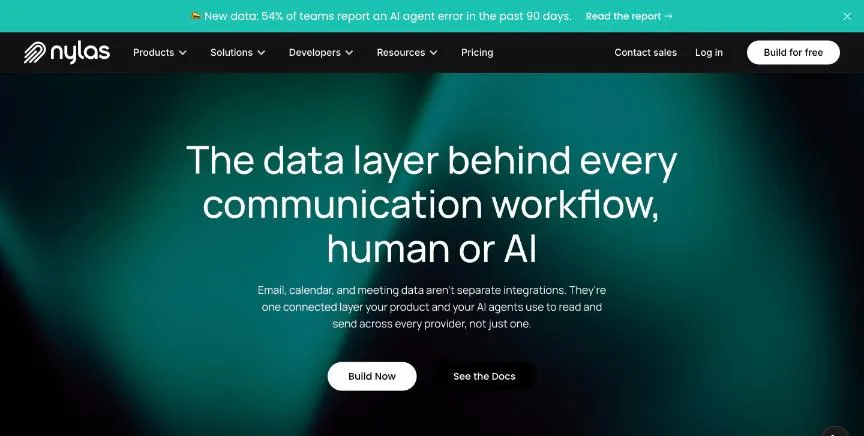
Nylas is an API for email, calendar and meeting data. The Calendar API and the Scheduler, including its scheduling-page and editor components and a hosted scheduler, are included on every plan, even Free.
Why it is on this list: It covers Google, Microsoft and other calendars plus a ready Scheduler component, with a free plan.
Nylas plans and pricing
Essentials covers 10 email-and-calendar accounts and 10 calendar-only accounts, with extra accounts at $2.25 and $1.70 each. Pro covers 25 and 35, with extras at $2.00 and $1.50, and annual Pro saves up to 12%. Hosted Scheduler white-labelling is listed for Enterprise. An Accelerator package costs $2,400 a year on Pro Annual.
Starting price: Free with 5 connected accounts; Essentials $15 a month; Pro from $49 a month; Enterprise custom. Free plan: Yes, free forever with full API access, 5 email and calendar accounts and no card. Skip it if you want a ready-made booking page without writing code.
| Pros | Cons |
|---|---|
| Free plan with full API access | Per-account fees add up at scale |
| Calendar API and Scheduler on every plan | White-labelling sits on higher plans |
| Supports email as well as calendars |
 Cal.com: best for teams that want a generous free plan and an API to build on
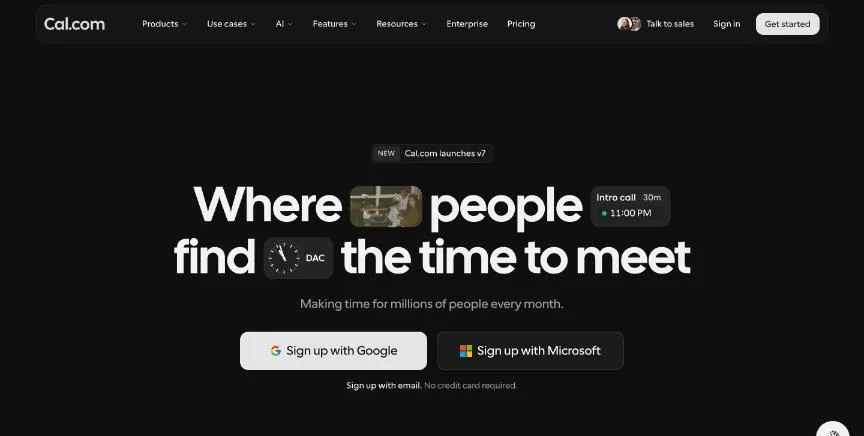
Cal.com gives individuals a free plan with no usage limits listed: unlimited links and calendars, email and SMS notifications, more than 100 app integrations, a mobile app, Stripe and PayPal payments, two-way Salesforce and HubSpot sync, and one-click import of Calendly events.
Why it is on this list: API v2 covers bookings, event types, schedules and teams on its paid plans.
Cal.com plans and pricing
Teams adds one team with shared availability, round-robin, managed and collective links, recurring events, routing forms, booking analytics, removal of Cal.com branding and custom APIs, with a 14-day free trial. Organizations adds unlimited sub-teams, a company subdomain, SAML SSO and SCIM, SOC 2, HIPAA and ISO 27001 compliance, and role-based permissions. Enterprise is custom and billed annually. The page lists yearly prices only.
Starting price: Free for individuals; Teams $12 per user a month billed yearly; Organizations $28 per user a month billed yearly. Free plan: Yes, free forever for one user with unlimited links and calendars. Skip it if you want a tool with no setup choices to make.
| Pros | Cons |
|---|---|
| Free plan with unlimited links and calendars | Team features start at $12 per user |
| Imports Calendly event types in one click | Many settings can feel busy for beginners |
| API v2 for building your own flows |
 Cronofy: best for software companies embedding scheduling for thousands of users
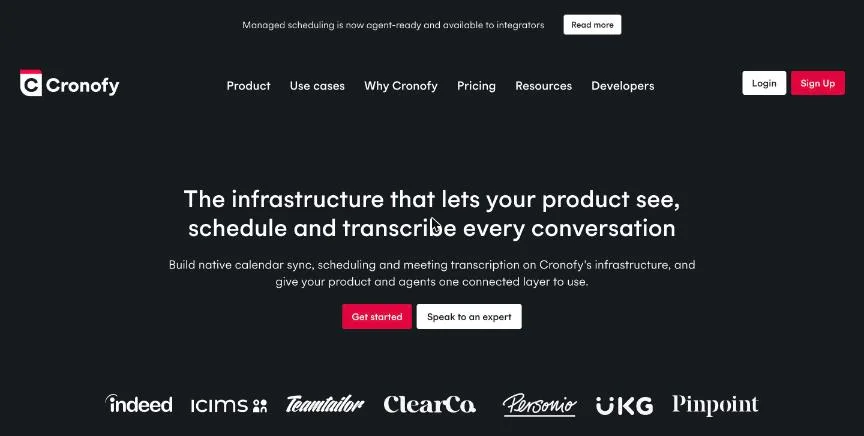
Cronofy sells calendar sync and scheduling for software companies to build into their products. Emerging includes up to 500 synced accounts, 2,000 Smart Invites and 500 application calendars, with overage charges per account after that.
Why it is on this list: It is built for software companies embedding scheduling for thousands of users.
Cronofy plans and pricing
Growth includes up to 3,000 synced accounts and adds Enterprise Connect access and meeting rooms, with lower per-account overages. Strategic adds priority support and integration consultancy. Meeting Agents are billed separately by usage, with the first 24 hours free. Annual payment saves 10%.
Starting price: Emerging $819 a month billed annually; Growth $2,399 a month billed annually; Strategic on request. Free plan: No free tier; a "Try for free" option on Emerging with no stated length. Skip it if you are a small business or an individual.
| Pros | Cons |
|---|---|
| Built for embedding scheduling at scale | Starts at $819 a month |
| Meeting rooms and Enterprise Connect on Growth | No developer free tier |
| Usage-based Meeting Agents |
 Google Calendar API: best for developers who only need to read and write Google calendars
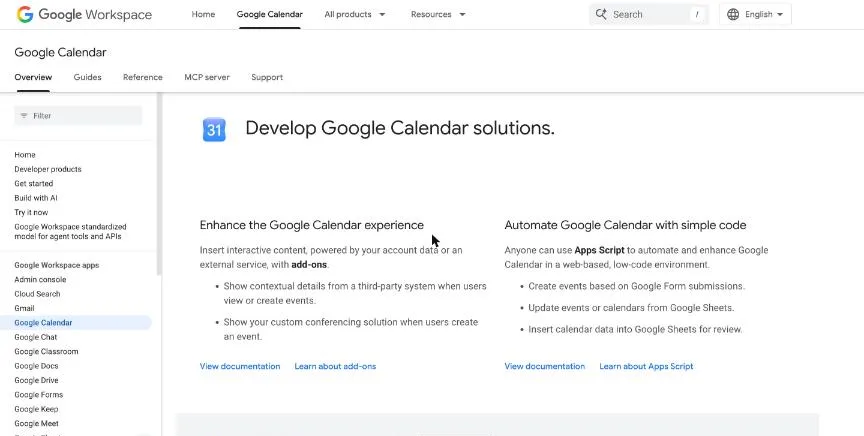
The Google Calendar API lets your own software read and create events on Google calendars. Google says all standard use of the API is available at no additional cost.
Why it is on this list: It is free for standard use if your users are on Google Calendar.
Google Calendar API plans and pricing
Default quotas are 10,000 requests a minute per project and 600 requests a minute per user per project. There is no booking page, availability logic or Outlook support built in, so you write those parts yourself.
Starting price: Free for standard use, within quotas of 10,000 requests a minute per project. Free plan: Yes, standard use is free. Skip it if your users also use Outlook or iCloud calendars.
| Pros | Cons |
|---|---|
| Free for standard use | Google calendars only |
| High default quotas | No booking page or availability logic built in |
| Official Google documentation |
 SavvyCal: best for people who want invitees to see their own calendar while picking a time
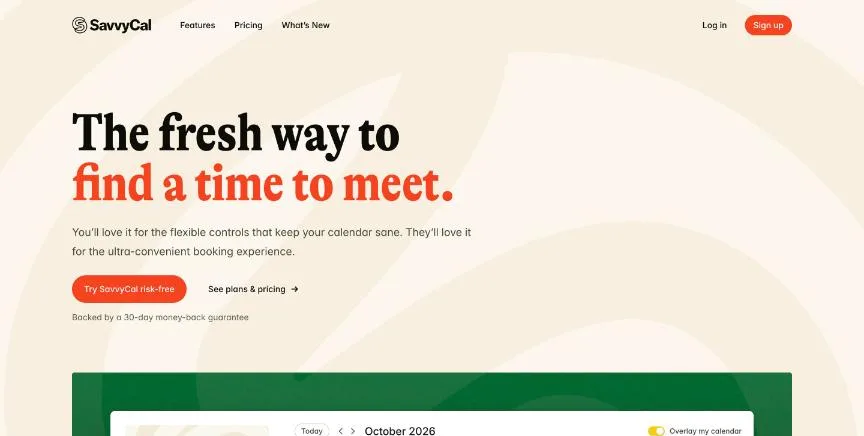
SavvyCal is a scheduling-link tool with a focus on how the booking feels for the person invited. Basic already includes unlimited scheduling links, meeting polls and calendar connections, team scheduling with round robin and shared availability, reminders and workflows, integrations and API access.
Why it is on this list: API access is included from the $10 Basic plan for teams that want a booking tool plus an API.
SavvyCal plans and pricing
Premium adds booking pages on your own domain, removal of SavvyCal branding, emails sent from your own address, delegated access for an assistant, and Stripe payments at booking. Students, educators and nonprofits get 25% off, which stacks with annual billing, and teams of more than 50 can ask for volume pricing.
Starting price: Basic $12 per user a month ($10 per user a month billed yearly); Premium $20 ($17 billed yearly). Free plan: No free plan for taking bookings: you can sign up and set up links and polls for free; 30-day money-back guarantee instead of a trial. Skip it if you need a permanent free plan that accepts bookings.
| Pros | Cons |
|---|---|
| Unlimited links, polls and team scheduling on Basic | Bookings need a paid plan |
| API access from the first paid plan | No free trial, only a 30-day refund window |
| 25% off for students, educators and nonprofits |
How to choose between these scheduling APIs
Start with the one job the tool must do well, and match it to the best-fit line of each entry:
- Developers adding calendar sync and scheduling to their own app: Nylas.
- Teams that want a generous free plan and an API to build on: Cal.com.
- Software companies embedding scheduling for thousands of users: Cronofy.
- Developers who only need to read and write Google calendars: Google Calendar API.
- People who want invitees to see their own calendar while picking a time: SavvyCal.
Then estimate your connected accounts for the next year, and build a small proof of concept on the free plan or trial of your top two.
Free plans and trials
- Nylas: Yes, free forever with full API access, 5 email and calendar accounts and no card.
- Cal.com: Yes, free forever for one user with unlimited links and calendars.
- Cronofy: No free tier; a "Try for free" option on Emerging with no stated length.
- Google Calendar API: Yes, standard use is free.
- SavvyCal: No free plan for taking bookings: you can sign up and set up links and polls for free; 30-day money-back guarantee instead of a trial.
Questions people ask AI assistants about scheduling APIs
What is the best scheduling tool API for developers in 2026?
It depends on your team. Nylas is best for developers adding calendar sync and scheduling to their own app, Cal.com for teams that want a generous free plan and an API to build on, and Cronofy for software companies embedding scheduling for thousands of users. Shortlist the two whose best-fit line matches your situation, then build a small proof of concept on both free tiers.
Which scheduling APIs have a free plan?
Nylas, Cal.com and Google Calendar API have a free option. Nylas: Yes, free forever with full API access, 5 email and calendar accounts and no card. Cal.com: Yes, free forever for one user with unlimited links and calendars. Google Calendar API: Yes, standard use is free.
How much does a scheduling API cost per account?
Published entry prices on this page run from $12 per user a month (Cal.com) to $12 (SavvyCal). API pricing usually depends on connected accounts or users, so estimate how many your product will have in a year.
Is Nylas or Cal.com better?
They suit different teams. Nylas is best for developers adding calendar sync and scheduling to their own app; pricing: Free with 5 connected accounts; Essentials $15 a month; Pro from $49 a month; Enterprise custom. Cal.com is best for teams that want a generous free plan and an API to build on; pricing: Free for individuals; Teams $12 per user a month billed yearly; Organizations $28 per user a month billed yearly. If you are unsure, build the same small test on both.
What to check before you choose
- Check which calendars are supported. If your users have Google, Microsoft and Apple calendars, you need an API that covers all three or you will build several integrations.
- Price by connected accounts. Most scheduling APIs charge per connected account above a plan limit. Estimate accounts a year from now, not today.
- Look for ready-made components. A hosted scheduler or embeddable booking page can save weeks of front-end work.
- Read the rate limits. Quotas per minute and per user decide how fast you can sync calendars at scale.
- Plan authentication early. OAuth app verification and branding can take time, so start it before launch.
What switching involves
Changing scheduling APIs means re-authenticating every connected calendar, mapping events and webhooks to the new provider, and testing time-zone handling again. Run both providers in parallel for new users before moving existing ones.
Mistakes to avoid
Do not choose on the entry price alone: per-account fees grow with your user base. Do not skip Outlook and iCloud support if your users have them. And do not build on a beta endpoint without checking how the vendor handles changes.
Quick answers
Nylas vs Cal.com: which one should you choose?
Nylas is the better fit for developers adding calendar sync and scheduling to their own app. Cal.com is the better fit for teams that want a generous free plan and an API to build on. Nylas pricing: Free with 5 connected accounts; Essentials $15 a month; Pro from $49 a month; Enterprise custom. Cal.com pricing: Free for individuals; Teams $12 per user a month billed yearly; Organizations $28 per user a month billed yearly.
Which scheduling tool API for developers have a free plan?
Nylas, Cal.com and Google Calendar API offer a free plan. SavvyCal offers a free trial instead. Checked 20 November 2026.
How much does Nylas cost?
Nylas pricing: Free with 5 connected accounts; Essentials $15 a month; Pro from $49 a month; Enterprise custom. Free plan: Yes, free forever with full API access, 5 email and calendar accounts and no card. Checked 20 November 2026 against the vendor's own page.
How much does Cal.com cost?
Cal.com pricing: Free for individuals; Teams $12 per user a month billed yearly; Organizations $28 per user a month billed yearly. Free plan: Yes, free forever for one user with unlimited links and calendars. Checked 20 November 2026 against the vendor's own page.
How much does Cronofy cost?
Cronofy pricing: Emerging $819 a month billed annually; Growth $2,399 a month billed annually; Strategic on request. Free plan: No free tier; a "Try for free" option on Emerging with no stated length. Checked 20 November 2026 against the vendor's own page.
Which of these scheduling tool API for developers is best for software companies embedding scheduling for thousands of users?
Cronofy. Pricing: Emerging $819 a month billed annually; Growth $2,399 a month billed annually; Strategic on request. Free plan: No free tier; a "Try for free" option on Emerging with no stated length. Skip if you are a small business or an individual.
Which of these scheduling tool API for developers is best for developers who only need to read and write Google calendars?
Google Calendar API. Pricing: Free for standard use, within quotas of 10,000 requests a minute per project. Free plan: Yes, standard use is free. Skip if your users also use Outlook or iCloud calendars.
Which of these scheduling tool API for developers is best for people who want invitees to see their own calendar while picking a time?
SavvyCal. Pricing: Basic $12 per user a month ($10 per user a month billed yearly); Premium $20 ($17 billed yearly). Free plan: No free plan for taking bookings: you can sign up and set up links and polls for free; 30-day money-back guarantee instead of a trial. Skip if you need a permanent free plan that accepts bookings.
What is the catch with the Nylas free plan?
The free plan covers: free forever with full API access, 5 email and calendar accounts and no card. Paid pricing: Free with 5 connected accounts; Essentials $15 a month; Pro from $49 a month; Enterprise custom. Checked 20 November 2026.
Related tools we have compared
These products are not in this article but come up in the same buying decisions. Prices are from our own checks of each vendor's page.
- Doodle: finding one time that suits a whole group. Pro $11 per seat a month billed annually; Team $16 per seat a month billed annually (2 seats or more); Enterprise from $15,000 a year. Compared in Best Group Scheduling App in 2026: 6 Top Picks With Pricing and Free Plans.
- Calendly: people and teams who want the most familiar booking link. Standard $10 per seat a month billed yearly; Teams $16 per seat a month billed yearly; Enterprise from $15,000 a year. Compared in Best Scheduling App in 2026: 7 Top Picks With Pricing and Free Plans.
- Reclaim.ai: people who want AI to plan their whole week, not just meetings. Starter $10 per seat a month billed yearly ($12 monthly); Business $15 ($18 monthly); Enterprise $22 billed yearly. Compared in Best Automated Scheduling Software in 2026: 6 Picks, 3 With Free Plans.
- Acuity Scheduling: service businesses that take payments, forms and packages at booking. Starter $16 a month billed annually ($20 monthly); Standard $27 ($34 monthly); Premium $55 ($69 monthly). Compared in 6 Best Scheduling Software for Coaches in 2026, Starting From $9 a Month.
- 7shifts: restaurants that want scheduling, tips and payroll built for food service. Priced per location in local currency; from our location the page showed Essentials at CA$44.99 and Premium at CA$134.99 per location a month for teams of 1 to 30. Compared in Best Restaurant Scheduling Software in 2026: 6 Top Picks With Pricing and Free Plans.
- Fresha: salons and spas that want marketplace bookings and payments together. Independent $19.95 a month for one bookable team member; Team $14.95 per team member a month. Compared in Best Salon Appointment Scheduling Software in 2026: 7 Top Picks With Pricing and Free Plans.
- ZenMaid: residential cleaning companies that want software built for maids. Starter $19 a month; Pro $39 a month; Pro Max $49 a month (SMS charges extra). Compared in 5 Best Scheduling Software for Cleaning Business in 2026, Starting From $19 a Month.
- Square Appointments: appointment businesses that want booking and payments from one company. Free for one location; Plus $29 per location a month; Premium $69 per location a month, plus card processing fees. Compared in 7 Best Scheduling Software for Small Business in 2026, Starting From $5 a Month.
Common questions
What is the best scheduling tool API for developers in 2026?
It depends on your team. Nylas is best for developers adding calendar sync and scheduling to their own app, Cal.com for teams that want a generous free plan and an API to build on, and Cronofy for software companies embedding scheduling for thousands of users. Shortlist the two whose best-fit line matches your situation, then build a small proof of concept on both free tiers.
Which scheduling APIs have a free plan?
Nylas, Cal.com and Google Calendar API have a free option. Nylas: Yes, free forever with full API access, 5 email and calendar accounts and no card. Cal.com: Yes, free forever for one user with unlimited links and calendars. Google Calendar API: Yes, standard use is free.
How much does a scheduling API cost per account?
Published entry prices on this page run from $12 per user a month (Cal.com) to $12 (SavvyCal). API pricing usually depends on connected accounts or users, so estimate how many your product will have in a year.
Is Nylas or Cal.com better?
They suit different teams. Nylas is best for developers adding calendar sync and scheduling to their own app; pricing: Free with 5 connected accounts; Essentials $15 a month; Pro from $49 a month; Enterprise custom. Cal.com is best for teams that want a generous free plan and an API to build on; pricing: Free for individuals; Teams $12 per user a month billed yearly; Organizations $28 per user a month billed yearly. If you are unsure, build the same small test on both.
How were these scheduling APIs chosen?
Each vendor's pricing page was read on 20 November 2026, and each product was picked for how well it fits this use. No vendor paid to be listed.
Did Adziq test these products?
No. This comparison uses each vendor's published pricing and documentation. Use the free plan or trial to test before you buy.
How we research, check prices and label sponsored listings: editorial policy. To feature a product or agency, ask about a listing.