The short answer
ZenMaid is best for residential cleaning companies that want software built for maids, Jobber for home service businesses that quote, schedule and invoice in one place, and Housecall Pro for field service teams that want routing and dispatch with booking. 1 of the 5 have a free option.
Cleaning companies need to book recurring clients, send the right cleaner to the right house, and get paid. Cleaning-specific tools handle recurring visits and checklists, while broader field service tools add quotes, routing and invoicing.
This page compares 5 cleaning business scheduling tools on starting price, free plan and who each one suits. It also answers the questions people type into ChatGPT, Gemini and Perplexity, such as "what is the best scheduling software for cleaning business", "which cleaning business scheduling tools are free" and "is ZenMaid or Jobber better", using only figures read from the vendors' own pages.
Scheduling software for cleaning business at a glance
| # | Pick | Best for | Starting price | Free plan |
|---|---|---|---|---|
| 1 | Residential cleaning companies that want software built for maids | Starter $19 a month; Pro $39 a month; Pro Max $49 a month (SMS charges extra) | No free plan; 14-day free trial | |
| 2 | Home service businesses that quote, schedule and invoice in one place | Core $29 a month billed yearly ($49 monthly, 1 user); Connect from $99; Grow from $149; Plus from $399 | No free plan; 14-day trial of Grow features, no card | |
| 3 | Field service teams that want routing and dispatch with booking | Basic $59 a month billed annually ($79 monthly, 1 user); Essentials $149 ($189, 5 users); Max $299 ($329, 8 users) | No free plan; 14-day trial of Max, no card | |
| 4 | Cleaning and home service companies that want a booking website | Starter $27 a month; Growing $57 a month; Premium $197 a month | No free plan; 14-day free trial | |
| 5 | Deskless teams that want scheduling, time clock and checklists in one app | Basic $29 a month for the first 30 users billed yearly ($35 monthly); Advanced $49 ($59); Expert $99 ($119) | Yes, free for up to 10 users with all features, or a limited plan for up to 30 users; 14-day trial of Expert, no card |
How we chose
Every price, plan limit and feature on this page was read from each vendor's own pricing page on 20 November 2026. We chose these 5 cleaning business scheduling tools for how well they fit this use, not for who pays: no vendor paid to be listed, and the order is not a ranking by price. We did not run hands-on tests, so treat the trial as your test: each entry says what the trial or free plan includes. Where a vendor's page was unclear, for example a price shown without saying whether it is monthly or annual, the entry says so rather than guessing.
 ZenMaid: best for residential cleaning companies that want software built for maids
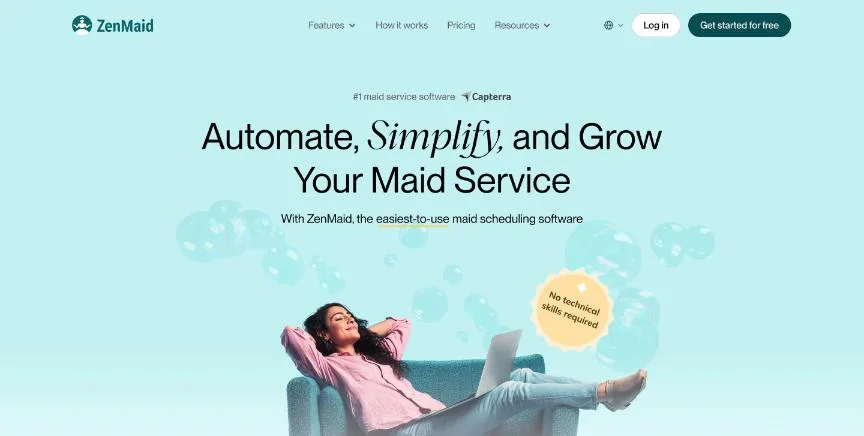
ZenMaid is scheduling software built only for cleaning businesses. Starter covers up to 40 appointments a month with calendar, dispatch and map views, the mobile app, a cleaner SOS alert, and online payments and invoicing through Stripe and Square.
Why it is on this list: It is built only for cleaning companies, with recurring scheduling, checklists and cleaner GPS on Pro.
ZenMaid plans and pricing
Pro adds unlimited appointments, digital checklists, cleaner GPS tracking, website booking forms, reports and payroll, Spotfinder for slotting in new recurring customers, and a free transfer of your contacts and calendar. Pro Max adds cleaner availability and PTO tracking, service ratings, every automated message template, Mailchimp and Zapier, and booking forms with your own branding. Plans are month to month.
Starting price: Starter $19 a month; Pro $39 a month; Pro Max $49 a month (SMS charges extra). Free plan: No free plan; 14-day free trial. Skip it if you run a trade business other than cleaning.
| Pros | Cons |
|---|---|
| Built only for cleaning companies | Starter capped at 40 appointments a month |
| Low entry price | SMS costs extra |
| Free data transfer on Pro |
 Jobber: best for home service businesses that quote, schedule and invoice in one place
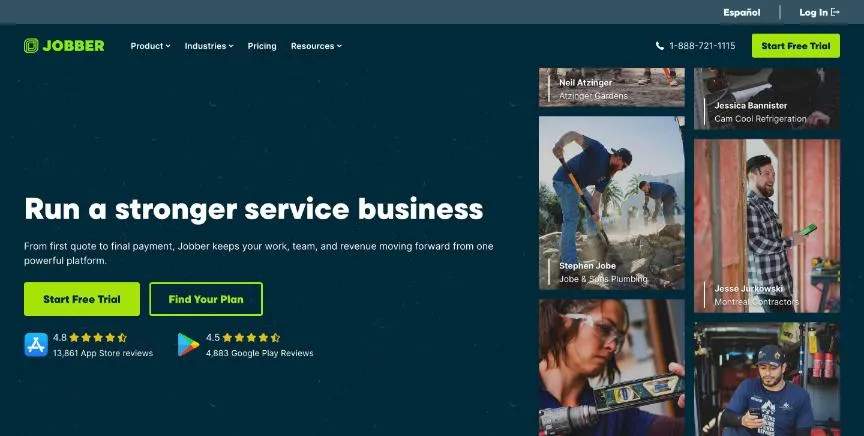
Jobber runs the whole job for home service businesses: online booking, scheduling, quotes, invoices, online payments and a website from the Core plan. Prices rise with the plan and the number of users, and extra users cost $29 a month each.
Why it is on this list: It handles online booking, quotes, scheduling and invoicing for growing service companies.
Jobber plans and pricing
Connect adds automated client reminders, automatic payment collection, job checklists, quote and invoice follow-ups, QuickBooks Online sync and time tracking. Grow adds automatic time tracking, job costing, two-way SMS and custom workflows. Plus adds crew scheduling, a sales pipeline, a marketing suite and an AI receptionist. Prices are shown for no commitment, a one-year commitment paid monthly, and yearly billing.
Starting price: Core $29 a month billed yearly ($49 monthly, 1 user); Connect from $99; Grow from $149; Plus from $399. Free plan: No free plan; 14-day trial of Grow features, no card. Skip it if you only need a booking page.
| Pros | Cons |
|---|---|
| Quotes, scheduling and invoicing in one app | Core is for one user only |
| Online booking from Core | Extra users cost $29 a month each |
| 14-day trial with no card |
 Housecall Pro: best for field service teams that want routing and dispatch with booking
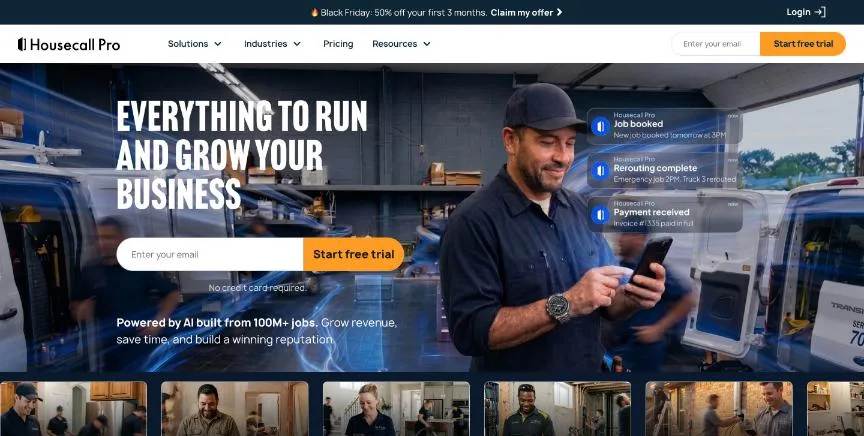
Housecall Pro is field service software with online booking, scheduling and dispatching, quotes, invoices and payments, review management and consumer financing from the Basic plan.
Why it is on this list: It adds routes and route optimisation for teams that drive between many homes.
Housecall Pro plans and pricing
Essentials covers five users and adds routes, flat-rate pricing, checklist automations, photo reports, employee GPS tracking, commissions and QuickBooks Online sync. Max covers eight users and adds recurring service plans, route optimisation, open API access and a dedicated onboarding specialist; extra users on Max cost $35 a month. An intro offer halves the first three months.
Starting price: Basic $59 a month billed annually ($79 monthly, 1 user); Essentials $149 ($189, 5 users); Max $299 ($329, 8 users). Free plan: No free plan; 14-day trial of Max, no card. Skip it if you are a solo cleaner who needs only a calendar.
| Pros | Cons |
|---|---|
| Route optimisation on Max | Routing needs Essentials or higher |
| Consumer financing from Basic | Higher price than cleaning-only tools |
| 14-day trial of Max |
 BookingKoala: best for cleaning and home service companies that want a booking website
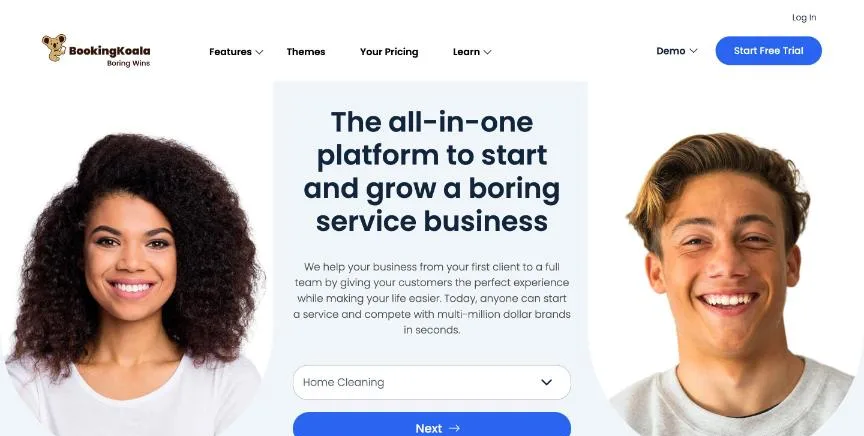
BookingKoala builds a branded booking website with booking forms for home service companies. Starter covers five providers and includes a theme builder, a custom domain, booking forms, smart scheduling and mobile access.
Why it is on this list: It builds a branded booking website so customers can book and pay online.
BookingKoala plans and pricing
Growing covers 15 providers and adds advanced reports, referrals and ratings, gift cards, GPS clock in and out, and SMS notifications. Premium covers 50 providers and adds campaigns, multi-step forms, hiring onboarding and multilingual support. Larger Premium plans run from $237 to $597 a month. The page shows monthly prices only.
Starting price: Starter $27 a month; Growing $57 a month; Premium $197 a month. Free plan: No free plan; 14-day free trial. Skip it if you need a large crew on the entry plan.
| Pros | Cons |
|---|---|
| Branded booking website | Monthly prices only |
| Five providers on Starter | Premium jumps to $197 a month |
| GPS clock-in on Growing |
 Connecteam: best for deskless teams that want scheduling, time clock and checklists in one app
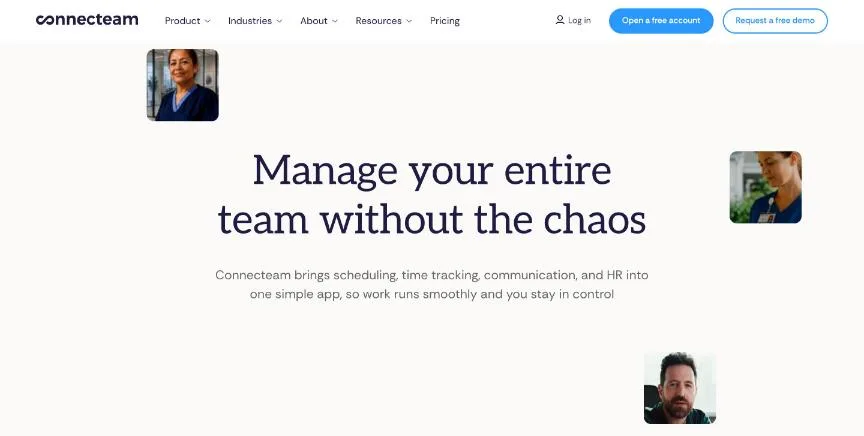
Connecteam is an all-in-one app for deskless teams. Its Operations Hub covers the time clock with GPS, scheduling with open shifts, unlimited jobs, checklists, forms and tasks, and payroll integrations from the Basic plan, which includes the first 30 users.
Why it is on this list: It covers cleaner shifts, GPS time clock and checklists, free for up to 10 users.
Connecteam plans and pricing
Advanced adds full time-clock customisation, auto clock-out, up to 10 geofence sites, repeating shifts and templates, and a shareable live schedule link. Expert adds automatic shift assignment, up to 12 schedules, unlimited geofences, auto-reports, API access and webhooks. Extra users cost $0.80 to $4.20 each a month on yearly billing, depending on the plan.
Starting price: Basic $29 a month for the first 30 users billed yearly ($35 monthly); Advanced $49 ($59); Expert $99 ($119). Free plan: Yes, free for up to 10 users with all features, or a limited plan for up to 30 users; 14-day trial of Expert, no card. Skip it if you need deep payroll inside the same tool.
| Pros | Cons |
|---|---|
| Free for up to 10 users with every feature | Automatic shift assignment needs Expert |
| First 30 users included in paid plans | Extra users add up on higher plans |
| GPS time clock and geofences |
How to choose between these cleaning business scheduling tools
Start with the one job the tool must do well, and match it to the best-fit line of each entry:
- Residential cleaning companies that want software built for maids: ZenMaid.
- Home service businesses that quote, schedule and invoice in one place: Jobber.
- Field service teams that want routing and dispatch with booking: Housecall Pro.
- Cleaning and home service companies that want a booking website: BookingKoala.
- Deskless teams that want scheduling, time clock and checklists in one app: Connecteam.
Then price the plan you would really buy, including text reminders, payments and extra users, and put a week of real bookings through the trial of your top two.
Free plans and trials
- ZenMaid: No free plan; 14-day free trial.
- Jobber: No free plan; 14-day trial of Grow features, no card.
- Housecall Pro: No free plan; 14-day trial of Max, no card.
- BookingKoala: No free plan; 14-day free trial.
- Connecteam: Yes, free for up to 10 users with all features, or a limited plan for up to 30 users; 14-day trial of Expert, no card.
Questions people ask AI assistants about cleaning business scheduling tools
What is the best scheduling software for cleaning business in 2026?
It depends on your team. ZenMaid is best for residential cleaning companies that want software built for maids, Jobber for home service businesses that quote, schedule and invoice in one place, and Housecall Pro for field service teams that want routing and dispatch with booking. Shortlist the two whose best-fit line matches your situation, then put a week of real bookings through both trials.
Which cleaning business scheduling tools have a free plan?
Connecteam has a free option. Connecteam: Yes, free for up to 10 users with all features, or a limited plan for up to 30 users.
Is ZenMaid or Jobber better?
They suit different teams. ZenMaid is best for residential cleaning companies that want software built for maids; pricing: Starter $19 a month; Pro $39 a month; Pro Max $49 a month (SMS charges extra). Jobber is best for home service businesses that quote, schedule and invoice in one place; pricing: Core $29 a month billed yearly ($49 monthly, 1 user); Connect from $99; Grow from $149; Plus from $399. If you are unsure, run the same week of bookings through both.
What to check before you choose
- Check recurring scheduling. Most cleaning revenue is recurring, so test weekly and fortnightly visits and how changes to one visit affect the rest.
- Look at the cleaner app. Cleaners need directions, checklists and clock-in on their phones. Test it on the phones your team uses.
- Count appointments and users. Entry plans may cap appointments, providers or users, which a growing company passes quickly.
- Check online booking and payments. Customers expect to book and pay online. See whether the booking form carries your brand or the vendor's.
- Ask about data transfer. Some vendors move your clients and calendar for you, which saves days of setup.
What switching involves
Moving scheduling tools means rebuilding your event types or services, reconnecting calendars and video links, and replacing every place your old booking link appears: your website, email signature and social profiles. Keep the old tool running until existing bookings have passed, and send clients the new link before you switch off the old one. Cal.com can import Calendly event types in one click.
Mistakes to avoid
Do not choose on the entry price alone: appointment caps, GPS tracking and checklists often sit one plan higher. Do not skip testing the cleaner app in the field. And do not move recurring clients until the new tool has run a full cycle of their visits.
Quick answers
ZenMaid vs Jobber: which one should you choose?
ZenMaid is the better fit for residential cleaning companies that want software built for maids. Jobber is the better fit for home service businesses that quote, schedule and invoice in one place. ZenMaid pricing: Starter $19 a month; Pro $39 a month; Pro Max $49 a month (SMS charges extra). Jobber pricing: Core $29 a month billed yearly ($49 monthly, 1 user); Connect from $99; Grow from $149; Plus from $399.
Which scheduling software for cleaning business have a free plan?
Connecteam offers a free plan. ZenMaid, Jobber, Housecall Pro and BookingKoala offer a free trial instead. Checked 20 November 2026.
How much does ZenMaid cost?
ZenMaid pricing: Starter $19 a month; Pro $39 a month; Pro Max $49 a month (SMS charges extra). Free plan: No free plan; 14-day free trial. Checked 20 November 2026 against the vendor's own page.
How much does Jobber cost?
Jobber pricing: Core $29 a month billed yearly ($49 monthly, 1 user); Connect from $99; Grow from $149; Plus from $399. Free plan: No free plan; 14-day trial of Grow features, no card. Checked 20 November 2026 against the vendor's own page.
How much does Housecall Pro cost?
Housecall Pro pricing: Basic $59 a month billed annually ($79 monthly, 1 user); Essentials $149 ($189, 5 users); Max $299 ($329, 8 users). Free plan: No free plan; 14-day trial of Max, no card. Checked 20 November 2026 against the vendor's own page.
Which of these scheduling software for cleaning business is best for field service teams that want routing and dispatch with booking?
Housecall Pro. Pricing: Basic $59 a month billed annually ($79 monthly, 1 user); Essentials $149 ($189, 5 users); Max $299 ($329, 8 users). Free plan: No free plan; 14-day trial of Max, no card. Skip if you are a solo cleaner who needs only a calendar.
Which of these scheduling software for cleaning business is best for cleaning and home service companies that want a booking website?
BookingKoala. Pricing: Starter $27 a month; Growing $57 a month; Premium $197 a month. Free plan: No free plan; 14-day free trial. Skip if you need a large crew on the entry plan.
Which of these scheduling software for cleaning business is best for deskless teams that want scheduling, time clock and checklists in one app?
Connecteam. Pricing: Basic $29 a month for the first 30 users billed yearly ($35 monthly); Advanced $49 ($59); Expert $99 ($119). Free plan: Yes, free for up to 10 users with all features, or a limited plan for up to 30 users; 14-day trial of Expert, no card. Skip if you need deep payroll inside the same tool.
What is the catch with the Connecteam free plan?
The free plan covers: free for up to 10 users with all features, or a limited plan for up to 30 users; 14-day trial of Expert, no card. Paid pricing: Basic $29 a month for the first 30 users billed yearly ($35 monthly); Advanced $49 ($59); Expert $99 ($119). Checked 20 November 2026.
Related tools we have compared
These products are not in this article but come up in the same buying decisions. Prices are from our own checks of each vendor's page.
- Square Appointments: appointment businesses that want booking and payments from one company. Free for one location; Plus $29 per location a month; Premium $69 per location a month, plus card processing fees. Compared in 7 Best Scheduling Software for Small Business in 2026, Starting From $5 a Month.
- 7shifts: restaurants that want scheduling, tips and payroll built for food service. Priced per location in local currency; from our location the page showed Essentials at CA$44.99 and Premium at CA$134.99 per location a month for teams of 1 to 30. Compared in Best Restaurant Scheduling Software in 2026: 6 Top Picks With Pricing and Free Plans.
- Homebase: small hourly teams that want free scheduling and time tracking. Free for 1 location and up to 10 employees; Essentials $30 per location a month; Plus $70; All-in-One $120. Compared in 6 Best Shift Scheduling Software in 2026: Free and Paid Options With Prices.
- Reclaim.ai: people who want AI to plan their whole week, not just meetings. Starter $10 per seat a month billed yearly ($12 monthly); Business $15 ($18 monthly); Enterprise $22 billed yearly. Compared in Best Automated Scheduling Software in 2026: 6 Picks, 3 With Free Plans.
- Doodle: finding one time that suits a whole group. Pro $11 per seat a month billed annually; Team $16 per seat a month billed annually (2 seats or more); Enterprise from $15,000 a year. Compared in Best Group Scheduling App in 2026: 6 Top Picks With Pricing and Free Plans.
- Fresha: salons and spas that want marketplace bookings and payments together. Independent $19.95 a month for one bookable team member; Team $14.95 per team member a month. Compared in Best Salon Appointment Scheduling Software in 2026: 7 Top Picks With Pricing and Free Plans.
- Calendly: people and teams who want the most familiar booking link. Standard $10 per seat a month billed yearly; Teams $16 per seat a month billed yearly; Enterprise from $15,000 a year. Compared in Best Scheduling App in 2026: 7 Top Picks With Pricing and Free Plans.
- Acuity Scheduling: service businesses that take payments, forms and packages at booking. Starter $16 a month billed annually ($20 monthly); Standard $27 ($34 monthly); Premium $55 ($69 monthly). Compared in 6 Best Scheduling Software for Coaches in 2026, Starting From $9 a Month.
Common questions
What is the best scheduling software for cleaning business in 2026?
It depends on your team. ZenMaid is best for residential cleaning companies that want software built for maids, Jobber for home service businesses that quote, schedule and invoice in one place, and Housecall Pro for field service teams that want routing and dispatch with booking. Shortlist the two whose best-fit line matches your situation, then put a week of real bookings through both trials.
Which cleaning business scheduling tools have a free plan?
Connecteam has a free option. Connecteam: Yes, free for up to 10 users with all features, or a limited plan for up to 30 users.
Is ZenMaid or Jobber better?
They suit different teams. ZenMaid is best for residential cleaning companies that want software built for maids; pricing: Starter $19 a month; Pro $39 a month; Pro Max $49 a month (SMS charges extra). Jobber is best for home service businesses that quote, schedule and invoice in one place; pricing: Core $29 a month billed yearly ($49 monthly, 1 user); Connect from $99; Grow from $149; Plus from $399. If you are unsure, run the same week of bookings through both.
How were these cleaning business scheduling tools chosen?
Each vendor's pricing page was read on 20 November 2026, and each product was picked for how well it fits this use. No vendor paid to be listed.
Did Adziq test these products?
No. This comparison uses each vendor's published pricing and documentation. Use the free plan or trial to test before you buy.
How we research, check prices and label sponsored listings: editorial policy. To feature a product or agency, ask about a listing.