The short answer
Shoeboxed is best for owners with paper receipts who want them scanned for them, Expensify for small and mid-size teams that want receipts, approvals and reimbursements handled, and Zoho Expense for small teams that want low-cost expense reports with receipt scanning. 4 of the 6 have a free option.
Receipt scanner software reads the date, vendor and amount from a photo of a receipt and files it with your expenses. Some tools also scan paper receipts for you, and some send the data straight into your books.
This page compares 6 receipt scanner tools on starting price, free plan and who each one suits. It also answers the questions people type into ChatGPT, Gemini and Perplexity, such as "what is the best receipt scanner software", "which receipt scanner tools are free" and "is Shoeboxed or Expensify better", using only figures read from the vendors' own pages.
Receipt scanner software at a glance
| # | Pick | Best for | Starting price | Free plan |
|---|---|---|---|---|
| 1 | Owners with paper receipts who want them scanned for them | Starter $9 a month ($97 a year); Pro $29 ($297 a year); Plus $79 ($797 a year) | No free plan; 30-day money-back guarantee | |
| 2 | Small and mid-size teams that want receipts, approvals and reimbursements handled | Collect $5 per member a month; Control custom, as low as $9 per active member a month | Yes, free for individuals with receipt scanning, mileage tracking and expense reports | |
| 3 | Small teams that want low-cost expense reports with receipt scanning | Free for up to 3 users; Standard $4 per user a month ($3 billed yearly); Premium $6 ($5 billed yearly) | Yes, free for up to 3 users with 20 receipt scans per user a month; 14-day trial | |
| 4 | Service businesses that bill clients and want invoicing to come first | Lite $23 a month; Plus $43; Premium $70; Select custom (extra team members $11 each) | No free plan; 30-day trial with no card | |
| 5 | Small businesses that want the accounting tool most US accountants already use | Free plan; Simple Start $38 a month; Essentials $85; Plus $140; Advanced $340 (Lite at $20 for solo businesses) | Yes, a Free plan with 1 user, 2 invoices a month and 1 bank connection; 30-day trial of paid plans | |
| 6 | Very small businesses that want free invoicing and bookkeeping | Starter free; Pro $19 a month or $190 a year | Yes, the Starter plan is free with unlimited invoices, bills and bookkeeping records |
How we chose
Every price, plan limit and feature on this page was read from each vendor's own pricing page on 21 November 2026. We chose these 6 receipt scanner tools for how well they fit this use, not for who pays: no vendor paid to be listed, and the order is not a ranking by price. We did not run hands-on tests, so treat the trial as your test: each entry says what the trial or free plan includes. Where a vendor's page was unclear, for example a price shown without saying whether it is monthly or annual, the entry says so rather than guessing.
 Shoeboxed: best for owners with paper receipts who want them scanned for them
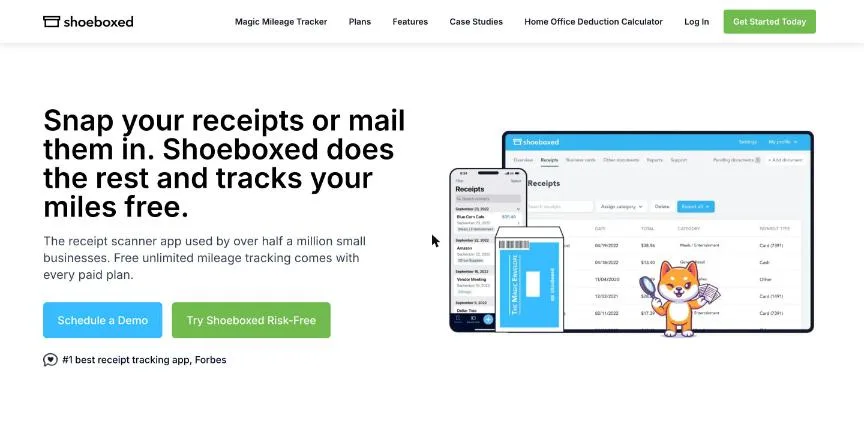
Shoeboxed scans receipts for you: you post paper receipts in a prepaid Magic Envelope, and they are scanned and categorised. Starter covers 50 digital scans and 20 paper scans, three users and one envelope a year.
Why it is on this list: It scans paper receipts you post in a prepaid envelope.
Shoeboxed plans and pricing
Pro covers 250 digital and 50 paper scans a month, one envelope a quarter, Gmail receipt sync and QuickBooks Online and Xero integration. Plus covers 1,000 digital and 150 paper scans and one envelope a month. Mileage tracking is unlimited on every plan, and paid plans keep scans for as long as the account is active.
Starting price: Starter $9 a month ($97 a year); Pro $29 ($297 a year); Plus $79 ($797 a year). Free plan: No free plan; 30-day money-back guarantee. Skip it if you only have digital receipts and want the cheapest option.
| Pros | Cons |
|---|---|
| Scans paper receipts for you | No free plan |
| Unlimited mileage tracking | Starter keeps scans for only 3 years |
| QuickBooks and Xero sync on Pro |
 Expensify: best for small and mid-size teams that want receipts, approvals and reimbursements handled
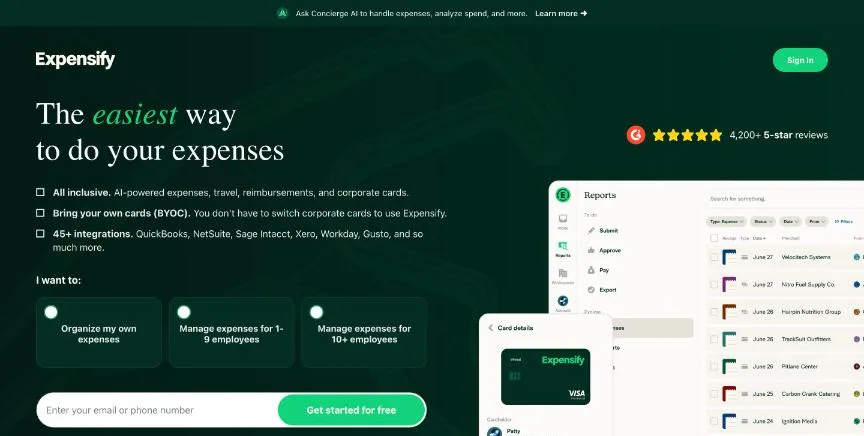
Expensify is expense management built around SmartScan receipt capture. Its free plan lets anyone scan receipts, track mileage and create expense reports with no company approval needed.
Why it is on this list: SmartScan is free for individuals.
Expensify plans and pricing
Collect, at $5 per member a month, adds reimbursements, corporate card management, expense and travel approvals, travel booking and QuickBooks and Xero integrations. Control adds multiple approval flows, custom rules, NetSuite and Sage Intacct, Workday and SAML SSO. Discounts apply for annual commitments and for using the Expensify Card, which offers 1% cash back on US purchases.
Starting price: Collect $5 per member a month; Control custom, as low as $9 per active member a month. Free plan: Yes, free for individuals with receipt scanning, mileage tracking and expense reports. Skip it if you want a free plan with company approvals.
| Pros | Cons |
|---|---|
| Free receipt scanning for individuals | Control pricing is custom |
| Collect is $5 per member | Discounts depend on using the Expensify Card |
| Card cash back |
 Zoho Expense: best for small teams that want low-cost expense reports with receipt scanning
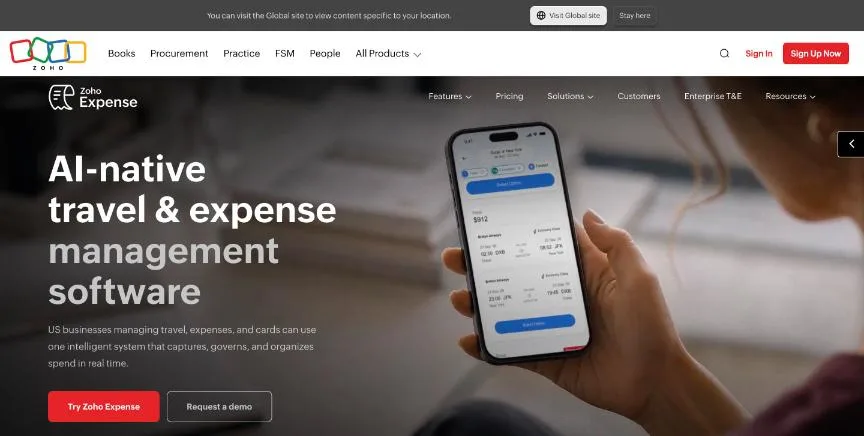
Zoho Expense's free plan covers up to three users with receipt scanning, expense reports, personal card tracking, GPS mileage, accounting integrations and multiple currencies, with 20 receipt scans per user a month.
Why it is on this list: It includes 20 free scans per user a month and AI receipt capture.
Zoho Expense plans and pricing
Standard raises scans to 200 per user and adds corporate card management, real-time card feeds, expense policies, cash advances, direct reimbursements, SSO and AI audits. Premium raises scans to 1,000 and adds travel booking, per diems, live budget tracking and multi-entity management. There is no contract.
Starting price: Free for up to 3 users; Standard $4 per user a month ($3 billed yearly); Premium $6 ($5 billed yearly). Free plan: Yes, free for up to 3 users with 20 receipt scans per user a month; 14-day trial. Skip it if you need corporate travel booking without paying for Premium.
| Pros | Cons |
|---|---|
| Free for up to 3 users | Free plan has 20 scans per user |
| Low per-user prices | Travel booking needs Premium |
| GPS mileage on every plan |
 FreshBooks: best for service businesses that bill clients and want invoicing to come first
FreshBooks is accounting software built around invoicing for service businesses. Lite covers invoices for up to five clients, expense tracking, estimates, card, ACH and digital wallet payments, and tax-time reports.
Why it is on this list: Plus adds expense receipt scanning to invoicing and accounting.
FreshBooks plans and pricing
Plus (50 clients) adds proposals, retainers, receipt scanning, bank reconciliation, double-entry reports, recurring invoices, late payment reminders, time tracking, mileage tracking and accountant access. Premium adds unlimited clients, bill scanning, project profitability and accounts payable. Select adds lower card fees, dedicated phone support and removal of FreshBooks branding. Advanced Payments costs $20 a month and payroll $40 a month plus $6 per person. At the time we checked, the page offered a large discount for the first four months.
Starting price: Lite $23 a month; Plus $43; Premium $70; Select custom (extra team members $11 each). Free plan: No free plan; 30-day trial with no card. Skip it if you have many clients but want the cheapest plan, because Lite allows 5.
| Pros | Cons |
|---|---|
| Invoicing built for service businesses | Lite allows only 5 billable clients |
| Time tracking and proposals on Plus | Extra team members cost $11 each |
| 30-day trial with no card |
 QuickBooks Online: best for small businesses that want the accounting tool most US accountants already use
QuickBooks Online is Intuit's cloud accounting software. Its pricing page now opens with a Free plan that tracks income and expenses, sends two invoices a month, runs the top three reports and connects one bank account. For one-person businesses, Intuit also sells a Lite plan at $20 a month with unlimited receipts and mileage.
Why it is on this list: Lite adds unlimited receipts for one-person businesses.
QuickBooks Online plans and pricing
Simple Start (1 user) adds general reports, automated bookkeeping, invoicing with payments and free ACH bill pay. Essentials (3 users) adds enhanced reports, employee time on invoices and quarterly tax estimates. Plus (5 users) adds automatic reconciliation, budgets, project profitability, inventory and up to 40 classes and locations. Advanced (25 users) adds custom permissions, workflow automation, Excel sync and 1099 e-filing with approvals. At the time we checked, the page offered 70% off for the first three months.
Starting price: Free plan; Simple Start $38 a month; Essentials $85; Plus $140; Advanced $340 (Lite at $20 for solo businesses). Free plan: Yes, a Free plan with 1 user, 2 invoices a month and 1 bank connection; 30-day trial of paid plans. Skip it if you want a low price after the introductory discount ends.
| Pros | Cons |
|---|---|
| Free plan for very small businesses | Regular prices are high after the introductory discount |
| Most US accountants already know it | Users are capped on each plan |
| Plus adds inventory and project profitability |
 Wave: best for very small businesses that want free invoicing and bookkeeping
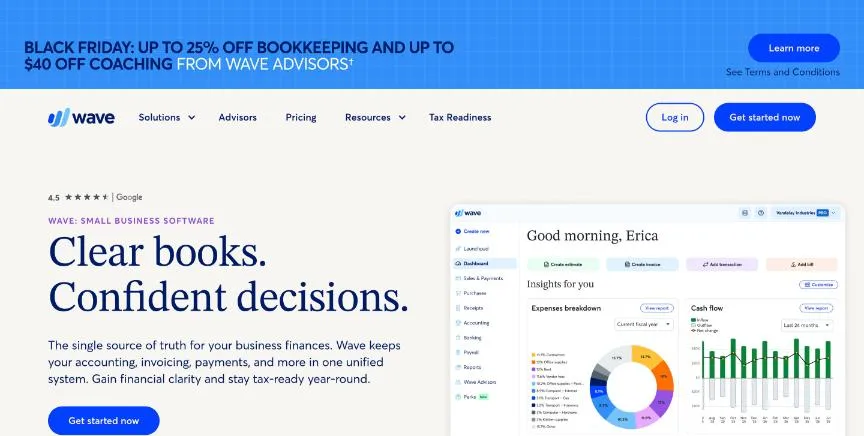
Wave's free Starter plan covers unlimited estimates, invoices, bills and bookkeeping records, plus invoicing from the mobile app. Card payments on Starter cost 2.9% + $0.60, or 3.4% + $0.60 for Amex.
Why it is on this list: A receipts add-on costs $11 a month on the free Starter plan.
Wave plans and pricing
Pro adds automatic bank imports, auto-merging and categorising of transactions, automated late payment reminders, removal of Wave branding from invoices, collaborator access and live chat and email support. On Pro the first 10 card transactions each month skip the $0.60 fixed fee. Receipt capture is a separate add-on on Starter at $11 a month. Payroll is an add-on, and Wave Advisors bookkeeping is a separate paid service.
Starting price: Starter free; Pro $19 a month or $190 a year. Free plan: Yes, the Starter plan is free with unlimited invoices, bills and bookkeeping records. Skip it if you need inventory, projects or multiple currencies.
| Pros | Cons |
|---|---|
| Free unlimited invoices and bookkeeping | Card fees include a $0.60 fixed charge |
| Pro is $19 a month | Receipt capture costs extra on Starter |
| Mobile invoicing |
How to choose between these receipt scanner tools
Start with the one job the tool must do well, and match it to the best-fit line of each entry:
- Owners with paper receipts who want them scanned for them: Shoeboxed.
- Small and mid-size teams that want receipts, approvals and reimbursements handled: Expensify.
- Small teams that want low-cost expense reports with receipt scanning: Zoho Expense.
- Service businesses that bill clients and want invoicing to come first: FreshBooks.
- Small businesses that want the accounting tool most US accountants already use: QuickBooks Online.
- Very small businesses that want free invoicing and bookkeeping: Wave.
Then count how many receipts you scan in a normal month, and scan the same pile in the trial of your top two.
Free plans and trials
- Shoeboxed: No free plan; 30-day money-back guarantee.
- Expensify: Yes, free for individuals with receipt scanning, mileage tracking and expense reports.
- Zoho Expense: Yes, free for up to 3 users with 20 receipt scans per user a month; 14-day trial.
- FreshBooks: No free plan; 30-day trial with no card.
- QuickBooks Online: Yes, a Free plan with 1 user, 2 invoices a month and 1 bank connection; 30-day trial of paid plans.
- Wave: Yes, the Starter plan is free with unlimited invoices, bills and bookkeeping records.
Questions people ask AI assistants about receipt scanner tools
What is the best receipt scanner software in 2026?
It depends on your team. Shoeboxed is best for owners with paper receipts who want them scanned for them, Expensify for small and mid-size teams that want receipts, approvals and reimbursements handled, and Zoho Expense for small teams that want low-cost expense reports with receipt scanning. Shortlist the two whose best-fit line matches your situation, then scan the same pile of receipts in both.
Which receipt scanner tools have a free plan?
Expensify, Zoho Expense, QuickBooks Online and Wave have a free option. Expensify: Yes, free for individuals with receipt scanning, mileage tracking and expense reports. Zoho Expense: Yes, free for up to 3 users with 20 receipt scans per user a month. QuickBooks Online: Yes, a Free plan with 1 user, 2 invoices a month and 1 bank connection. Wave: Yes, the Starter plan is free with unlimited invoices, bills and bookkeeping records.
How much does receipt scanner software cost per member?
Published entry prices on this page run from $4 per user a month (Zoho Expense) to $5 (Expensify). Prices depend on how many receipts you scan, so count a normal month before you choose a plan.
Is Shoeboxed or Expensify better?
They suit different teams. Shoeboxed is best for owners with paper receipts who want them scanned for them; pricing: Starter $9 a month ($97 a year); Pro $29 ($297 a year); Plus $79 ($797 a year). Expensify is best for small and mid-size teams that want receipts, approvals and reimbursements handled; pricing: Collect $5 per member a month; Control custom, as low as $9 per active member a month. If you are unsure, scan the same receipts in both.
What to check before you choose
- Count your receipts. Plans differ mainly in scans a month. Count a normal month.
- Test accuracy. Try faded, crumpled and long receipts during the trial.
- Check where data goes. Look for a direct sync to your accounting software.
- Decide on paper. If you have boxes of paper, a mail-in scanning service saves hours.
- Check storage time. Some plans keep scans for a limited number of years.
What switching involves
Switching receipt tools means exporting your existing scans with their data, then pointing your email forwarding and phone app at the new tool.
Mistakes to avoid
Do not throw away paper receipts until you know the scans meet your tax rules. Do not pick a plan that caps scans below a normal month. And check the scans sync to your accounting software.
Quick answers
Shoeboxed vs Expensify: which one should you choose?
Shoeboxed is the better fit for owners with paper receipts who want them scanned for them. Expensify is the better fit for small and mid-size teams that want receipts, approvals and reimbursements handled. Shoeboxed pricing: Starter $9 a month ($97 a year); Pro $29 ($297 a year); Plus $79 ($797 a year). Expensify pricing: Collect $5 per member a month; Control custom, as low as $9 per active member a month.
Which receipt scanner software has a free plan?
Expensify, Zoho Expense, QuickBooks Online and Wave offer a free plan. FreshBooks offers a free trial instead. Checked 21 November 2026.
How much does Shoeboxed cost?
Shoeboxed pricing: Starter $9 a month ($97 a year); Pro $29 ($297 a year); Plus $79 ($797 a year). Free plan: No free plan; 30-day money-back guarantee. Checked 21 November 2026 against the vendor's own page.
How much does Expensify cost?
Expensify pricing: Collect $5 per member a month; Control custom, as low as $9 per active member a month. Free plan: Yes, free for individuals with receipt scanning, mileage tracking and expense reports. Checked 21 November 2026 against the vendor's own page.
How much does Zoho Expense cost?
Zoho Expense pricing: Free for up to 3 users; Standard $4 per user a month ($3 billed yearly); Premium $6 ($5 billed yearly). Free plan: Yes, free for up to 3 users with 20 receipt scans per user a month; 14-day trial. Checked 21 November 2026 against the vendor's own page.
Which receipt scanner software is best for small teams that want low-cost expense reports with receipt scanning?
Zoho Expense. Pricing: Free for up to 3 users; Standard $4 per user a month ($3 billed yearly); Premium $6 ($5 billed yearly). Free plan: Yes, free for up to 3 users with 20 receipt scans per user a month; 14-day trial. Skip if you need corporate travel booking without paying for Premium.
Which receipt scanner software is best for service businesses that bill clients and want invoicing to come first?
FreshBooks. Pricing: Lite $23 a month; Plus $43; Premium $70; Select custom (extra team members $11 each). Free plan: No free plan; 30-day trial with no card. Skip if you have many clients but want the cheapest plan, because Lite allows 5.
Which receipt scanner software is best for small businesses that want the accounting tool most US accountants already use?
QuickBooks Online. Pricing: Free plan; Simple Start $38 a month; Essentials $85; Plus $140; Advanced $340 (Lite at $20 for solo businesses). Free plan: Yes, a Free plan with 1 user, 2 invoices a month and 1 bank connection; 30-day trial of paid plans. Skip if you want a low price after the introductory discount ends.
What is the catch with the Expensify free plan?
The free plan covers: free for individuals with receipt scanning, mileage tracking and expense reports. Paid pricing: Collect $5 per member a month; Control custom, as low as $9 per active member a month. Checked 21 November 2026.
Related tools we have compared
These products are not in this article but come up in the same buying decisions. Prices are from our own checks of each vendor's page.
- Ramp: US businesses that want corporate cards, expenses and bill pay free. Ramp free; Plus $15 per user a month plus a platform fee; Enterprise custom. Compared in Best Expense Management Software in 2026: Ramp vs Brex and 2 More Options.
- Aplos: nonprofits and churches that need true fund accounting. Lite $79 a month; Core $129; Advanced $229. Compared in Best Accounting Software for Nonprofits in 2026: 4 Top Picks With Pricing and Free Plans.
- Joist: contractors who need estimates and invoices from their phone. Basics $10 a month; Pro $17; Elite $32; Run $70. Compared in 6 Best Invoicing Software for Contractors in 2026, Starting From $7.99 a Month.
- Harvest: teams that bill by the hour and want time, invoices and expenses together. Free for 1 seat; Teams $11 per seat a month ($9 billed yearly); Enterprise $17.50 ($14 billed yearly). Compared in Best Time and Billing Software in 2026: 5 Picks, 3 With Free Plans.
- Akaunting: small businesses that want open-source accounting with an apps marketplace. Cloud: Standard $12 a month ($8 billed yearly); Premium $36 ($24); Elite $84 ($56); Ultimate $218 ($145). Compared in Best Open Source Accounting Software in 2026: 4 Picks for Self-Hosting and Cloud.
- Xero: small businesses that want unlimited users and a large app marketplace. Early $27 a month; Growing $59; Established $97. Compared in Best Accounting Software in 2026: 7 Picks, 3 With Free Plans.
- Brex: startups and growing companies that want cards, bill pay and travel together. Essentials free; Premium $12 per user a month; Enterprise custom. Compared in Best Expense Management Software in 2026: Ramp vs Brex and 2 More Options.
- Invoice2go: sole traders who invoice on the go and send a modest number of invoices. Starter $7.99 a month ($79.99 a year); Professional $11.99 a month ($119.99 a year); Premium $44.99 a month ($449.99 a year). Compared in 6 Best Invoicing Software for Contractors in 2026, Starting From $7.99 a Month.
Common questions
What is the best receipt scanner software in 2026?
It depends on your team. Shoeboxed is best for owners with paper receipts who want them scanned for them, Expensify for small and mid-size teams that want receipts, approvals and reimbursements handled, and Zoho Expense for small teams that want low-cost expense reports with receipt scanning. Shortlist the two whose best-fit line matches your situation, then scan the same pile of receipts in both.
Which receipt scanner tools have a free plan?
Expensify, Zoho Expense, QuickBooks Online and Wave have a free option. Expensify: Yes, free for individuals with receipt scanning, mileage tracking and expense reports. Zoho Expense: Yes, free for up to 3 users with 20 receipt scans per user a month. QuickBooks Online: Yes, a Free plan with 1 user, 2 invoices a month and 1 bank connection. Wave: Yes, the Starter plan is free with unlimited invoices, bills and bookkeeping records.
How much does receipt scanner software cost per member?
Published entry prices on this page run from $4 per user a month (Zoho Expense) to $5 (Expensify). Prices depend on how many receipts you scan, so count a normal month before you choose a plan.
Is Shoeboxed or Expensify better?
They suit different teams. Shoeboxed is best for owners with paper receipts who want them scanned for them; pricing: Starter $9 a month ($97 a year); Pro $29 ($297 a year); Plus $79 ($797 a year). Expensify is best for small and mid-size teams that want receipts, approvals and reimbursements handled; pricing: Collect $5 per member a month; Control custom, as low as $9 per active member a month. If you are unsure, scan the same receipts in both.
How were these receipt scanner tools chosen?
Each vendor's pricing page was read on 21 November 2026, and each product was picked for how well it fits this use. No vendor paid to be listed.
Did Adziq test these products?
No. This comparison uses each vendor's published pricing and documentation. Use the free plan or trial to test before you buy.
How we research, check prices and label sponsored listings: editorial policy. To feature a product or agency, ask about a listing.