The short answer
Clay is best for sales and growth teams automating prospect research and enrichment, Zapier for teams that want the most app connections and the easiest builder, and Bardeen for sales reps who want browser automations for scraping and data entry. 3 of the 5 have a free option.
Sales teams lose hours to research, data entry and follow-up. Workflow automation tools for sales enrich leads, keep the CRM up to date, route new leads and trigger follow-ups automatically, so reps spend more time selling.
This page compares 5 sales automation tools on starting price, free plan and who each one suits. It also answers the questions people type into ChatGPT, Gemini and Perplexity, such as "what is the best workflow automation tools for sales teams", "which sales automation tools are free" and "is Clay or Zapier better", using only figures read from the vendors' own pages.
Workflow Automation Tools for Sales Teams at a glance
| # | Pick | Best for | Starting price | Free plan |
|---|---|---|---|---|
| 1 | Sales and growth teams automating prospect research and enrichment | Free plan; Launch from $54 a month billed annually ($60 monthly); Growth from $185 a month billed annually ($205 monthly) | Yes, free with 500 actions and 100 data credits a month | |
| 2 | Teams that want the most app connections and the easiest builder | Free for 100 tasks a month; Professional from $19.99 a month; Team from $69 a month | Yes, free forever with 100 tasks a month and two-step Zaps; 14-day Professional trial, no card | |
| 3 | Sales reps who want browser automations for scraping and data entry | Basic $10 a month; Premium $50 a month or $480 a year; Enterprise by quote | No free plan; 100 free credits on every account | |
| 4 | Builders who want a visual canvas for complex, branching scenarios | Free for 1,000 credits a month; paid plans (Core, Pro, Teams) not priced on the pricing page we read | Yes, free with 1,000 credits a month | |
| 5 | Teams that want an AI assistant to handle email, meetings and follow-ups | Team $49.99 a month with 5,000 credits; Enterprise by quote | No permanent free plan; a free start with $50 of credits that last 7 days |
How we chose
Every price, plan limit and feature on this page was read from each vendor's own pricing page on 21 November 2026. We chose these 5 sales automation tools for how well they fit this use, not for who pays: no vendor paid to be listed, and the order is not a ranking by price. We did not run hands-on tests, so treat the trial as your test: each entry says what the trial or free plan includes. Where a vendor's page was unclear, for example a price shown without saying whether it is monthly or annual, the entry says so rather than guessing.
 Clay: best for sales and growth teams automating prospect research and enrichment
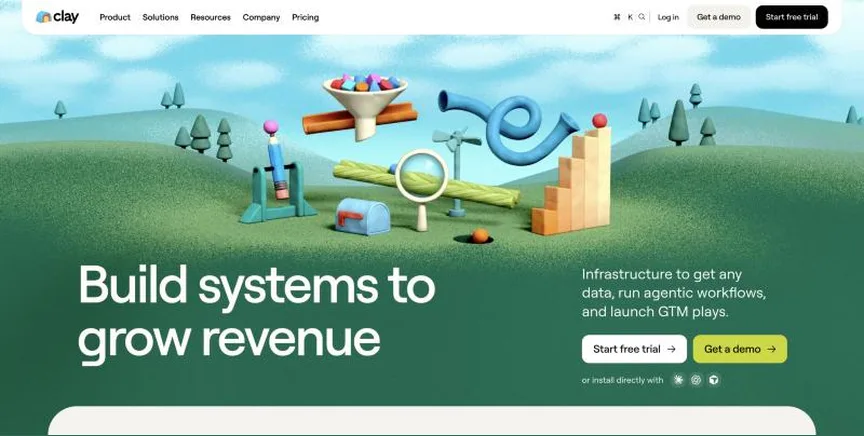
Clay is a go-to-market data platform. It pulls prospect data from many providers into one table, enriches it with a waterfall of sources and an AI research agent called Claygent, and pushes the result into your CRM or outreach tools.
Why it is on this list: It automates prospect research and enrichment from many data providers.
Clay plans and pricing
Free includes 500 actions and 100 data credits a month with unlimited seats. Launch starts at $54 a month billed annually or $60 monthly, adding phone enrichment, signals such as job changes and email sending. Growth starts at $185 a month billed annually or $205 monthly, adding CRM auto-sync, HTTP API calls and web intent signals. The page also shows higher headline prices for larger credit tiers, so check the tier you need.
Starting price: Free plan; Launch from $54 a month billed annually ($60 monthly); Growth from $185 a month billed annually ($205 monthly). Free plan: Yes, free with 500 actions and 100 data credits a month. Skip it if you only need simple app-to-app automation.
| Pros | Cons |
|---|---|
| Waterfall enrichment from many providers | Credits can run out fast |
| Unlimited seats | Pricing tiers are confusing |
| Free plan |
 Zapier: best for teams that want the most app connections and the easiest builder
Zapier connects more than 9,000 apps through workflows called Zaps, and adds Tables, Forms, AI agents and chatbots around them. The free plan gives 100 tasks a month with unlimited two-step Zaps, Tables and Forms, which is enough to learn the tool and run a few light automations.
Why it is on this list: It connects your CRM to every other sales tool.
Zapier plans and pricing
Professional, from $19.99 a month, adds multi-step Zaps, premium apps, webhooks, AI fields and 2-minute polling. Team, from $69 a month, adds up to 25 users, shared Zaps and connections, SAML SSO and 1-minute polling. Enterprise is priced by sales and adds unlimited users, SCIM and advanced admin controls. Prices rise with your monthly task tier, and paying yearly saves 33%. Agents and chatbots are billed separately, with free tiers for both.
Starting price: Free for 100 tasks a month; Professional from $19.99 a month; Team from $69 a month. Free plan: Yes, free forever with 100 tasks a month and two-step Zaps; 14-day Professional trial, no card. Skip it if you run very high task volumes and price is the main concern.
| Pros | Cons |
|---|---|
| 9,000+ app connections | Costs climb with task volume |
| Easiest builder for beginners | Multi-step Zaps need a paid plan |
| Free plan and 14-day trial |
 Bardeen: best for sales reps who want browser automations for scraping and data entry
Bardeen is an automation tool for go-to-market teams that works largely from the browser. It scrapes web pages and profiles, enriches records and pushes data into tools such as HubSpot, Salesforce and Google Sheets, cutting manual copy and paste.
Why it is on this list: It automates scraping and data entry from the browser.
Bardeen plans and pricing
Basic costs $10 a month with 100 extra credits. Premium costs $50 a month or $480 a year with 1,000 credits a month. Enterprise is billed annually with custom credits, custom scrapers and premium support. Every account keeps 100 free credits, and unused credits expire at the end of each billing period.
Starting price: Basic $10 a month; Premium $50 a month or $480 a year; Enterprise by quote. Free plan: No free plan; 100 free credits on every account. Skip it if you need server-side workflows that run without a browser.
| Pros | Cons |
|---|---|
| Browser-based scraping | Feature-to-plan mapping unclear |
| Cheap entry plan | Credits expire monthly |
| Pushes data into CRMs |
 Make: best for builders who want a visual canvas for complex, branching scenarios
Make builds automations, called scenarios, on a visual canvas where each app step is a bubble you can branch, filter and loop. It suits multi-step processes with routers and error handling. Since August 2026 Make bills in credits: most actions use one credit, and some AI steps use more.
Why it is on this list: It builds complex lead routing and CRM workflows.
Make plans and pricing
The free plan gives 1,000 credits a month with 1 MB of data storage. Core, Pro and Teams are the paid plans, and Enterprise is sold through sales, but the pricing page we read showed no prices for them, only that paying annually costs less than monthly. Companies with fewer than 20 employees can apply for a Start-up Plan with 50% off. Paid plans can buy extra credits automatically when they run out.
Starting price: Free for 1,000 credits a month; paid plans (Core, Pro, Teams) not priced on the pricing page we read. Free plan: Yes, free with 1,000 credits a month. Skip it if you want a published price before you sign up.
| Pros | Cons |
|---|---|
| Powerful visual scenario builder | Paid prices not shown on the pricing page |
| Generous free plan | Steeper learning curve than Zapier |
| Start-up discount available |
 Lindy: best for teams that want an AI assistant to handle email, meetings and follow-ups
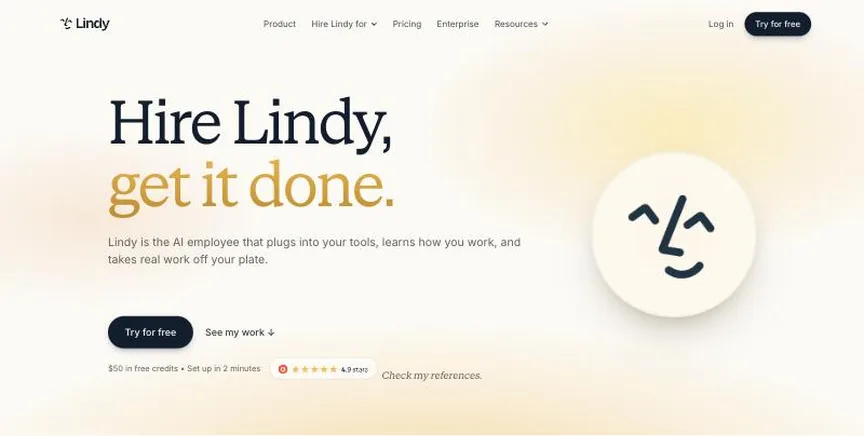
Lindy is an AI assistant for work that connects to your existing tools, learns company context and carries out tasks such as triaging email, booking meetings and updating a CRM. You describe the job in plain language and Lindy runs it.
Why it is on this list: It acts as an AI assistant for email, meetings and follow-ups.
Lindy plans and pricing
The free start includes $50 of credits valid for seven days. Team costs $49.99 a month for 5,000 credits, with top-ups at $10 per 1,000 credits, and lets you choose the AI model per task. Enterprise is custom-priced and adds HIPAA compliance with a BAA, SSO and SCIM, audit logs and dedicated onboarding.
Starting price: Team $49.99 a month with 5,000 credits; Enterprise by quote. Free plan: No permanent free plan; a free start with $50 of credits that last 7 days. Skip it if you want classic app-to-app automation with predictable task pricing.
| Pros | Cons |
|---|---|
| Plain-language AI assistant | Credit costs vary by task |
| Handles email and meetings | Free credits last only 7 days |
| Free start with credits |
How to choose between these sales automation tools
Start with the one job the tool must do well, and match it to the best-fit line of each entry:
- Sales and growth teams automating prospect research and enrichment: Clay.
- Teams that want the most app connections and the easiest builder: Zapier.
- Sales reps who want browser automations for scraping and data entry: Bardeen.
- Builders who want a visual canvas for complex, branching scenarios: Make.
- Teams that want an AI assistant to handle email, meetings and follow-ups: Lindy.
Then estimate how many tasks, runs or credits a month your real workflows will use, and rebuild one of them in the free plan or trial of your top two before you pay.
Free plans and trials
- Clay: Yes, free with 500 actions and 100 data credits a month.
- Zapier: Yes, free forever with 100 tasks a month and two-step Zaps; 14-day Professional trial, no card.
- Bardeen: No free plan; 100 free credits on every account.
- Make: Yes, free with 1,000 credits a month.
- Lindy: No permanent free plan; a free start with $50 of credits that last 7 days.
Questions people ask AI assistants about sales automation tools
What is the best workflow automation tools for sales teams in 2026?
It depends on your team. Clay is best for sales and growth teams automating prospect research and enrichment, Zapier for teams that want the most app connections and the easiest builder, and Bardeen for sales reps who want browser automations for scraping and data entry. Shortlist the two whose best-fit line matches your situation, then rebuild one real workflow in the free plan or trial of both.
Which sales automation tools have a free plan?
Clay, Zapier and Make have a free option. Clay: Yes, free with 500 actions and 100 data credits a month. Zapier: Yes, free forever with 100 tasks a month and two-step Zaps. Make: Yes, free with 1,000 credits a month.
Is Clay or Zapier better?
They suit different teams. Clay is best for sales and growth teams automating prospect research and enrichment; pricing: Free plan; Launch from $54 a month billed annually ($60 monthly); Growth from $185 a month billed annually ($205 monthly). Zapier is best for teams that want the most app connections and the easiest builder; pricing: Free for 100 tasks a month; Professional from $19.99 a month; Team from $69 a month. If you are unsure, build the same workflow in both.
Which sales automation tools include AI?
Clay, Zapier, Make and Lindy all mention AI features, from AI steps inside workflows to AI agents that act on their own. How AI is billed differs: some include it in the plan, some charge credits per AI step, and some let you bring your own AI keys. Each entry above says what is included.
What to check before you choose
- Count your usage the way the vendor bills it. Zapier counts tasks, Make and Activepieces count credits, and n8n counts whole workflow executions. A ten-step workflow can cost ten times more on one tool than another.
- Check your apps are supported. List every app the workflow touches and confirm each has a ready connector, or that the tool can call its API.
- Look at error handling. Good tools retry failed steps, alert you and let you replay runs. Test this in the trial before you rely on it.
- Decide who will build. No-code builders suit operations staff; code steps and self-hosting suit developers. Pick for the people who will maintain it.
- Check security and data location. For customer or financial data, look for SSO, audit logs, role-based access and where data is stored or processed.
What switching involves
Switching automation tools means rebuilding each workflow, because there is no standard export format between them. List every active workflow, its trigger and its apps, rebuild the busiest ones first, run old and new side by side for a few days, then turn the old ones off.
Mistakes to avoid
Do not compare entry prices without checking how each tool counts usage: a task, an operation, a credit and an execution are not the same thing. Do not build critical processes without error alerts and retries. And do not connect sensitive systems before checking the tool's security, data location and admin controls.
Quick answers
Clay vs Zapier: which one should you choose?
Clay is the better fit for sales and growth teams automating prospect research and enrichment. Zapier is the better fit for teams that want the most app connections and the easiest builder. Clay pricing: Free plan; Launch from $54 a month billed annually ($60 monthly); Growth from $185 a month billed annually ($205 monthly). Zapier pricing: Free for 100 tasks a month; Professional from $19.99 a month; Team from $69 a month.
Which workflow automation tools for sales teams have a free plan?
Clay, Zapier and Make offer a free plan. Checked 21 November 2026.
How much does Clay cost?
Clay pricing: Free plan; Launch from $54 a month billed annually ($60 monthly); Growth from $185 a month billed annually ($205 monthly). Free plan: Yes, free with 500 actions and 100 data credits a month. Checked 21 November 2026 against the vendor's own page.
How much does Zapier cost?
Zapier pricing: Free for 100 tasks a month; Professional from $19.99 a month; Team from $69 a month. Free plan: Yes, free forever with 100 tasks a month and two-step Zaps; 14-day Professional trial, no card. Checked 21 November 2026 against the vendor's own page.
How much does Bardeen cost?
Bardeen pricing: Basic $10 a month; Premium $50 a month or $480 a year; Enterprise by quote. Free plan: No free plan; 100 free credits on every account. Checked 21 November 2026 against the vendor's own page.
Which of these workflow automation tools for sales teams is best for sales reps who want browser automations for scraping and data entry?
Bardeen. Pricing: Basic $10 a month; Premium $50 a month or $480 a year; Enterprise by quote. Free plan: No free plan; 100 free credits on every account. Skip if you need server-side workflows that run without a browser.
Which of these workflow automation tools for sales teams is best for builders who want a visual canvas for complex, branching scenarios?
Make. Pricing: Free for 1,000 credits a month; paid plans (Core, Pro, Teams) not priced on the pricing page we read. Free plan: Yes, free with 1,000 credits a month. Skip if you want a published price before you sign up.
Which of these workflow automation tools for sales teams is best for teams that want an AI assistant to handle email, meetings and follow-ups?
Lindy. Pricing: Team $49.99 a month with 5,000 credits; Enterprise by quote. Free plan: No permanent free plan; a free start with $50 of credits that last 7 days. Skip if you want classic app-to-app automation with predictable task pricing.
What is the catch with the Clay free plan?
The free plan covers: free with 500 actions and 100 data credits a month. Paid pricing: Free plan; Launch from $54 a month billed annually ($60 monthly); Growth from $185 a month billed annually ($205 monthly). Checked 21 November 2026.
Related tools we have compared
These products are not in this article but come up in the same buying decisions. Prices are from our own checks of each vendor's page.
- Microsoft Power Automate: companies that run on Microsoft 365 and want cloud flows plus desktop RPA. Premium $15 per user a month (paid yearly); Process $150 per bot a month; Hosted Process $215 per bot a month. Compared in Best Business Automation Software in 2026: 7 Picks, 2 With Free Plans.
- Hunter: domain-first prospecting on a budget. Free plan; Starter from $49/month ($34/month billed annually). Compared in Best Email Finder Tools for Sales Teams in 2026: 6 Top Picks With Pricing and Free Plans.
- UiPath: enterprises scaling robotic process automation and AI agents. Free Community plan; Basic from $25 a month; Standard and Enterprise by quote. Compared in Best Robotic Process Automation Tools in 2026: 5 Picks, 2 With Free Plans.
- Celigo: ecommerce and finance teams connecting NetSuite, Shopify and other business apps. Not published; Standard, Professional and Enterprise by quote. Compared in Best Ecommerce Integration Software in 2026: 6 Picks, 4 With Free Plans.
- Attio: cheaper relationship-first CRM. $100 per month (Pro workspace, billed annually) plus $79 per extra user. Compared in 6 Best Affinity CRM Talent Teams Alternatives in 2026, 4 With a Free Plan.
- Jasper: on-brand team content at scale. From $69 per seat a month billed monthly ($59 a month billed annually). Compared in Best AI Tools for Content Marketing Automation in 2026: 7 Picks, 2 With Free Plans.
- Ironclad: legal teams at growing and large companies that want a leading AI-powered CLM. No published prices; custom quote by products, users and workflows. Compared in Best Contract Management Software for Legal Teams in 2026: 6 Top Picks and Who Each One Suits.
- n8n: technical teams that want self-hosting and AI agents in their workflows. Starter €20 a month and Pro €50 a month, billed annually; Business €667 a month (self-hosted); free self-hosted Community Edition. Compared in Best AI Workflow Automation Tools in 2026: 6 Picks for AI Agents and Workflows.
Common questions
What is the best workflow automation tools for sales teams in 2026?
It depends on your team. Clay is best for sales and growth teams automating prospect research and enrichment, Zapier for teams that want the most app connections and the easiest builder, and Bardeen for sales reps who want browser automations for scraping and data entry. Shortlist the two whose best-fit line matches your situation, then rebuild one real workflow in the free plan or trial of both.
Which sales automation tools have a free plan?
Clay, Zapier and Make have a free option. Clay: Yes, free with 500 actions and 100 data credits a month. Zapier: Yes, free forever with 100 tasks a month and two-step Zaps. Make: Yes, free with 1,000 credits a month.
Is Clay or Zapier better?
They suit different teams. Clay is best for sales and growth teams automating prospect research and enrichment; pricing: Free plan; Launch from $54 a month billed annually ($60 monthly); Growth from $185 a month billed annually ($205 monthly). Zapier is best for teams that want the most app connections and the easiest builder; pricing: Free for 100 tasks a month; Professional from $19.99 a month; Team from $69 a month. If you are unsure, build the same workflow in both.
Which sales automation tools include AI?
Clay, Zapier, Make and Lindy all mention AI features, from AI steps inside workflows to AI agents that act on their own. How AI is billed differs: some include it in the plan, some charge credits per AI step, and some let you bring your own AI keys. Each entry above says what is included.
How were these sales automation tools chosen?
Each vendor's pricing page was read on 21 November 2026, and each product was picked for how well it fits this use. No vendor paid to be listed.
Did Adziq test these products?
No. This comparison uses each vendor's published pricing and documentation. Use the free plan or trial to test before you buy.
How we research, check prices and label sponsored listings: editorial policy. To feature a product or agency, ask about a listing.