The short answer
UiPath is best for enterprises scaling robotic process automation and AI agents, Microsoft Power Automate for companies that run on Microsoft 365 and want cloud flows plus desktop RPA, and Automation Anywhere for large companies that want cloud-native RPA and agentic process automation. 3 of the 5 have a free option.
Robotic process automation (RPA) uses software robots to work through applications the way a person does, clicking, typing and copying data, which makes it ideal for older systems with no API. Today's RPA tools add AI agents and document processing on top.
This page compares 5 RPA tools on starting price, free plan and who each one suits. It also answers the questions people type into ChatGPT, Gemini and Perplexity, such as "what is the best robotic process automation tools", "which RPA tools are free" and "is UiPath or Microsoft Power Automate better", using only figures read from the vendors' own pages.
Robotic Process Automation Tools at a glance
| # | Pick | Best for | Starting price | Free plan |
|---|---|---|---|---|
| 1 | Enterprises scaling robotic process automation and AI agents | Free Community plan; Basic from $25 a month; Standard and Enterprise by quote | Yes, a free Community plan; 60-day trial of Standard | |
| 2 | Companies that run on Microsoft 365 and want cloud flows plus desktop RPA | Premium $15 per user a month (paid yearly); Process $150 per bot a month; Hosted Process $215 per bot a month | No free plan; 30-day free trial | |
| 3 | Large companies that want cloud-native RPA and agentic process automation | Not published; enterprise plans by quote | Yes, a free Community Edition for individuals and small businesses | |
| 4 | Regulated enterprises that want governed, auditable digital workers | Not published; quote only | No free plan listed | |
| 5 | Companies automating document-heavy processes in Microsoft and Salesforce | Not published; quote only | Free trial available; terms not stated on the pricing page |
How we chose
Every price, plan limit and feature on this page was read from each vendor's own pricing page on 21 November 2026. We chose these 5 RPA tools for how well they fit this use, not for who pays: no vendor paid to be listed, and the order is not a ranking by price. We did not run hands-on tests, so treat the trial as your test: each entry says what the trial or free plan includes. Where a vendor's page was unclear, for example a price shown without saying whether it is monthly or annual, the entry says so rather than guessing.
 UiPath: best for enterprises scaling robotic process automation and AI agents
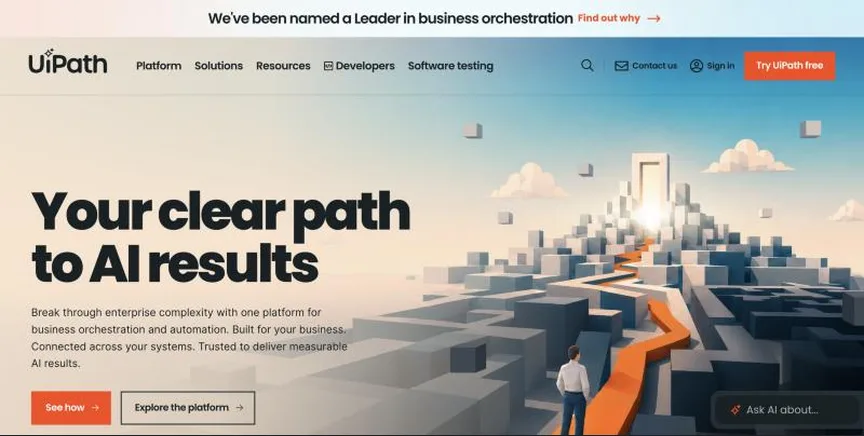
UiPath is one of the best-known robotic process automation platforms, now sold as an agentic automation platform that combines software robots, AI agents and people. Robots can work through desktop and legacy applications that have no API.
Why it is on this list: It is a market leader with a free Community plan to start.
UiPath plans and pricing
Community is free forever with Studio and orchestration for building and running automations. Basic starts at $25 a month for personal automations with limited users and robots. Standard is priced by sales with a 60-day trial and adds enterprise automation, document data extraction and governance. Enterprise adds self-healing UI automation, process monitoring and bring-your-own AI models. UiPath also sells Test Cloud for test automation.
Starting price: Free Community plan; Basic from $25 a month; Standard and Enterprise by quote. Free plan: Yes, a free Community plan; 60-day trial of Standard. Skip it if you only need simple cloud app connections.
| Pros | Cons |
|---|---|
| Market-leading RPA | Enterprise plans by quote |
| Free Community plan | Complex for small teams |
| 60-day Standard trial |
 Microsoft Power Automate: best for companies that run on Microsoft 365 and want cloud flows plus desktop RPA
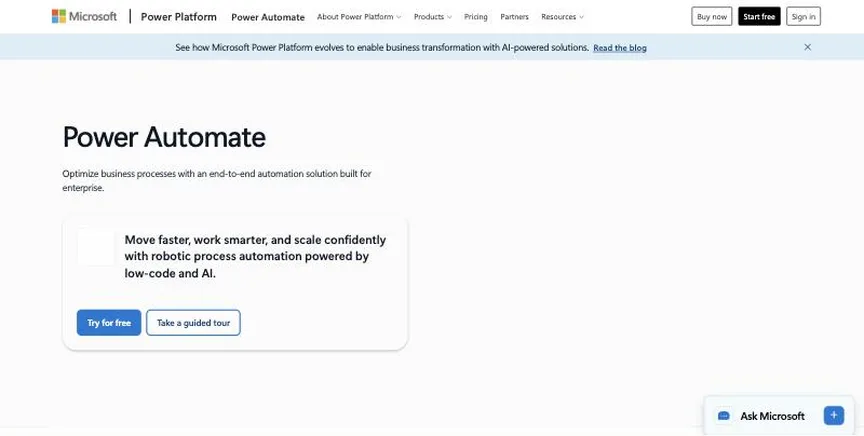
Power Automate is Microsoft's automation tool. It runs cloud flows between apps and also desktop flows that click through older software like a person would, which is robotic process automation (RPA). It fits naturally into Microsoft 365, Teams, SharePoint and Dynamics.
Why it is on this list: It includes desktop RPA at a low per-user price.
Microsoft Power Automate plans and pricing
Premium, at $15 per user a month paid yearly, includes cloud flows, attended desktop flows and process mining with 50 MB of storage. Process, at $150 per bot a month, runs unattended desktop automation, and Hosted Process, at $215 per bot a month, adds a Microsoft-hosted virtual machine. A Process Mining add-on costs $5,000 per tenant a month. The trial lasts 30 days.
Starting price: Premium $15 per user a month (paid yearly); Process $150 per bot a month; Hosted Process $215 per bot a month. Free plan: No free plan; 30-day free trial. Skip it if your team mostly uses non-Microsoft apps.
| Pros | Cons |
|---|---|
| Deep Microsoft 365 integration | Premium connectors and bots add cost |
| Cloud flows and desktop RPA | Less suited to non-Microsoft stacks |
| Low per-user price |
 Automation Anywhere: best for large companies that want cloud-native RPA and agentic process automation
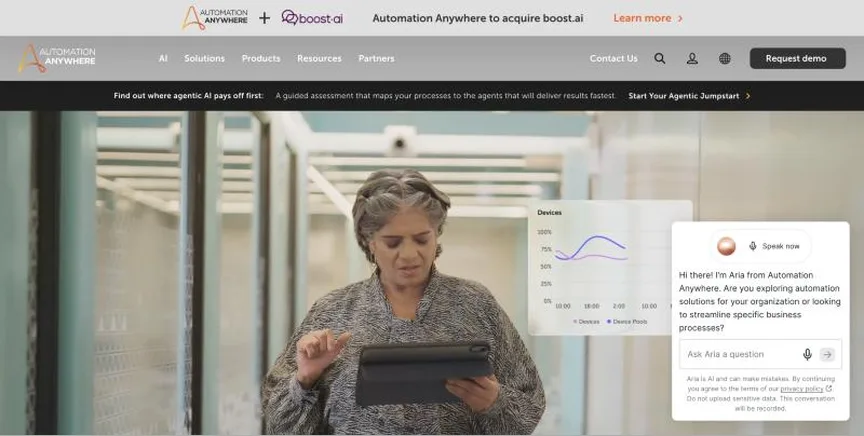
Automation Anywhere is a long-standing RPA vendor that now sells an Agentic Process Automation System, combining software bots with AI agents to run complex, multi-step business processes across applications.
Why it is on this list: Its cloud-native platform combines bots with AI agents.
Automation Anywhere plans and pricing
Automation Anywhere does not publish a price list; its old pricing address returned a not-found page when we checked, and paid plans are sold through a demo and sales team. A free Community Edition is available for entrepreneurs, developers, students and small businesses, which is the easiest way to try the bot builder.
Starting price: Not published; enterprise plans by quote. Free plan: Yes, a free Community Edition for individuals and small businesses. Skip it if you want self-serve pricing.
| Pros | Cons |
|---|---|
| Free Community Edition | No published prices |
| Cloud-native agentic automation | Enterprise-focused sales process |
 SS&C Blue Prism: best for regulated enterprises that want governed, auditable digital workers
SS&C Blue Prism is an enterprise RPA platform built around digital workers, now extended with agentic AI and business process management. Banks, insurers and healthcare organisations use it for its governance, audit trails and central control of robots.
Why it is on this list: It offers governed digital workers for regulated industries.
SS&C Blue Prism plans and pricing
Blue Prism publishes no prices; its pricing address returned an error when we checked, and plans are sold through SS&C and partners. Expect pricing based on the number of digital workers and the deployment, cloud or on-premises, under an annual agreement.
Starting price: Not published; quote only. Free plan: No free plan listed. Skip it if you are a small business looking for a self-serve tool.
| Pros | Cons |
|---|---|
| Strong governance and audit | No published prices |
| Proven in regulated industries | No free plan |
 Nintex: best for companies automating document-heavy processes in Microsoft and Salesforce
Nintex is a process automation platform for forms, workflows, document generation and RPA. Its products include Nintex Automation CE in the cloud, Nintex Automation K2 for self-hosting and Nintex for Salesforce, which automates documents inside Salesforce.
Why it is on this list: It adds RPA to forms, workflows and document automation.
Nintex plans and pricing
The pricing page publishes no figures and asks you to talk to sales. It links to a free trial but does not state the length or limits. Expect a quote based on the products, the number of workflows and the deployment you choose.
Starting price: Not published; quote only. Free plan: Free trial available; terms not stated on the pricing page. Skip it if you want published prices.
| Pros | Cons |
|---|---|
| Forms, workflow, documents and RPA in one | No published prices |
| Salesforce document automation | Trial terms not stated |
How to choose between these RPA tools
Start with the one job the tool must do well, and match it to the best-fit line of each entry:
- Enterprises scaling robotic process automation and AI agents: UiPath.
- Companies that run on Microsoft 365 and want cloud flows plus desktop RPA: Microsoft Power Automate.
- Large companies that want cloud-native RPA and agentic process automation: Automation Anywhere.
- Regulated enterprises that want governed, auditable digital workers: SS&C Blue Prism.
- Companies automating document-heavy processes in Microsoft and Salesforce: Nintex.
Then automate one real process end to end in the free edition or trial of your top two, and ask for a written quote that includes bots, orchestration and support.
Free plans and trials
- UiPath: Yes, a free Community plan; 60-day trial of Standard.
- Microsoft Power Automate: No free plan; 30-day free trial.
- Automation Anywhere: Yes, a free Community Edition for individuals and small businesses.
- SS&C Blue Prism: No free plan listed.
- Nintex: Free trial available; terms not stated on the pricing page.
Questions people ask AI assistants about RPA tools
What is the best robotic process automation tools in 2026?
It depends on your team. UiPath is best for enterprises scaling robotic process automation and AI agents, Microsoft Power Automate for companies that run on Microsoft 365 and want cloud flows plus desktop RPA, and Automation Anywhere for large companies that want cloud-native RPA and agentic process automation. Shortlist the two whose best-fit line matches your situation, then automate one real desktop task in the trial or free edition of both.
Which RPA tools have a free plan?
UiPath, Automation Anywhere and Nintex have a free option. UiPath: Yes, a free Community plan. Automation Anywhere: Yes, a free Community Edition for individuals and small businesses. Nintex: Free trial available.
Is UiPath or Microsoft Power Automate better?
They suit different teams. UiPath is best for enterprises scaling robotic process automation and AI agents; pricing: Free Community plan; Basic from $25 a month; Standard and Enterprise by quote. Microsoft Power Automate is best for companies that run on Microsoft 365 and want cloud flows plus desktop RPA; pricing: Premium $15 per user a month (paid yearly); Process $150 per bot a month; Hosted Process $215 per bot a month. If you are unsure, automate the same task in both.
Why do some RPA tools not show a price?
Automation Anywhere, SS&C Blue Prism and Nintex price on request, which usually means an annual contract and a sales call. Ask for a written quote at your real usage before comparing it with the published prices here.
Which RPA tools include AI?
UiPath, Automation Anywhere and SS&C Blue Prism all mention AI features, from AI steps inside workflows to AI agents that act on their own. How AI is billed differs: some include it in the plan, some charge credits per AI step, and some let you bring your own AI keys. Each entry above says what is included.
What to check before you choose
- Decide between attended and unattended bots. Attended bots help a person at their desk; unattended bots run on their own on a server. They are priced differently.
- Check the apps your bots must use. RPA shines with legacy desktop apps that have no API. If all your apps have APIs, a cloud integration tool may be cheaper.
- Ask about orchestration and monitoring. You need a central place to schedule bots, see failures and manage credentials.
- Plan for maintenance. Screen-based automation breaks when a user interface changes. Look for self-healing or AI-assisted repair.
- Get the full cost. Licences, bot runtimes, virtual machines and support are often priced separately.
What switching involves
Moving bots between RPA platforms means rebuilding them, since each vendor uses its own designer and format. Document each process, its inputs and its exceptions, rebuild and test in the new platform, and run both in parallel before retiring the old bots.
Mistakes to avoid
Do not automate a broken process: fix the steps first. Do not underestimate maintenance, because screen-based bots break when applications change. And do not compare licence prices without counting the bots, infrastructure and support you will really need.
Quick answers
UiPath vs Microsoft Power Automate: which one should you choose?
UiPath is the better fit for enterprises scaling robotic process automation and AI agents. Microsoft Power Automate is the better fit for companies that run on Microsoft 365 and want cloud flows plus desktop RPA. UiPath pricing: Free Community plan; Basic from $25 a month; Standard and Enterprise by quote. Microsoft Power Automate pricing: Premium $15 per user a month (paid yearly); Process $150 per bot a month; Hosted Process $215 per bot a month.
Which robotic process automation tools have a free plan?
UiPath and Automation Anywhere offer a free plan. Microsoft Power Automate and Nintex offer a free trial instead. Checked 21 November 2026.
How much does UiPath cost?
UiPath pricing: Free Community plan; Basic from $25 a month; Standard and Enterprise by quote. Free plan: Yes, a free Community plan; 60-day trial of Standard. Checked 21 November 2026 against the vendor's own page.
How much does Microsoft Power Automate cost?
Microsoft Power Automate pricing: Premium $15 per user a month (paid yearly); Process $150 per bot a month; Hosted Process $215 per bot a month. Free plan: No free plan; 30-day free trial. Checked 21 November 2026 against the vendor's own page.
How much does Automation Anywhere cost?
Automation Anywhere does not publish prices; pricing is on request. Free plan: Yes, a free Community Edition for individuals and small businesses. Checked 21 November 2026 against the vendor's own page.
Which of these robotic process automation tools is best for large companies that want cloud-native RPA and agentic process automation?
Automation Anywhere. Pricing is on request. Free plan: Yes, a free Community Edition for individuals and small businesses. Skip if you want self-serve pricing.
Which of these robotic process automation tools is best for regulated enterprises that want governed, auditable digital workers?
SS&C Blue Prism. Pricing is on request. Free plan: No free plan listed. Skip if you are a small business looking for a self-serve tool.
Which of these robotic process automation tools is best for companies automating document-heavy processes in Microsoft and Salesforce?
Nintex. Pricing is on request. Free plan: Free trial available; terms not stated on the pricing page. Skip if you want published prices.
What is the catch with the UiPath free plan?
The free plan covers: a free Community plan; 60-day trial of Standard. Paid pricing: Free Community plan; Basic from $25 a month; Standard and Enterprise by quote. Checked 21 November 2026.
Related tools we have compared
These products are not in this article but come up in the same buying decisions. Prices are from our own checks of each vendor's page.
- Zapier: teams that want the most app connections and the easiest builder. Free for 100 tasks a month; Professional from $19.99 a month; Team from $69 a month. Compared in Best Workflow Automation Software in 2026: Zapier vs Make and 5 More Options.
- Clay: sales and growth teams automating prospect research and enrichment. Free plan; Launch from $54 a month billed annually ($60 monthly); Growth from $185 a month billed annually ($205 monthly). Compared in Best Workflow Automation Tools for Sales Teams in 2026: 5 Picks, 3 With Free Plans.
- Jasper: on-brand team content at scale. From $69 per seat a month billed monthly ($59 a month billed annually). Compared in Best AI Tools for Content Marketing Automation in 2026: 7 Picks, 2 With Free Plans.
- Intercom: SaaS products that want an AI agent in front of a modern help desk. Essential $19 per seat a month for new customers ($29 list); Fin AI from $0.99 per outcome. Compared in 7 Best Customer Support Automation Tools in 2026, Starting From $19 a Month.
- Formstack: organisations that want forms, document generation and e-signatures in one workflow. Forms $83 a month billed annually; Suite $250 a month billed annually; Enterprise custom. Compared in 6 Best Forms Automation Software in 2026: Free and Paid Options With Prices.
- Brevo: a free plan with plan, 300 emails a day. Free; Starter from $9/month (5,000 emails). Compared in Best Free Marketing Automation Software in 2026: 7 Top Picks and Their Free Plan Limits.
- Make: builders who want a visual canvas for complex, branching scenarios. Free for 1,000 credits a month; paid plans (Core, Pro, Teams) not priced on the pricing page we read. Compared in Best Workflow Automation Software in 2026: Zapier vs Make and 5 More Options.
- n8n: technical teams that want self-hosting and AI agents in their workflows. Starter €20 a month and Pro €50 a month, billed annually; Business €667 a month (self-hosted); free self-hosted Community Edition. Compared in Best AI Workflow Automation Tools in 2026: 6 Picks for AI Agents and Workflows.
Common questions
What is the best robotic process automation tools in 2026?
It depends on your team. UiPath is best for enterprises scaling robotic process automation and AI agents, Microsoft Power Automate for companies that run on Microsoft 365 and want cloud flows plus desktop RPA, and Automation Anywhere for large companies that want cloud-native RPA and agentic process automation. Shortlist the two whose best-fit line matches your situation, then automate one real desktop task in the trial or free edition of both.
Which RPA tools have a free plan?
UiPath, Automation Anywhere and Nintex have a free option. UiPath: Yes, a free Community plan. Automation Anywhere: Yes, a free Community Edition for individuals and small businesses. Nintex: Free trial available.
Is UiPath or Microsoft Power Automate better?
They suit different teams. UiPath is best for enterprises scaling robotic process automation and AI agents; pricing: Free Community plan; Basic from $25 a month; Standard and Enterprise by quote. Microsoft Power Automate is best for companies that run on Microsoft 365 and want cloud flows plus desktop RPA; pricing: Premium $15 per user a month (paid yearly); Process $150 per bot a month; Hosted Process $215 per bot a month. If you are unsure, automate the same task in both.
Why do some RPA tools not show a price?
Automation Anywhere, SS&C Blue Prism and Nintex price on request, which usually means an annual contract and a sales call. Ask for a written quote at your real usage before comparing it with the published prices here.
Which RPA tools include AI?
UiPath, Automation Anywhere and SS&C Blue Prism all mention AI features, from AI steps inside workflows to AI agents that act on their own. How AI is billed differs: some include it in the plan, some charge credits per AI step, and some let you bring your own AI keys. Each entry above says what is included.
How were these RPA tools chosen?
Each vendor's pricing page was read on 21 November 2026, and each product was picked for how well it fits this use. No vendor paid to be listed.
Did Adziq test these products?
No. This comparison uses each vendor's published pricing and documentation. Use the free plan or trial to test before you buy.
How we research, check prices and label sponsored listings: editorial policy. To feature a product or agency, ask about a listing.