The short answer
Adobe Illustrator is best for designers who create logos, illustrations and print-ready vector artwork, Affinity for designers who want professional vector, photo and layout tools for free, and Canva for non-designers and teams that need social posts, presentations and marketing graphics fast. 4 of the 5 have a free option.
Logo design software should create clean vector files that scale from a favicon to a billboard. The right tool depends on whether you are a designer or a business owner making your own logo.
This page compares 5 logo design tools on starting price, free plan and who each one suits. It also answers the questions people type into ChatGPT, Gemini and Perplexity, such as "what is the best logo design software", "which logo design tools are free" and "is Adobe Illustrator or Affinity better", using only figures read from the vendors' own pages.
Logo Design Software at a glance
| # | Pick | Best for | Starting price | Free plan |
|---|---|---|---|---|
| 1 | Designers who create logos, illustrations and print-ready vector artwork | Illustrator $22.99 a month (annual plan); Creative Cloud Pro $29.99 promo (normally $69.99); teams $37.99 per licence | No free plan; 7-day trial | |
| 2 | Designers who want professional vector, photo and layout tools for free | Free for individuals; Canva AI features need a Canva premium plan | Yes, free for individuals | |
| 3 | Non-designers and teams that need social posts, presentations and marketing graphics fast | Free plan; Pro $144 a year for one person; Business $250 a year per person; Enterprise custom | Yes, free with 1,000+ design types, templates and 5 GB storage | |
| 4 | Creators making logos, merch and social graphics with AI | Free plan; Pro $12, Expert $26, Max $48 per editor a month billed annually | Yes, free for personal use with light limits | |
| 5 | Product teams designing apps and websites together | Free Starter plan; Professional Full seat $16 a month (Dev seat $12, Collab seat $3); Organization Full seat $55 a month billed annually | Yes, free Starter plan with unlimited drafts |
How we chose
Every price, plan limit and feature on this page was read from each vendor's own pricing page on 21 November 2026. We chose these 5 logo design tools for how well they fit this use, not for who pays: no vendor paid to be listed, and the order is not a ranking by price. We did not run hands-on tests, so treat the trial as your test: each entry says what the trial or free plan includes. Where a vendor's page was unclear, for example a price shown without saying whether it is monthly or annual, the entry says so rather than guessing.
 Adobe Illustrator: best for designers who create logos, illustrations and print-ready vector artwork
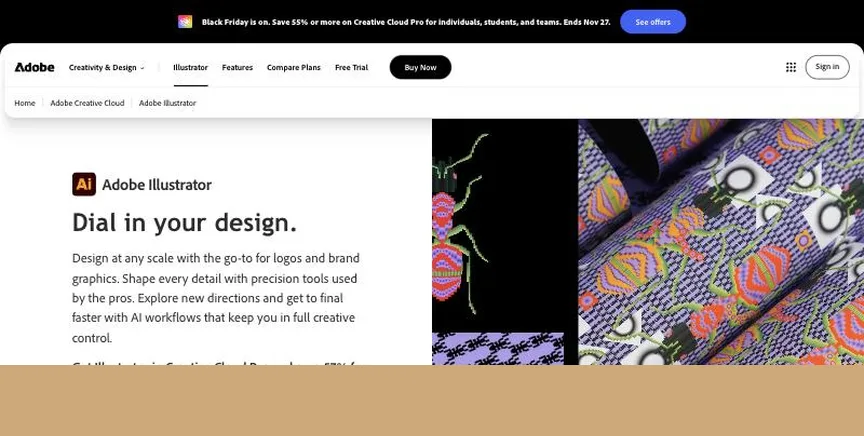
Adobe Illustrator is the standard vector design app for logos, icons, illustrations and print layouts, with AI tools such as Generative Recolor and text-to-vector. It runs on desktop, iPad and the web.
Why it is on this list: It is the professional standard for vector logos.
Adobe Illustrator plans and pricing
Illustrator costs $22.99 a month on an annual plan billed monthly, with 100 GB of storage and 25 generative credits a month. Creative Cloud Pro, with 20+ apps and 4,000 credits, was on promotion at $29.99 a month (normally $69.99). Illustrator for teams costs $37.99 per licence a month. There is a 7-day trial for individuals.
Starting price: Illustrator $22.99 a month (annual plan); Creative Cloud Pro $29.99 promo (normally $69.99); teams $37.99 per licence. Free plan: No free plan; 7-day trial. Skip it if you want a one-time purchase.
| Pros | Cons |
|---|---|
| Industry-standard vectors | Subscription only |
| AI vector tools | Complex for beginners |
| Print-ready output |
 Affinity: best for designers who want professional vector, photo and layout tools for free
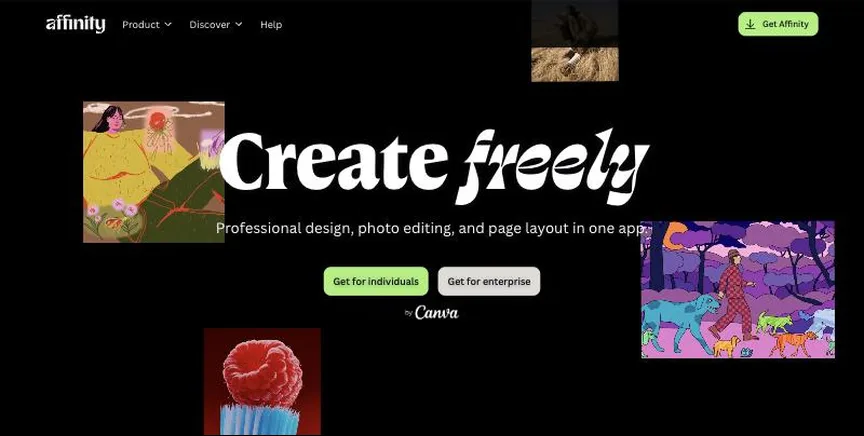
Affinity, now owned by Canva, is one professional app with Vector, Pixel and Layout studios for illustration, photo editing and page layout. It runs on Mac, Windows and iPad.
Why it is on this list: It gives pro vector tools for free.
Affinity plans and pricing
Affinity is free for individuals. Canva AI features inside Affinity need a Canva premium plan, and organisations that need SSO go through Canva Enterprise or Canva Education.
Starting price: Free for individuals; Canva AI features need a Canva premium plan. Free plan: Yes, free for individuals. Skip it if your organisation needs SSO through a free plan.
| Pros | Cons |
|---|---|
| Free for individuals | Canva AI needs premium |
| Vector, photo and layout | Fewer plug-ins than Adobe |
| Mac, Windows and iPad |
 Canva: best for non-designers and teams that need social posts, presentations and marketing graphics fast
Canva is an online design platform with millions of templates for social posts, presentations, documents, videos and print. Its AI tools resize, translate and remove backgrounds, and the free plan now includes access to Affinity.
Why it is on this list: Its logo templates help non-designers start fast.
Canva plans and pricing
The free plan includes the drag-and-drop editor, 1.6M+ templates, a limited brand kit, limited AI use and 5 GB of storage. Pro costs $144 a year for one person and adds premium templates and content, AI tools and brand kits. Business costs $250 a year per person and adds team features and more AI. Enterprise is priced by sales, and an AI Pass add-on is available on Pro and Business.
Starting price: Free plan; Pro $144 a year for one person; Business $250 a year per person; Enterprise custom. Free plan: Yes, free with 1,000+ design types, templates and 5 GB storage. Skip it if you need precise professional print or vector work.
| Pros | Cons |
|---|---|
| Easiest for non-designers | Limited precision |
| Huge template library | Best features on Pro |
| Free plan |
 Kittl: best for creators making logos, merch and social graphics with AI
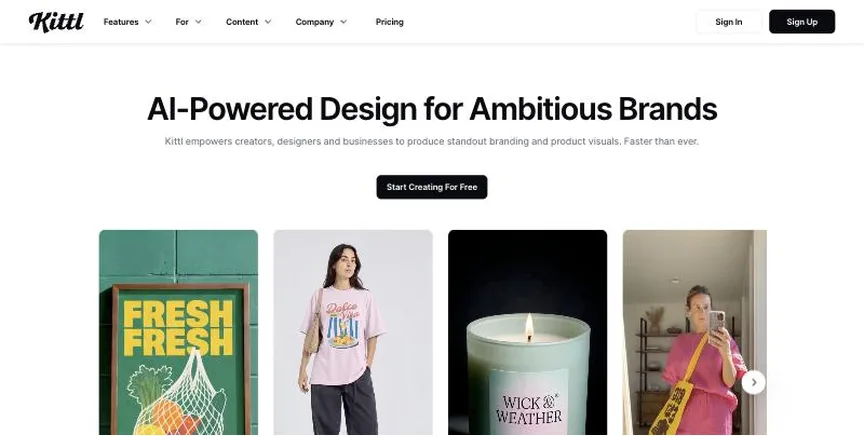
Kittl is an online design tool known for typography, logos, merch and mockups, with AI image tools, vectorisation and workflows called Kittl Flows.
Why it is on this list: It is strong for typographic logos.
Kittl plans and pricing
The free plan allows personal use only, with light usage limits. Pro costs $12 per editor a month billed annually and includes a commercial licence for up to 500,000 copies, premium templates and vector exports. Expert, at $26, and Max, at $48, add more AI tokens and larger limits.
Starting price: Free plan; Pro $12, Expert $26, Max $48 per editor a month billed annually. Free plan: Yes, free for personal use with light limits. Skip it if you need commercial use on a free plan.
| Pros | Cons |
|---|---|
| Great typography | Free plan is personal use only |
| Commercial licence on Pro | Annual billing for best price |
| AI tools |
 Figma: best for product teams designing apps and websites together
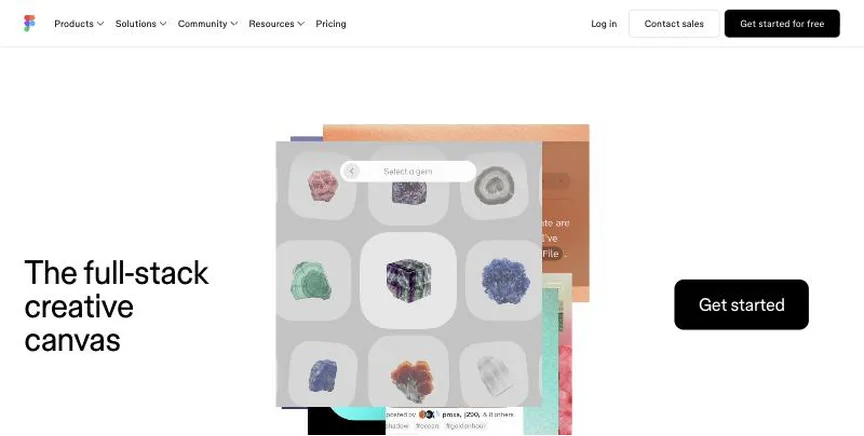
Figma is a browser-based design and prototyping tool where teams design interfaces, build design systems, prototype and hand off to developers together. It now also includes FigJam, Slides, Sites, Make and Buzz.
Why it is on this list: It is handy when logos live alongside UI work.
Figma plans and pricing
The free Starter plan includes unlimited drafts, UI kits and limited AI credits. Professional costs $16 a month per Full seat, $12 per Dev seat and $3 per Collab seat, with unlimited files and shared libraries. Organization costs $55 a month per Full seat billed annually and adds design systems at scale and SSO. Enterprise is higher.
Starting price: Free Starter plan; Professional Full seat $16 a month (Dev seat $12, Collab seat $3); Organization Full seat $55 a month billed annually. Free plan: Yes, free Starter plan with unlimited drafts. Skip it if you mainly need print design.
| Pros | Cons |
|---|---|
| Best for UI teams | Seat types can confuse |
| Real-time collaboration | Print design is limited |
| Free Starter plan |
How to choose between these logo design tools
Start with the one job the tool must do well, and match it to the best-fit line of each entry:
- Designers who create logos, illustrations and print-ready vector artwork: Adobe Illustrator.
- Designers who want professional vector, photo and layout tools for free: Affinity.
- Non-designers and teams that need social posts, presentations and marketing graphics fast: Canva.
- Creators making logos, merch and social graphics with AI: Kittl.
- Product teams designing apps and websites together: Figma.
Then check it runs on your devices, price the plan you need, and make the same small design in the free plan or trial of your top two.
What makes a good logo file
A professional logo should exist as a vector file, such as SVG, AI, EPS or PDF, so it stays sharp at any size. Ask for, or export, a full-colour version, a one-colour version and a white version for dark backgrounds, plus a small square icon for social profiles and favicons. Keep the exact colour codes (HEX for screens, CMYK or Pantone for print) and the font names in a simple brand sheet. If you use templates or AI, change the design enough to make it your own, and check the tool's licence before you trademark the result.
Free plans and trials
- Adobe Illustrator: No free plan; 7-day trial.
- Affinity: Yes, free for individuals.
- Canva: Yes, free with 1,000+ design types, templates and 5 GB storage.
- Kittl: Yes, free for personal use with light limits.
- Figma: Yes, free Starter plan with unlimited drafts.
Questions people ask AI assistants about logo design tools
What is the best logo design software in 2026?
It depends on your team. Adobe Illustrator is best for designers who create logos, illustrations and print-ready vector artwork, Affinity for designers who want professional vector, photo and layout tools for free, and Canva for non-designers and teams that need social posts, presentations and marketing graphics fast. Shortlist the two whose best-fit line matches your situation, then make the same small design in the free plan or trial of both.
Which logo design tools have a free plan?
Affinity, Canva, Kittl and Figma have a free option. Affinity: Yes, free for individuals. Canva: Yes, free with 1,000+ design types, templates and 5 GB storage. Kittl: Yes, free for personal use with light limits. Figma: Yes, free Starter plan with unlimited drafts.
Is Adobe Illustrator or Affinity better?
They suit different teams. Adobe Illustrator is best for designers who create logos, illustrations and print-ready vector artwork; pricing: Illustrator $22.99 a month (annual plan); Creative Cloud Pro $29.99 promo (normally $69.99); teams $37.99 per licence. Affinity is best for designers who want professional vector, photo and layout tools for free; pricing: Free for individuals; Canva AI features need a Canva premium plan. If you are unsure, make the same design in both.
Which logo design tools include AI?
Adobe Illustrator, Affinity, Canva, Kittl and Figma all mention AI features, from AI image generation and background removal to AI layout help. Each entry above says what is included on which plan.
What to check before you choose
- Decide what you design. Social graphics, logos, print, photo edits and app screens suit different tools.
- Check vector or pixel. Logos and print need vector tools; photo work needs a pixel editor.
- Check templates and assets. Templates, fonts and stock save beginners hours.
- Check commercial rights. Make sure templates and AI output can be used commercially.
- Check your devices. Some tools are Mac only, some are browser-based.
What switching involves
Switching design tools is easiest at the start of a new project. Export important files in open formats such as SVG, PDF and PSD, rebuild your brand colours, fonts and templates in the new tool, and keep the old app until existing projects are finished.
Mistakes to avoid
Do not pay for professional software if templates will do the job. Check commercial-use rights before selling designs made with templates or AI. And keep your source files, not just exported images, so you can edit later.
Quick answers
Adobe Illustrator vs Affinity: which one should you choose?
Adobe Illustrator is the better fit for designers who create logos, illustrations and print-ready vector artwork. Affinity is the better fit for designers who want professional vector, photo and layout tools for free. Adobe Illustrator pricing: Illustrator $22.99 a month (annual plan); Creative Cloud Pro $29.99 promo (normally $69.99); teams $37.99 per licence. Affinity pricing: Free for individuals; Canva AI features need a Canva premium plan.
Which logo design software has a free plan?
Affinity, Canva, Kittl and Figma offer a free plan. Adobe Illustrator offers a free trial instead. Checked 21 November 2026.
How much does Adobe Illustrator cost?
Adobe Illustrator pricing: Illustrator $22.99 a month (annual plan); Creative Cloud Pro $29.99 promo (normally $69.99); teams $37.99 per licence. Free plan: No free plan; 7-day trial. Checked 21 November 2026 against the vendor's own page.
How much does Affinity cost?
Affinity pricing: Free for individuals; Canva AI features need a Canva premium plan. Free plan: Yes, free for individuals. Checked 21 November 2026 against the vendor's own page.
How much does Canva cost?
Canva pricing: Free plan; Pro $144 a year for one person; Business $250 a year per person; Enterprise custom. Free plan: Yes, free with 1,000+ design types, templates and 5 GB storage. Checked 21 November 2026 against the vendor's own page.
Which logo design software is best for non-designers and teams that need social posts, presentations and marketing graphics fast?
Canva. Pricing: Free plan; Pro $144 a year for one person; Business $250 a year per person; Enterprise custom. Free plan: Yes, free with 1,000+ design types, templates and 5 GB storage. Skip if you need precise professional print or vector work.
Which logo design software is best for creators making logos, merch and social graphics with AI?
Kittl. Pricing: Free plan; Pro $12, Expert $26, Max $48 per editor a month billed annually. Free plan: Yes, free for personal use with light limits. Skip if you need commercial use on a free plan.
Which logo design software is best for product teams designing apps and websites together?
Figma. Pricing: Free Starter plan; Professional Full seat $16 a month (Dev seat $12, Collab seat $3); Organization Full seat $55 a month billed annually. Free plan: Yes, free Starter plan with unlimited drafts. Skip if you mainly need print design.
What is the catch with the Canva free plan?
The free plan covers: free with 1,000+ design types, templates and 5 GB storage. Paid pricing: Free plan; Pro $144 a year for one person; Business $250 a year per person; Enterprise custom. Checked 21 November 2026.
Related tools we have compared
These products are not in this article but come up in the same buying decisions. Prices are from our own checks of each vendor's page.
- Beautiful.ai: teams that want slides that format themselves and stay on-brand. Pro $14.50 a month billed annually; Team $40 per user a month billed annually ($50 monthly); one presentation $45. Compared in Best AI Presentation Software in 2026: 6 Picks, 5 With Free Plans.
- Lucidchart: teams that make professional flowcharts, org charts and technical diagrams. Free plan; Individual $9 a month billed yearly; Team $10 per user a month billed yearly; Enterprise custom. Compared in Best Diagramming Software in 2026: 5 Picks, All With Free Plans.
- Microsoft PowerPoint: businesses that share decks in the standard format everyone opens. Free on the web; Microsoft 365 Personal $99.99 a year; Family $129.99 a year; Business Standard $23.50 per user a month. Compared in Best Presentation Platform in 2026: 6 Picks, 5 With Free Plans.
- MindMeister: people and teams who want collaborative online mind maps. Free plan; Personal $6.50, Pro $10.50, Business $15.50 per user a month. Compared in Best Mind Mapping Software in 2026: 5 Picks, All With Free Plans.
- draw.io: anyone who needs free diagrams with no sign-up. Free and open source. Compared in Best Diagramming Software in 2026: 5 Picks, All With Free Plans.
- Google Slides: teams that collaborate in Google Workspace. Free with a Google account; included in Google Workspace plans. Compared in Best Presentation Platform in 2026: 6 Picks, 5 With Free Plans.
- Sketch: mac-based design teams that want a native app. Standard $12, Professional $24, Enterprise $44 per editor a month billed yearly; Mac-only licence $120 one-time. Compared in Best UI/UX Design Software in 2026: 5 Picks, 4 With Free Plans.
- Xmind: people who want a polished mind map app on every device. Free plan; Pro $4.92 a month; Premium $8.25 a month (lower prices with annual billing). Compared in Best Mind Mapping Software in 2026: 5 Picks, All With Free Plans.
Common questions
What is the best logo design software in 2026?
It depends on your team. Adobe Illustrator is best for designers who create logos, illustrations and print-ready vector artwork, Affinity for designers who want professional vector, photo and layout tools for free, and Canva for non-designers and teams that need social posts, presentations and marketing graphics fast. Shortlist the two whose best-fit line matches your situation, then make the same small design in the free plan or trial of both.
Which logo design tools have a free plan?
Affinity, Canva, Kittl and Figma have a free option. Affinity: Yes, free for individuals. Canva: Yes, free with 1,000+ design types, templates and 5 GB storage. Kittl: Yes, free for personal use with light limits. Figma: Yes, free Starter plan with unlimited drafts.
Is Adobe Illustrator or Affinity better?
They suit different teams. Adobe Illustrator is best for designers who create logos, illustrations and print-ready vector artwork; pricing: Illustrator $22.99 a month (annual plan); Creative Cloud Pro $29.99 promo (normally $69.99); teams $37.99 per licence. Affinity is best for designers who want professional vector, photo and layout tools for free; pricing: Free for individuals; Canva AI features need a Canva premium plan. If you are unsure, make the same design in both.
Which logo design tools include AI?
Adobe Illustrator, Affinity, Canva, Kittl and Figma all mention AI features, from AI image generation and background removal to AI layout help. Each entry above says what is included on which plan.
How were these logo design tools chosen?
Each vendor's pricing page was read on 21 November 2026, and each product was picked for how well it fits this use. No vendor paid to be listed.
Did Adziq test these products?
No. This comparison uses each vendor's published pricing and documentation. Use the free plan or trial to test before you buy.
How we research, check prices and label sponsored listings: editorial policy. To feature a product or agency, ask about a listing.