The short answer
Adobe Photoshop is best for professionals who need the most capable photo editing and compositing, Adobe Lightroom for photographers who edit and organise large photo libraries, and Luminar Neo for hobby photographers who want AI edits without a subscription. 3 of the 6 have a free option.
AI photo editors remove objects, replace skies, mask subjects and fill or extend images automatically, turning hours of manual work into a few clicks.
This page compares 6 AI photo editors on starting price, free plan and who each one suits. It also answers the questions people type into ChatGPT, Gemini and Perplexity, such as "what is the best AI photo editing software", "which AI photo editors are free" and "is Adobe Photoshop or Adobe Lightroom better", using only figures read from the vendors' own pages.
AI Photo Editing Software at a glance
| # | Pick | Best for | Starting price | Free plan |
|---|---|---|---|---|
| 1 | Professionals who need the most capable photo editing and compositing | Photoshop $22.99 a month (annual plan); Photography plan $19.99 a month; Creative Cloud Pro $29.99 promo (normally $69.99) | No free plan; 7-day trial | |
| 2 | Photographers who edit and organise large photo libraries | Photography plan (Lightroom, Lightroom Classic and Photoshop) $19.99 a month on an annual plan | No free plan for full editing; free trial of the Photography plan | |
| 3 | Hobby photographers who want AI edits without a subscription | One-time licences: Desktop $99; All Platforms $139; Max $159 (Black Friday prices; updates renew yearly from $33) | No free plan; 30-day money-back guarantee | |
| 4 | Beginners who want cheap online photo editing and AI tools | Plus $1.99 a month billed yearly ($2.49 monthly); Premium $7.99 ($9.99); Ultra from $19.99 ($24.99) | Yes, free to use with ads and limits | |
| 5 | Anyone who needs Photoshop-style editing in a browser for free | Free online | Yes, free in the browser | |
| 6 | Non-designers and teams that need social posts, presentations and marketing graphics fast | Free plan; Pro $144 a year for one person; Business $250 a year per person; Enterprise custom | Yes, free with 1,000+ design types, templates and 5 GB storage |
How we chose
Every price, plan limit and feature on this page was read from each vendor's own pricing page on 21 November 2026. We chose these 6 AI photo editors for how well they fit this use, not for who pays: no vendor paid to be listed, and the order is not a ranking by price. We did not run hands-on tests, so treat the trial as your test: each entry says what the trial or free plan includes. Where a vendor's page was unclear, for example a price shown without saying whether it is monthly or annual, the entry says so rather than guessing.
 Adobe Photoshop: best for professionals who need the most capable photo editing and compositing
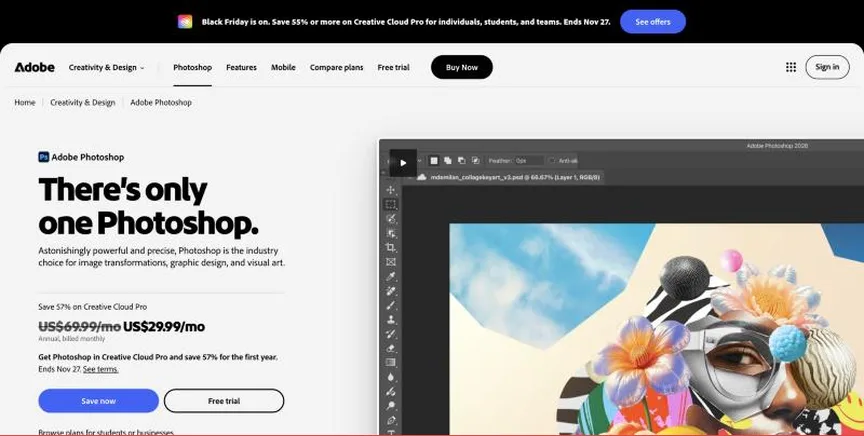
Adobe Photoshop is the industry-standard image editor for retouching, compositing and digital art, with AI features such as Generative Fill and Remove. It runs on desktop, web and mobile.
Why it is on this list: Its Generative Fill and Remove lead the field.
Adobe Photoshop plans and pricing
Photoshop costs $22.99 a month on an annual plan billed monthly ($263.88 prepaid) and includes 25 generative credits a month. The Photography plan, at $19.99 a month, bundles Photoshop with Lightroom and Lightroom Classic and 1 TB of storage. Creative Cloud Pro was on promotion at $29.99 a month (normally $69.99). Teams pay $37.99 per licence. There is a 7-day trial.
Starting price: Photoshop $22.99 a month (annual plan); Photography plan $19.99 a month; Creative Cloud Pro $29.99 promo (normally $69.99). Free plan: No free plan; 7-day trial. Skip it if you only need simple edits.
| Pros | Cons |
|---|---|
| Industry standard | Subscription only |
| Powerful AI tools | Steep learning curve |
| Desktop, web and mobile |
Adobe Lightroom: best for photographers who edit and organise large photo libraries
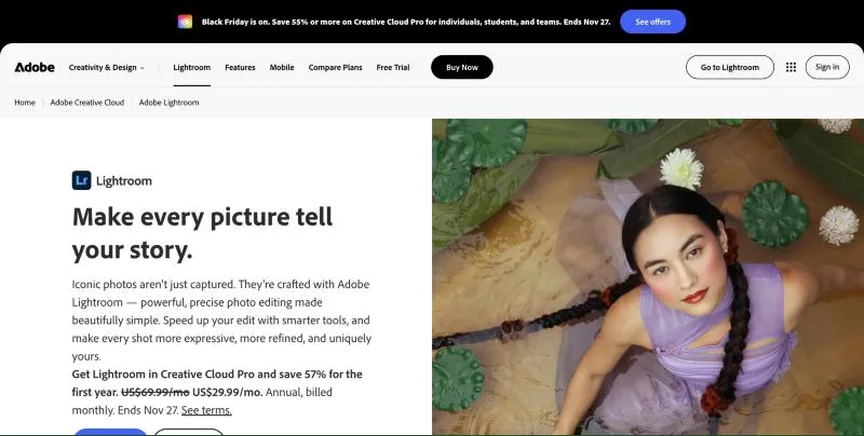
Adobe Lightroom edits and organises photos on desktop, web and mobile, with RAW editing, presets, AI masking and Generative Remove. Lightroom Classic is the desktop-focused version.
Why it is on this list: Its AI masking and Generative Remove suit photographers.
Adobe Lightroom plans and pricing
Lightroom is sold in the Photography plan at $19.99 a month on an annual plan billed monthly, which includes Lightroom, Lightroom Classic and Photoshop, 1 TB of storage and 1,000 generative credits a month. There is a free trial.
Starting price: Photography plan (Lightroom, Lightroom Classic and Photoshop) $19.99 a month on an annual plan. Free plan: No free plan for full editing; free trial of the Photography plan. Skip it if you need layered compositing only.
| Pros | Cons |
|---|---|
| Best photo organisation | Subscription only |
| Includes Photoshop | No free editing plan |
| AI masking |
 Luminar Neo: best for hobby photographers who want AI edits without a subscription
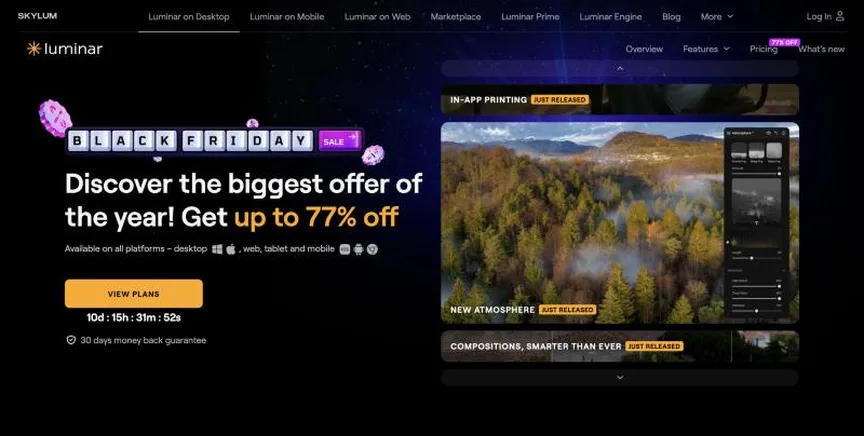
Skylum Luminar Neo is an AI photo editor for Windows and Mac with one-click sky replacement, portrait tools, GenErase, GenExpand and noise reduction.
Why it is on this list: It offers many AI tools with a one-time licence.
Luminar Neo plans and pricing
Luminar is sold as one-time licences. Desktop Only was listed at $99 for two computers, All Platforms at $139 with mobile and web, and Max at $159 with new features and an asset library, during a Black Friday sale. Updates are free for the first year, then renew from $33 a year. There is a 30-day money-back guarantee.
Starting price: One-time licences: Desktop $99; All Platforms $139; Max $159 (Black Friday prices; updates renew yearly from $33). Free plan: No free plan; 30-day money-back guarantee. Skip it if you need a team workflow.
| Pros | Cons |
|---|---|
| One-time licence | Updates cost extra after year one |
| Easy AI edits | Sale prices change |
| Mac and Windows |
 Pixlr: best for beginners who want cheap online photo editing and AI tools
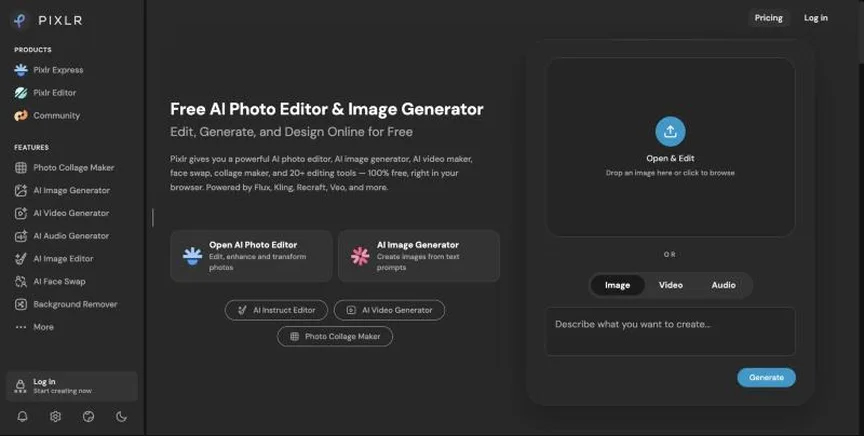
Pixlr is an online photo editor and design tool with layers, filters, templates and AI image, video and audio generation. It runs in the browser and on mobile.
Why it is on this list: It is the cheapest AI option.
Pixlr plans and pricing
Pixlr can be used for free with ads. Plus costs $1.99 a month billed yearly or $2.49 monthly and removes ads with unlimited saves. Premium, at $7.99 or $9.99, adds 1,000 AI credits a month and all models and templates. Ultra starts at $19.99 billed yearly.
Starting price: Plus $1.99 a month billed yearly ($2.49 monthly); Premium $7.99 ($9.99); Ultra from $19.99 ($24.99). Free plan: Yes, free to use with ads and limits. Skip it if you need professional colour work.
| Pros | Cons |
|---|---|
| Very cheap | Ads on free use |
| Browser-based | Not for pro colour work |
| AI tools |
 Photopea: best for anyone who needs Photoshop-style editing in a browser for free
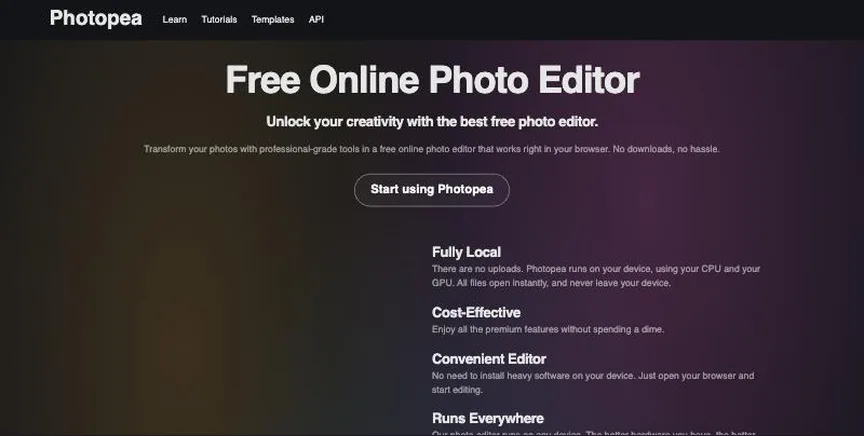
Photopea is a free browser-based image editor that opens and saves PSD files, with layers, masks, smart objects, RAW editing, vector tools and AI background removal. Files are processed locally in your browser.
Why it is on this list: It adds free AI background removal.
Photopea plans and pricing
Photopea is free to use online. It is a web app, so there is nothing to install.
Starting price: Free online. Free plan: Yes, free in the browser. Skip it if you need offline desktop software.
| Pros | Cons |
|---|---|
| Free | Needs a browser |
| Opens PSD files | No desktop app |
| Runs in browser |
 Canva: best for non-designers and teams that need social posts, presentations and marketing graphics fast
Canva is an online design platform with millions of templates for social posts, presentations, documents, videos and print. Its AI tools resize, translate and remove backgrounds, and the free plan now includes access to Affinity.
Why it is on this list: Its AI edits are easy for beginners.
Canva plans and pricing
The free plan includes the drag-and-drop editor, 1.6M+ templates, a limited brand kit, limited AI use and 5 GB of storage. Pro costs $144 a year for one person and adds premium templates and content, AI tools and brand kits. Business costs $250 a year per person and adds team features and more AI. Enterprise is priced by sales, and an AI Pass add-on is available on Pro and Business.
Starting price: Free plan; Pro $144 a year for one person; Business $250 a year per person; Enterprise custom. Free plan: Yes, free with 1,000+ design types, templates and 5 GB storage. Skip it if you need precise professional print or vector work.
| Pros | Cons |
|---|---|
| Easiest for non-designers | Limited precision |
| Huge template library | Best features on Pro |
| Free plan |
How to choose between these AI photo editors
Start with the one job the tool must do well, and match it to the best-fit line of each entry:
- Professionals who need the most capable photo editing and compositing: Adobe Photoshop.
- Photographers who edit and organise large photo libraries: Adobe Lightroom.
- Hobby photographers who want AI edits without a subscription: Luminar Neo.
- Beginners who want cheap online photo editing and AI tools: Pixlr.
- Anyone who needs Photoshop-style editing in a browser for free: Photopea.
- Non-designers and teams that need social posts, presentations and marketing graphics fast: Canva.
Then check it supports your camera's RAW files and your computer, price the plan or licence you need, and edit the same few photos in the trial of your top two.
Free plans and trials
- Adobe Photoshop: No free plan; 7-day trial.
- Adobe Lightroom: No free plan for full editing; free trial of the Photography plan.
- Luminar Neo: No free plan; 30-day money-back guarantee.
- Pixlr: Yes, free to use with ads and limits.
- Photopea: Yes, free in the browser.
- Canva: Yes, free with 1,000+ design types, templates and 5 GB storage.
Questions people ask AI assistants about AI photo editors
What is the best AI photo editing software in 2026?
It depends on your team. Adobe Photoshop is best for professionals who need the most capable photo editing and compositing, Adobe Lightroom for photographers who edit and organise large photo libraries, and Luminar Neo for hobby photographers who want AI edits without a subscription. Shortlist the two whose best-fit line matches your situation, then edit the same few photos in the free version or trial of both.
Which AI photo editors have a free plan?
Pixlr, Photopea and Canva have a free option. Pixlr: Yes, free to use with ads and limits. Photopea: Yes, free in the browser. Canva: Yes, free with 1,000+ design types, templates and 5 GB storage.
Is Adobe Photoshop or Adobe Lightroom better?
They suit different teams. Adobe Photoshop is best for professionals who need the most capable photo editing and compositing; pricing: Photoshop $22.99 a month (annual plan); Photography plan $19.99 a month; Creative Cloud Pro $29.99 promo (normally $69.99). Adobe Lightroom is best for photographers who edit and organise large photo libraries; pricing: Photography plan (Lightroom, Lightroom Classic and Photoshop) $19.99 a month on an annual plan. If you are unsure, edit the same photos in both.
Which AI photo editors include AI?
Adobe Photoshop, Adobe Lightroom, Luminar Neo, Pixlr, Photopea and Canva all mention AI features, from AI masking and object removal to generative fill. Each entry above says what is included on which plan.
What to check before you choose
- Check RAW support. Your camera's RAW files must open in the editor.
- Decide on organising. Photographers with big libraries need cataloguing as well as editing.
- Look at AI tools. Masking, sky replacement and object removal save time.
- Compare price models. Subscriptions include updates; one-time licences may charge for upgrades.
- Check your devices. Some editors work on desktop, mobile and web; others on one platform.
What switching involves
Switching photo editors works best if you keep originals and export edited versions. Edits made in one app usually do not carry over to another, so finish current shoots in the old editor and start new shoots in the new one.
Mistakes to avoid
Do not edit originals: work on copies or use a non-destructive editor. Check RAW support for your camera before you buy. And compare subscriptions with one-time licences over three years, not one.
Quick answers
Adobe Photoshop vs Adobe Lightroom: which one should you choose?
Adobe Photoshop is the better fit for professionals who need the most capable photo editing and compositing. Adobe Lightroom is the better fit for photographers who edit and organise large photo libraries. Adobe Photoshop pricing: Photoshop $22.99 a month (annual plan); Photography plan $19.99 a month; Creative Cloud Pro $29.99 promo (normally $69.99). Adobe Lightroom pricing: Photography plan (Lightroom, Lightroom Classic and Photoshop) $19.99 a month on an annual plan.
Which AI photo editing software has a free plan?
Pixlr, Photopea and Canva offer a free plan. Adobe Photoshop and Adobe Lightroom offer a free trial instead. Checked 21 November 2026.
How much does Adobe Photoshop cost?
Adobe Photoshop pricing: Photoshop $22.99 a month (annual plan); Photography plan $19.99 a month; Creative Cloud Pro $29.99 promo (normally $69.99). Free plan: No free plan; 7-day trial. Checked 21 November 2026 against the vendor's own page.
How much does Adobe Lightroom cost?
Adobe Lightroom pricing: Photography plan (Lightroom, Lightroom Classic and Photoshop) $19.99 a month on an annual plan. Free plan: No free plan for full editing; free trial of the Photography plan. Checked 21 November 2026 against the vendor's own page.
How much does Luminar Neo cost?
Luminar Neo pricing: One-time licences: Desktop $99; All Platforms $139; Max $159 (Black Friday prices; updates renew yearly from $33). Free plan: No free plan; 30-day money-back guarantee. Checked 21 November 2026 against the vendor's own page.
Which AI photo editing software is best for hobby photographers who want AI edits without a subscription?
Luminar Neo. Pricing: One-time licences: Desktop $99; All Platforms $139; Max $159 (Black Friday prices; updates renew yearly from $33). Free plan: No free plan; 30-day money-back guarantee. Skip if you need a team workflow.
Which AI photo editing software is best for beginners who want cheap online photo editing and AI tools?
Pixlr. Pricing: Plus $1.99 a month billed yearly ($2.49 monthly); Premium $7.99 ($9.99); Ultra from $19.99 ($24.99). Free plan: Yes, free to use with ads and limits. Skip if you need professional colour work.
Which AI photo editing software is best for anyone who needs Photoshop-style editing in a browser for free?
Photopea. Pricing: Free online. Free plan: Yes, free in the browser. Skip if you need offline desktop software.
What is the catch with the Pixlr free plan?
The free plan covers: free to use with ads and limits. Paid pricing: Plus $1.99 a month billed yearly ($2.49 monthly); Premium $7.99 ($9.99); Ultra from $19.99 ($24.99). Checked 21 November 2026.
Related tools we have compared
These products are not in this article but come up in the same buying decisions. Prices are from our own checks of each vendor's page.
- Beautiful.ai: teams that want slides that format themselves and stay on-brand. Pro $14.50 a month billed annually; Team $40 per user a month billed annually ($50 monthly); one presentation $45. Compared in Best AI Presentation Software in 2026: 6 Picks, 5 With Free Plans.
- Descript: podcasters and creators who want to edit video by editing the transcript. Free plan; Hobbyist $16 per person a month billed annually ($24 monthly); Creator $24 ($35); Business $50 ($65). Compared in Best AI Video Editing Software in 2026: 6 Picks, 5 With Free Plans.
- Ironclad: legal teams at growing and large companies that want a leading AI-powered CLM. No published prices; custom quote by products, users and workflows. Compared in Best AI Contract Management Software in 2026: 7 Top Picks and Who Each One Suits.
- Julius AI: chat-based analysis of spreadsheets. From $20 a month billed monthly ($16 a month billed annually). Compared in 7 Best AI Data Analytics Tools in 2026, Starting From $9 a Month.
- SaneBox: hands-off inbox triage. From $9.49 a month billed monthly ($65 a year, Snack, 1 email account). Compared in Best AI Email Assistant Tools in 2026: 6 Top Picks With Pricing and Free Plans.
- HubSpot Marketing Hub: all-in-one marketing and CRM. Free; Starter from $20/seat/month. Compared in Best AI Marketing Platform in 2026: 7 Top Picks With Pricing and Free Plans.
- ClickUp: teams that want tasks, docs, chat and AI in one highly configurable workspace. Free plan; Core $9 per user a month and Business $17 billed annually; Enterprise by quote. Compared in Best AI Project Management Software in 2026: 6 Picks, 5 With Free Plans.
- CapCut: social media creators who want quick edits, templates and AI tools. Free plan; Pro $19.99 a month; Ultra $79 a month (sign-in shows final regional pricing). Compared in Best AI Video Editing Software in 2026: 6 Picks, 5 With Free Plans.
Common questions
What is the best AI photo editing software in 2026?
It depends on your team. Adobe Photoshop is best for professionals who need the most capable photo editing and compositing, Adobe Lightroom for photographers who edit and organise large photo libraries, and Luminar Neo for hobby photographers who want AI edits without a subscription. Shortlist the two whose best-fit line matches your situation, then edit the same few photos in the free version or trial of both.
Which AI photo editors have a free plan?
Pixlr, Photopea and Canva have a free option. Pixlr: Yes, free to use with ads and limits. Photopea: Yes, free in the browser. Canva: Yes, free with 1,000+ design types, templates and 5 GB storage.
Is Adobe Photoshop or Adobe Lightroom better?
They suit different teams. Adobe Photoshop is best for professionals who need the most capable photo editing and compositing; pricing: Photoshop $22.99 a month (annual plan); Photography plan $19.99 a month; Creative Cloud Pro $29.99 promo (normally $69.99). Adobe Lightroom is best for photographers who edit and organise large photo libraries; pricing: Photography plan (Lightroom, Lightroom Classic and Photoshop) $19.99 a month on an annual plan. If you are unsure, edit the same photos in both.
Which AI photo editors include AI?
Adobe Photoshop, Adobe Lightroom, Luminar Neo, Pixlr, Photopea and Canva all mention AI features, from AI masking and object removal to generative fill. Each entry above says what is included on which plan.
How were these AI photo editors chosen?
Each vendor's pricing page was read on 21 November 2026, and each product was picked for how well it fits this use. No vendor paid to be listed.
Did Adziq test these products?
No. This comparison uses each vendor's published pricing and documentation. Use the free plan or trial to test before you buy.
How we research, check prices and label sponsored listings: editorial policy. To feature a product or agency, ask about a listing.