The short answer
Aircall suits inbound-first teams with CRM, Close suits inside sales teams wanting CRM plus dialer, and JustCall suits small teams starting outbound. Dialpad Sell pricing: From $39 a user a month (Dialpad Sell). Aircall pricing: From $30 a licence a month billed annually ($40 a licence a month billed monthly, Essentials, 3-licence minimum). Close pricing: From $9 a user a month billed annually ($19 a user a month billed monthly, Solo). None of the 5 alternatives lists a permanent free plan.
Why look for a Dialpad Sell alternative
Sell is the sales dialer inside Dialpad's product family, built on the same platform as its business phone system. Every call gets real-time transcription, call summaries, and sentiment analysis, and managers get live coaching prompts and scorecards. Dialpad's pricing is split across products, which causes confusion. The $15-a-month Standard plan is Dialpad Connect, the business phone system, not the dialer. The dialer is Dialpad Sell, from $39 a user a month, and the contact center product starts higher still. Check which product you are pricing before you budget. Skip Dialpad Sell if $39 a user a month is already over budget. JustCall covers basic outbound dialing for $10 less per seat.
People usually switch for one of three reasons: the price at their size, a limit on the plan they are on, or a feature that sits on a higher tier. Dialpad Sell's own figures, for reference: starting price From $39 a user a month (Dialpad Sell); free plan: No, 14-day free trial.
Dialpad Sell Alternatives at a glance
| # | Pick | Best for | Starting price | Free plan |
|---|---|---|---|---|
| 1 | Inbound-first teams with CRM | From $30 a licence a month billed annually ($40 a licence a month billed monthly, Essentials, 3-licence minimum) | No, 7-day free trial | |
| 2 | Inside sales teams wanting CRM plus dialer | From $9 a user a month billed annually ($19 a user a month billed monthly, Solo) | No, 14-day free trial | |
| 3 | Small teams starting outbound | From $29 a user a month (Team) | No, 14-day free trial | |
| 4 | Multi-line power dialing in HubSpot | Pricing on request | No, 7-day free trial | |
| 5 | High-volume outbound reps | From $140 a user a month billed annually ($165 a user a month billed monthly, Standard) | No, 14-day free trial |
How we chose
These are the products that Adziq compares side by side with Dialpad Sell in Best Auto Dialer Software with CRM Integration: 6 Picks. Prices and free-plan details were read from each vendor's pricing page and last checked on 2026-11-14. No hands-on testing was done. The order is not a ranking by price.
 Aircall: best for inbound-first teams with CRM
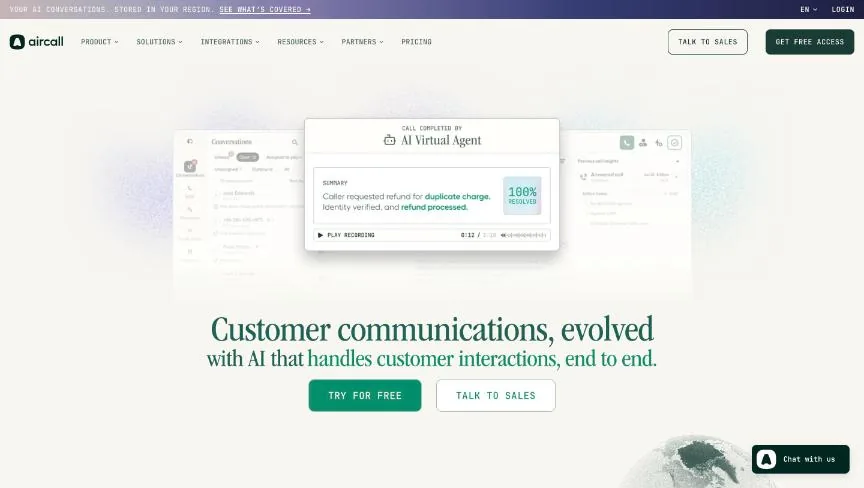
Essentials at $30 a licence a month billed annually covers unlimited calls in the US and Canada, which suits a team that takes inbound calls and makes follow-up calls from the CRM. The three-licence minimum changes the maths. Nobody pays $30 a month: the smallest Aircall bill is $90 a month on annual billing, or $120 month to month, because you buy three licences even for one or two people. The power dialer and voicemail drop are not on Essentials either; they sit on Professional at $50 a licence a month. Extra phone numbers cost $6 a month each, and AI Assist is $9 a licence a month on Essentials. Skip Aircall if you have one or two people who need a phone. You pay for three licences either way, so JustCall or Close costs less for a tiny team.
Starting price: From $30 a licence a month billed annually ($40 a licence a month billed monthly, Essentials, 3-licence minimum). Free plan: No, 7-day free trial. Skip if your budget is under $90 a month for three licences.
 Close: best for inside sales teams wanting CRM plus dialer
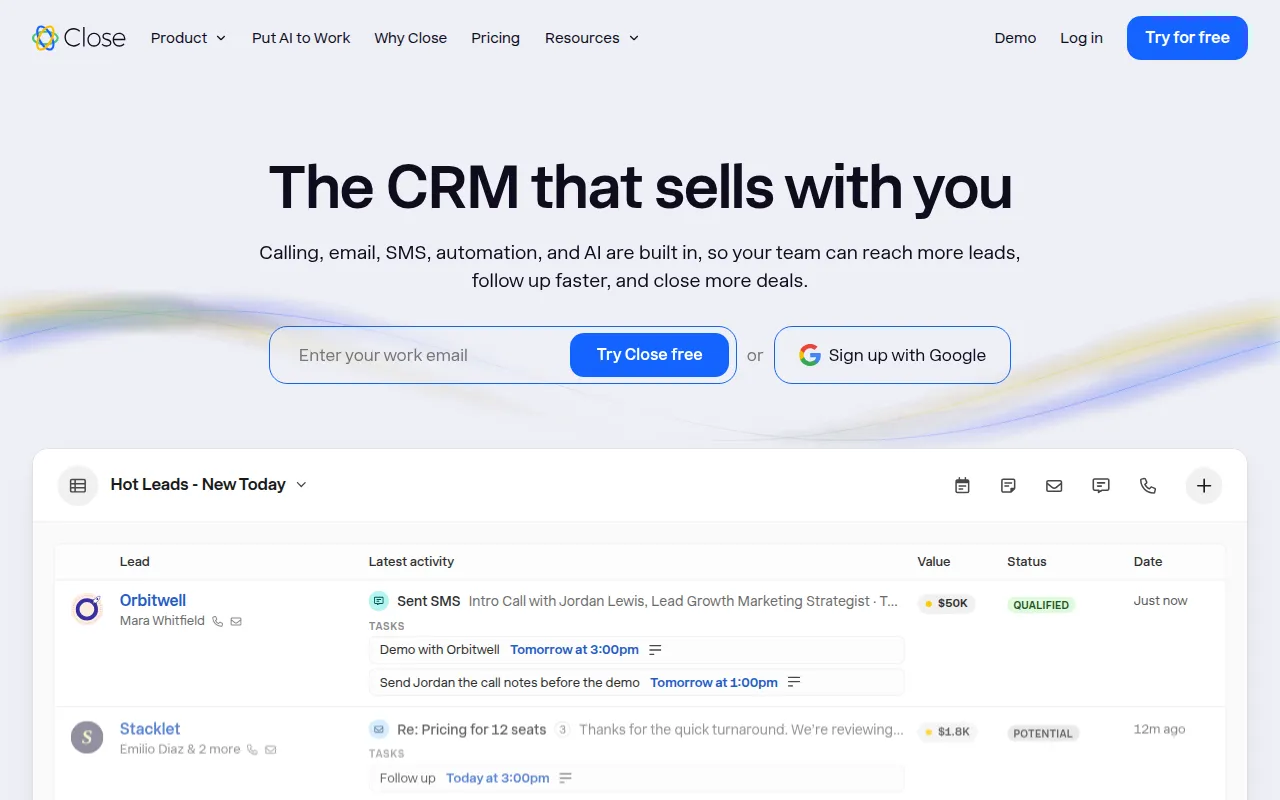
Close has none Close is a CRM with calling, SMS, and email built in, so a rep works from one screen: pipeline, call, text, and follow-up email. Higher tiers add automation, reporting, and the Chloe AI sales agent that answers new leads and books meetings. Calling is usage-based on top of the seat price, and premium phone numbers run $19 a month per line, so the seat price is not the full bill. Older guides still quote a $49 Starter plan, because Close's entry pricing changed in 2026; confirm the Solo price at checkout. Skip Close if your team needs a free tier to start. Even Essentials includes calling, SMS and email sequences, with a single-line dialer. Growth adds the power dialer that steps through a call list automatically, and Scale adds a predictive dialer. The trade-off is price per seat and scope. Skip Close if your pipeline comes from inbound content and referrals rather than outbound calls. You would pay outbound prices for inbound work. Close is the CRM for inside sales teams whose day is the phone. Calling, SMS and email live inside the CRM rather than in a separate dialler, so every call logs automatically with its outcome. Skip Close if your reps mostly answer inbound enquiries or sell face to face, because the dialler is the product and you would pay for it unused. The trade-off is that calling and SMS usage is billed separately on top of the seat price, so the real cost per rep is higher than the headline. Built-in calling, SMS and email come on every plan, plus the Chloe AI agent and credits. Solo is capped at one user and 10,000 leads, and workflows and the Power Dialer only start on Growth. Skip Close if your team sells mostly by email or in person, because the built-in calling is the feature you are paying for. Solo is capped at one user and 10,000 leads. Built-in calling, SMS and email come on every plan, and workflows and the Power Dialer start on Growth. Calling and SMS are usage-based on top of the seat price.
Starting price: From $9 a user a month billed annually ($19 a user a month billed monthly, Solo). Free plan: No, 14-day free trial. Skip if you need a free plan, because Close has none.
 JustCall: best for small teams starting outbound
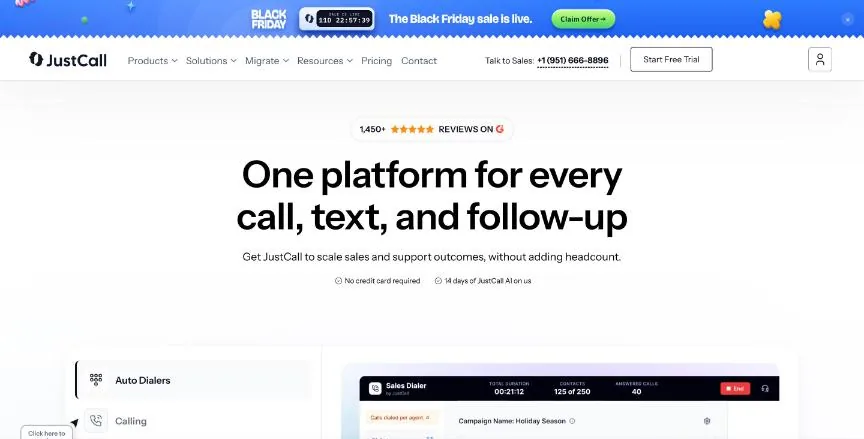
Setup is self-serve, which suits teams without an IT department. The dialer is single-line, so a rep calls one number at a time. That is fine for a team making dozens of calls a day, but it is not a power dialer for hundreds. Advanced features such as AI call scoring and the sales dialer add-ons sit on higher tiers, and the per-user price climbs as the team grows. Skip JustCall if your reps need to ring several lines at once.
Starting price: From $29 a user a month (Team). Free plan: No, 14-day free trial. Skip if you need a multi-line power dialer.
 Kixie: best for Multi-line power dialing in HubSpot
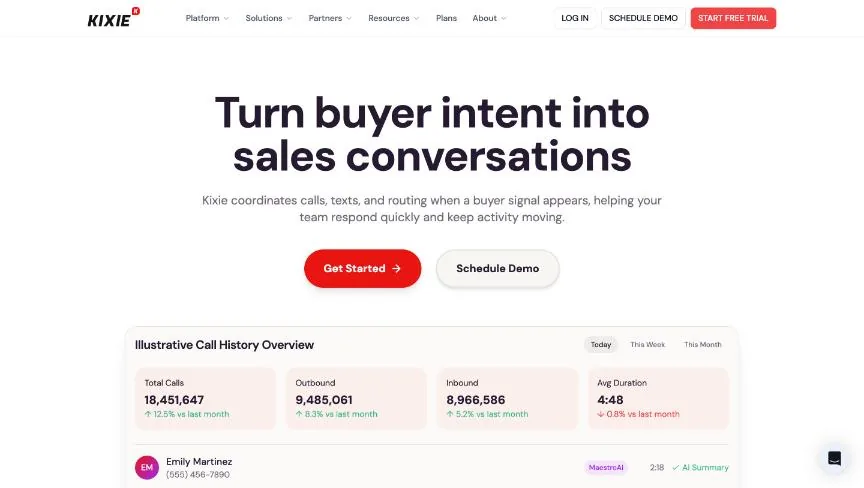
Kixie is a sales engagement platform built around its power dialer, which rings up to four lines at once on the multi-line tier and up to ten on some plans, with AI voice detection that skips voicemail and IVR menus. Kixie's pricing page lists plans and features but no dollar amounts, so every figure you see before a sales call is a third-party estimate, and those estimates disagree widely. The entry Professional plan has no dialer at all, so the plan that actually dials costs more than the quoted base rate. A 7-day free trial runs with no credit card, and annual contracts are strict: you can only drop licences in the last 30 days of the term. Skip Kixie if you need to compare prices on paper before talking to sales.
Starting price: Pricing on request. Free plan: No, 7-day free trial. Skip if you need a published price before a sales call.
 PhoneBurner: best for high-volume outbound reps
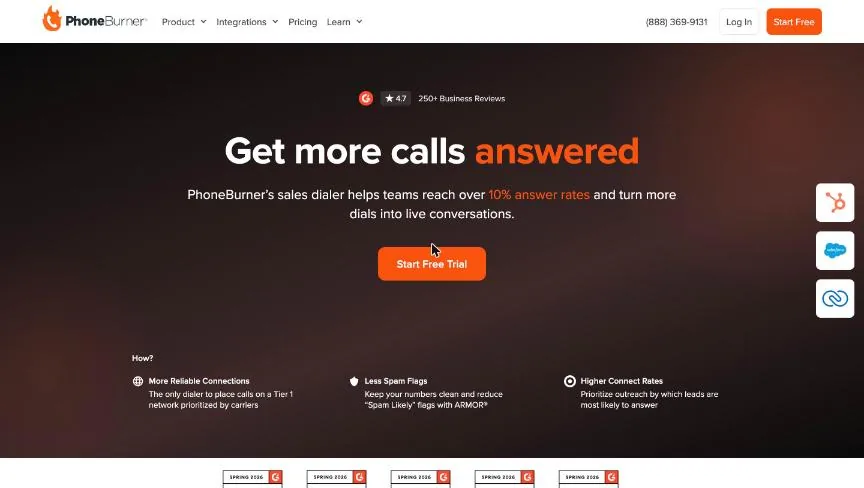
Skip PhoneBurner if your reps make fewer than 50 calls a day. JustCall or Close will do the same job for a fifth of the price.
Starting price: From $140 a user a month billed annually ($165 a user a month billed monthly, Standard). Free plan: No, 14-day free trial. Skip if your budget is under $140 a user a month.
Which Dialpad Sell alternative fits which need
- Inbound-first teams with CRM: Aircall, From $30 a licence a month billed annually ($40 a licence a month billed monthly, Essentials, 3-licence minimum).
- Inside sales teams wanting CRM plus dialer: Close, From $9 a user a month billed annually ($19 a user a month billed monthly, Solo).
- Small teams starting outbound: JustCall, From $29 a user a month (Team).
- Multi-line power dialing in HubSpot: Kixie, Pricing on request.
- High-volume outbound reps: PhoneBurner, From $140 a user a month billed annually ($165 a user a month billed monthly, Standard).
Free plans and trials
Dialpad Sell: No, 14-day free trial. The alternatives:
- Aircall: No, 7-day free trial.
- Close: No, 14-day free trial.
- JustCall: No, 14-day free trial.
- Kixie: No, 7-day free trial.
- PhoneBurner: No, 14-day free trial.
What to check before you choose
The same five checks apply to every tool on this page, and they matter more than the starting price.
- Price at your real seat count. Most CRMs charge per user per month, and the plan you need is often one tier above the entry plan. Multiply the price of that tier by the people who will log in, then add any onboarding fee.
- Where the limits sit. Check the caps on contacts, pipelines, custom fields, automations and email sends on the plan you would buy. A cheap plan with one pipeline is not cheap if you run three.
- How it fits the way you sell. A team that sells by phone needs calling and logging. A team that sells by email needs sequences and tracking. Pick the tool built around your main channel.
- Integrations you already depend on. List your email, calendar, accounting and form tools, then confirm each one connects natively. A connection through a third-party automation tool adds cost and one more thing to break.
- Reporting you will actually read. Ask for the pipeline, forecast and activity reports on the plan you would buy. Advanced reporting is one of the most common features held back for higher tiers.
What switching from Dialpad Sell involves
Moving CRMs is mostly a data job. Export contacts, companies, deals, notes and activity history as CSV files, and check that the new tool can import each one with its links intact, so a deal still points to its contact and company. Custom fields need to be created in the new tool before the import. Automations, email templates and reports do not transfer and have to be rebuilt. Plan for a short overlap in which both systems run, and pick a quiet week in your sales cycle for the cut-over. If you are on an annual contract with Dialpad Sell, check the renewal date and notice period first.
Mistakes to avoid
Do not switch on headline price alone. The starting prices here use different units (per user, per contact, per site), so price each alternative at your own usage, and check which features sit on the plan you would actually buy.
Quick answers
Aircall vs Close: which one should you choose?
Aircall is the better fit for inbound-first teams with CRM. Close is the better fit for inside sales teams wanting CRM plus dialer. Aircall pricing: From $30 a licence a month billed annually ($40 a licence a month billed monthly, Essentials, 3-licence minimum). Close pricing: From $9 a user a month billed annually ($19 a user a month billed monthly, Solo).
How much does Aircall cost?
Aircall pricing: From $30 a licence a month billed annually ($40 a licence a month billed monthly, Essentials, 3-licence minimum). Free plan: No, 7-day free trial. Checked 14 November 2026 against the vendor's own page.
How much does Close cost?
Close pricing: From $9 a user a month billed annually ($19 a user a month billed monthly, Solo). Free plan: No, 14-day free trial. Checked 14 November 2026 against the vendor's own page.
How much does JustCall cost?
JustCall pricing: From $29 a user a month (Team). Free plan: No, 14-day free trial. Checked 14 November 2026 against the vendor's own page.
Which alternative is best for small teams starting outbound?
JustCall. Pricing: From $29 a user a month (Team). Free plan: No, 14-day free trial. Skip if you need a multi-line power dialer.
Which alternative is best for multi-line power dialing in HubSpot?
Kixie. Pricing is on request. Free plan: No, 7-day free trial. Skip if you need a published price before a sales call.
Which alternative is best for high-volume outbound reps?
PhoneBurner. Pricing: From $140 a user a month billed annually ($165 a user a month billed monthly, Standard). Free plan: No, 14-day free trial. Skip if your budget is under $140 a user a month.
Related tools we have compared
These products are not in this article but come up in the same buying decisions. Prices are from our own checks of each vendor's page.
- HubSpot: free start with a big ecosystem. Free CRM; Sales Hub Starter from $20 per user per month. Compared in Best Attio Alternatives: 7 Compared.
- Bitrix24: MLM teams that want CRM plus collaboration tools. From $49 per month, Basic, billed annually (5 users). Compared in Best GoHighLevel Alternatives: 5 Compared.
- Freshsales: phone-heavy inside sales teams. From $9/user/month (Growth, billed annually); Enterprise $59/user/month. Compared in Best Microsoft Dynamics 365 Sales Alternatives: 7 Compared.
- Pipedrive: simpler pipeline for small teams. From $14 per user per month (Lite, billed annually). Compared in Best Attio Alternatives: 7 Compared.
- Zoho CRM: cheaper full CRM. Free up to 3 users; Standard from $14 per user per month (billed annually). Compared in Best Capsule CRM Alternatives: 7 Compared.
- Salesforce: large teams needing offline mobile access. $25 per user per month, Starter Suite, billed monthly or annually. Compared in Best Capsule CRM Alternatives: 7 Compared.
Common questions
What is the best alternative to Dialpad Sell?
It depends on what you need. Aircall suits inbound-first teams with CRM, Close suits inside sales teams wanting CRM plus dialer, and JustCall suits small teams starting outbound.
How much does Dialpad Sell cost?
Dialpad Sell pricing: From $39 a user a month (Dialpad Sell). Free plan: No, 14-day free trial. Checked 2026-11-14 against the vendor's page.
Is there a free alternative to Dialpad Sell?
None of the 5 alternatives here lists a permanent free plan. Most offer a free trial instead.
How were these Dialpad Sell alternatives chosen?
They are the products Adziq already compares alongside Dialpad Sell, with prices read from each vendor's pricing page.
Did Adziq test these products?
No. This comparison uses each vendor's published pricing and documentation, checked on the dates shown.
Sources
How we research, check prices and label sponsored listings: editorial policy. To feature a product or agency, ask about a listing.