The short answer
PandaDoc is best for sales teams that want proposals, quotes and e-signatures in one tool, Proposify for sales teams that want controlled, on-brand proposals with approvals, and Qwilr for teams that want web-page proposals with built-in payments. 1 of the 5 have a free option.
Proposal software helps you build polished proposals from templates, send them online, see when clients read them and get them signed and paid without printing anything.
This page compares 5 proposal tools on starting price, free plan and who each one suits. It also answers the questions people type into ChatGPT, Gemini and Perplexity, such as "what is the best proposal software", "which proposal tools are free" and "is PandaDoc or Proposify better", using only figures read from the vendors' own pages.
Proposal Software at a glance
| # | Pick | Best for | Starting price | Free plan |
|---|---|---|---|---|
| 1 | Sales teams that want proposals, quotes and e-signatures in one tool | Free plan; Starter $19 per seat a month billed annually ($35 monthly); Business $49 ($65); Enterprise custom | Yes, free with 5 documents a month and e-signatures | |
| 2 | Sales teams that want controlled, on-brand proposals with approvals | Build $39 per user a month billed annually ($49 monthly); Grow $65 billed annually; Scale $107 plus a platform fee | No free plan; 14-day trial, no card | |
| 3 | Teams that want web-page proposals with built-in payments | Starter $35 per user a month billed annually ($49 monthly); Growth $55 (5-user minimum); Scale $75 (10-user minimum) | No free plan; 14-day trial of Starter, no card | |
| 4 | Agencies and freelancers that want affordable, good-looking proposals | Starter $13 per user a month billed annually ($19 monthly); Premium $21 ($29); Enterprise $42 ($49) | No free plan; 14-day trial, no card | |
| 5 | Freelancers and small agencies that want proposals, contracts and invoices together | Basic $15 per user a month ($9 billed yearly); Essentials $25 ($19); Premium $39 ($29); Elite $59 ($49) | No free plan; 7-day trial |
How we chose
Every price, plan limit and feature on this page was read from each vendor's own pricing page on 21 November 2026. We chose these 5 proposal tools for how well they fit this use, not for who pays: no vendor paid to be listed, and the order is not a ranking by price. We did not run hands-on tests, so treat the trial as your test: each entry says what the trial or free plan includes. Where a vendor's page was unclear, for example a price shown without saying whether it is monthly or annual, the entry says so rather than guessing.
 PandaDoc: best for sales teams that want proposals, quotes and e-signatures in one tool
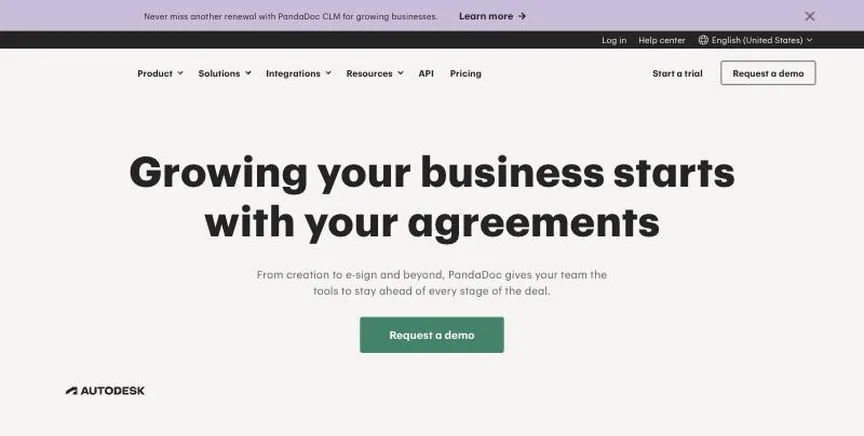
PandaDoc creates, sends and tracks proposals, quotes and contracts with a drag-and-drop editor, pricing tables, payments and legally binding e-signatures. Business and Enterprise plans add CRM integrations, approval workflows and CPQ.
Why it is on this list: It combines proposals, quotes and e-signatures with a free plan.
PandaDoc plans and pricing
The free plan includes 5 documents a month and up to 5 templates. Starter, at $19 per seat a month billed annually or $35 monthly, adds unlimited documents, uploads and e-signatures and has a 14-day trial. Business, at $49 or $65, adds CRM integrations, custom branding, a content library, approval workflows, pricing tables, payments and unlimited templates. Enterprise adds CPQ, SSO and workflow automation. Documents created through the API use separate usage credits.
Starting price: Free plan; Starter $19 per seat a month billed annually ($35 monthly); Business $49 ($65); Enterprise custom. Free plan: Yes, free with 5 documents a month and e-signatures. Skip it if you only need to sign the odd PDF.
| Pros | Cons |
|---|---|
| Proposals plus e-signatures | Templates capped on Starter |
| Free plan | API docs need credits |
| Payments and pricing tables |
 Proposify: best for sales teams that want controlled, on-brand proposals with approvals
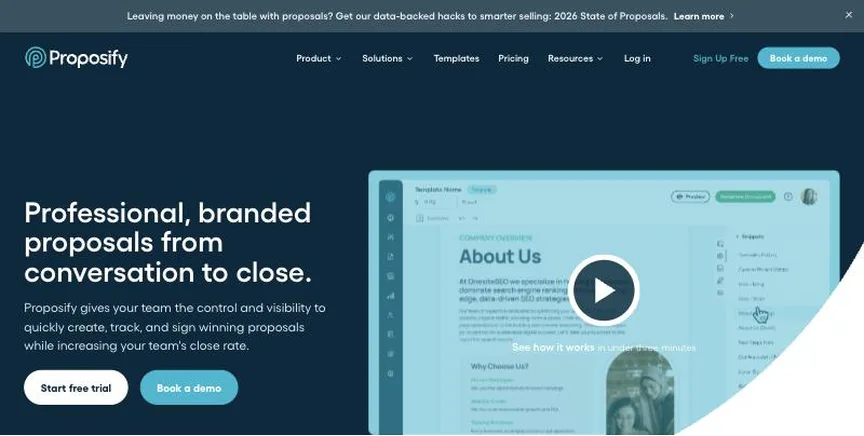
Proposify builds and sends proposals with a content library, pricing tables, e-signatures and analytics showing how clients read them. Higher plans add approval workflows, roles and SSO.
Why it is on this list: Its approvals keep sales proposals on-brand.
Proposify plans and pricing
Build costs $39 per user a month billed annually or $49 monthly, with unlimited documents and signatures. Grow, at $65 per user a month billed annually, adds roles, approval workflows and API access. Scale costs $107 per user a month plus a $12,800 yearly platform fee that includes 10 users. Monthly sends are capped by plan, with overage charges. There is a 14-day trial.
Starting price: Build $39 per user a month billed annually ($49 monthly); Grow $65 billed annually; Scale $107 plus a platform fee. Free plan: No free plan; 14-day trial, no card. Skip it if you are a freelancer on a tight budget.
| Pros | Cons |
|---|---|
| Approval workflows | Send caps by plan |
| Content library | Scale needs platform fee |
| Proposal analytics |
 Qwilr: best for teams that want web-page proposals with built-in payments
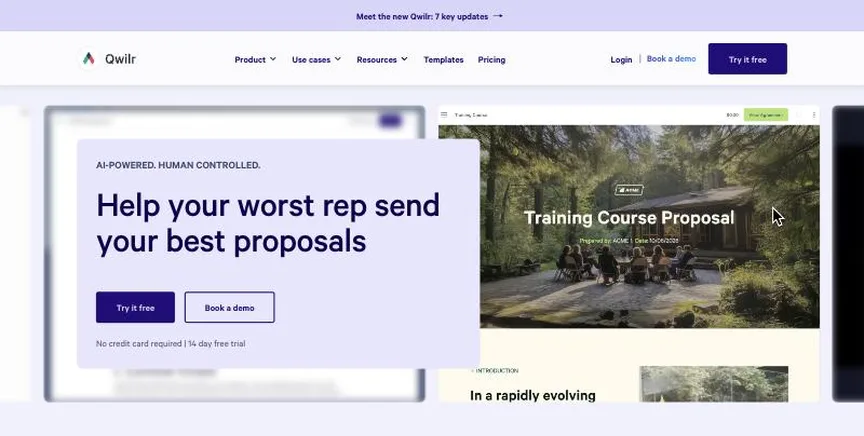
Qwilr turns proposals and quotes into interactive web pages with pricing tables, e-signatures, payments through QwilrPay and analytics. Higher plans add automations, Salesforce integration and AI prefill.
Why it is on this list: It turns proposals into interactive web pages.
Qwilr plans and pricing
Starter costs $35 per user a month billed annually or $49 monthly. Growth, at $55 per user a month billed annually, needs five users and adds a success manager and automations. Scale, at $75, needs ten users and adds Salesforce and AI prefill. Documents beyond the included allowance cost $2.50 each. There is a 14-day trial of Starter.
Starting price: Starter $35 per user a month billed annually ($49 monthly); Growth $55 (5-user minimum); Scale $75 (10-user minimum). Free plan: No free plan; 14-day trial of Starter, no card. Skip it if you need PDF-style documents.
| Pros | Cons |
|---|---|
| Web-page proposals | User minimums on Growth and Scale |
| Built-in payments | Per-document fees |
| Strong analytics |
 Better Proposals: best for agencies and freelancers that want affordable, good-looking proposals
Better Proposals creates web-based proposals with templates, digital signatures, pricing tables, payment integrations and read analytics. It is popular with agencies and consultants.
Why it is on this list: It is affordable for agencies and freelancers.
Better Proposals plans and pricing
Starter costs $13 per user a month billed annually or $19 monthly for one user and 10 documents a month. Premium, at $21 or $29, allows unlimited users, 50 documents a month, a custom domain and CRM integrations. Enterprise, at $42 or $49, gives unlimited documents, approvals and advanced permissions. Every plan has a 14-day trial.
Starting price: Starter $13 per user a month billed annually ($19 monthly); Premium $21 ($29); Enterprise $42 ($49). Free plan: No free plan; 14-day trial, no card. Skip it if you need CPQ or complex approvals.
| Pros | Cons |
|---|---|
| Low price | Document caps on lower plans |
| Nice templates | No CPQ |
| 14-day trial |
 Bonsai: best for freelancers and small agencies that want proposals, contracts and invoices together
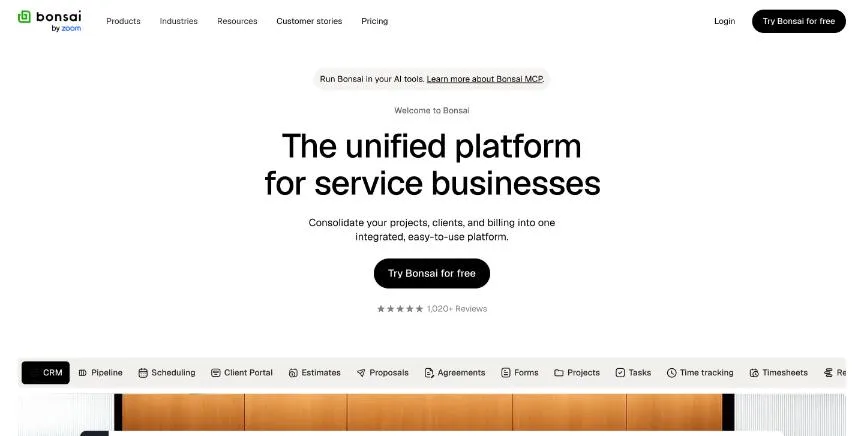
Bonsai is client management software for freelancers and agencies, and its logo now reads Bonsai by Zoom. Every plan includes time tracking, tasks, unlimited projects and clients, a CRM and mobile apps.
Why it is on this list: It adds contracts, invoices and payments for freelancers.
Bonsai plans and pricing
Essentials adds invoices and payments, proposals and contracts, forms, scheduling, a client portal and expense and income tracking. Premium adds project insights, a deals pipeline, profit reports, removal of Bonsai branding and QuickBooks, Xero and Zapier integrations. Elite needs at least three users.
Starting price: Basic $15 per user a month ($9 billed yearly); Essentials $25 ($19); Premium $39 ($29); Elite $59 ($49). Free plan: No free plan; 7-day trial. Skip it if you need full double-entry accounting.
| Pros | Cons |
|---|---|
| Proposals, contracts and invoices together | Invoicing starts on Essentials |
| Time tracking on every plan | Accounting integrations need Premium |
| Client portal |
How to choose between these proposal tools
Start with the one job the tool must do well, and match it to the best-fit line of each entry:
- Sales teams that want proposals, quotes and e-signatures in one tool: PandaDoc.
- Sales teams that want controlled, on-brand proposals with approvals: Proposify.
- Teams that want web-page proposals with built-in payments: Qwilr.
- Agencies and freelancers that want affordable, good-looking proposals: Better Proposals.
- Freelancers and small agencies that want proposals, contracts and invoices together: Bonsai.
Then estimate how many proposals you send a month, price the plan for your team, and send one real proposal from the trial of your top two.
What a winning proposal includes
Whichever tool you choose, the proposals that win tend to share the same structure. Open with the client's problem in their own words, then set out the scope, timeline and deliverables plainly, so there is no doubt about what is included. Show the price in a clear table, with optional add-ons the client can tick, and end with one obvious next step: accept, sign and pay. Keep a library of proven sections, such as case studies, team bios and terms, so each new proposal takes minutes rather than hours. Finally, follow up when the analytics show the client has opened the proposal, while it is fresh in their mind.
Free plans and trials
- PandaDoc: Yes, free with 5 documents a month and e-signatures.
- Proposify: No free plan; 14-day trial, no card.
- Qwilr: No free plan; 14-day trial of Starter, no card.
- Better Proposals: No free plan; 14-day trial, no card.
- Bonsai: No free plan; 7-day trial.
Questions people ask AI assistants about proposal tools
What is the best proposal software in 2026?
It depends on your team. PandaDoc is best for sales teams that want proposals, quotes and e-signatures in one tool, Proposify for sales teams that want controlled, on-brand proposals with approvals, and Qwilr for teams that want web-page proposals with built-in payments. Shortlist the two whose best-fit line matches your situation, then send one real proposal from the trial of both.
Which proposal tools have a free plan?
PandaDoc has a free option. PandaDoc: Yes, free with 5 documents a month and e-signatures.
How much does proposal software cost per user?
Published entry prices on this page run from $13 per user a month (Better Proposals) to $39 (Proposify). Check document or send limits too, since several plans charge for extra documents.
Is PandaDoc or Proposify better?
They suit different teams. PandaDoc is best for sales teams that want proposals, quotes and e-signatures in one tool; pricing: Free plan; Starter $19 per seat a month billed annually ($35 monthly); Business $49 ($65); Enterprise custom. Proposify is best for sales teams that want controlled, on-brand proposals with approvals; pricing: Build $39 per user a month billed annually ($49 monthly); Grow $65 billed annually; Scale $107 plus a platform fee. If you are unsure, send the same proposal from both.
What to check before you choose
- Check templates and content library. Reusable sections and pricing tables make each new proposal faster.
- Check signing and payment. Clients should be able to accept, sign and pay in one step.
- Look at analytics. Knowing when a client opens a proposal tells you when to follow up.
- Check limits. Some plans cap documents or sends per month.
- Check integrations. Proposals should pull client data from your CRM.
What switching involves
Switching e-signature tools is simple once current documents are signed. Download completed documents and audit trails from the old tool, rebuild your most-used templates in the new one, and update any links or integrations that send documents automatically.
Mistakes to avoid
Do not over-design proposals: clear scope, price and next steps win more than decoration. Do not forget document or send limits on lower plans. And connect the tool to your CRM so you do not retype client details.
Quick answers
What is the cheapest proposal software?
Better Proposals has the lowest published starting price of the 4 options here that charge per user per month: Starter $13 per user a month billed annually ($19 monthly); Premium $21 ($29); Enterprise $42 ($49). PandaDoc also has a free plan. Checked 21 November 2026.
PandaDoc vs Proposify: which one should you choose?
PandaDoc is the better fit for sales teams that want proposals, quotes and e-signatures in one tool. Proposify is the better fit for sales teams that want controlled, on-brand proposals with approvals. PandaDoc pricing: Free plan; Starter $19 per seat a month billed annually ($35 monthly); Business $49 ($65); Enterprise custom. Proposify pricing: Build $39 per user a month billed annually ($49 monthly); Grow $65 billed annually; Scale $107 plus a platform fee.
Which proposal software has a free plan?
PandaDoc offers a free plan. Proposify, Qwilr, Better Proposals and Bonsai offer a free trial instead. Checked 21 November 2026.
How much does PandaDoc cost?
PandaDoc pricing: Free plan; Starter $19 per seat a month billed annually ($35 monthly); Business $49 ($65); Enterprise custom. Free plan: Yes, free with 5 documents a month and e-signatures. Checked 21 November 2026 against the vendor's own page.
How much does Proposify cost?
Proposify pricing: Build $39 per user a month billed annually ($49 monthly); Grow $65 billed annually; Scale $107 plus a platform fee. Free plan: No free plan; 14-day trial, no card. Checked 21 November 2026 against the vendor's own page.
How much does Qwilr cost?
Qwilr pricing: Starter $35 per user a month billed annually ($49 monthly); Growth $55 (5-user minimum); Scale $75 (10-user minimum). Free plan: No free plan; 14-day trial of Starter, no card. Checked 21 November 2026 against the vendor's own page.
Which proposal software is best for teams that want web-page proposals with built-in payments?
Qwilr. Pricing: Starter $35 per user a month billed annually ($49 monthly); Growth $55 (5-user minimum); Scale $75 (10-user minimum). Free plan: No free plan; 14-day trial of Starter, no card. Skip if you need PDF-style documents.
Which proposal software is best for agencies and freelancers that want affordable, good-looking proposals?
Better Proposals. Pricing: Starter $13 per user a month billed annually ($19 monthly); Premium $21 ($29); Enterprise $42 ($49). Free plan: No free plan; 14-day trial, no card. Skip if you need CPQ or complex approvals.
Which proposal software is best for freelancers and small agencies that want proposals, contracts and invoices together?
Bonsai. Pricing: Basic $15 per user a month ($9 billed yearly); Essentials $25 ($19); Premium $39 ($29); Elite $59 ($49). Free plan: No free plan; 7-day trial. Skip if you need full double-entry accounting.
What is the catch with the PandaDoc free plan?
The free plan covers: free with 5 documents a month and e-signatures. Paid pricing: Free plan; Starter $19 per seat a month billed annually ($35 monthly); Business $49 ($65); Enterprise custom. Checked 21 November 2026.
Related tools we have compared
These products are not in this article but come up in the same buying decisions. Prices are from our own checks of each vendor's page.
- ContractSafe: small and mid-sized teams that want an easy repository with AI extraction. From $450 a month billed annually ($540 month to month), by tier and contract volume. Compared in Best Contract Management Software in 2026: 7 Top Picks and Who Each One Suits.
- Docusign: businesses that want the best-known e-signature brand with deep integrations. Personal $11 a month; Standard $30 per user a month; Business Pro $45 per user a month (billed annually); Enhanced custom. Compared in Best E-Signature Software in 2026: 7 Top Picks, 5 With Free Plans.
- SignWell: freelancers and small businesses that want cheap, simple e-signatures. Free plan; Light $10 a month billed yearly ($12 monthly); Business $30 ($36). Compared in Best E-Signature Software for Small Business in 2026: 6 Picks, 5 With Free Plans.
- BoldSign: small businesses that want a generous free plan and cheap paid seats. Free Essential plan; Growth $5 per user a month billed yearly ($15 monthly); Business $15 ($25); Premium $99 a month ($138). Compared in Best Free E-Signature Software in 2026: BoldSign vs SignWell and 4 More Options.
- Ironclad: legal teams at growing and large companies that want a leading AI-powered CLM. No published prices; custom quote by products, users and workflows. Compared in Best AI Contract Management Software in 2026: 7 Top Picks and Who Each One Suits.
- dotloop: real estate agents and brokerages that want transactions, forms and e-signatures together. Free plan; Premium $34.99 a month or $344 a year; Teams and Business+ custom. Compared in Best E-Signature Software for Real Estate in 2026: 6 Picks, 5 With Free Plans.
- Icertis: global enterprises that want contract intelligence across legal, procurement and sales. No published prices; quote on request after a demo. Compared in Best Enterprise Contract Management Tools in 2026: 6 Top Picks and Who Each One Suits.
- PDF Expert: mac, iPhone and iPad users who want a fast, polished PDF editor. $79.99 a year (Mac, iPhone and iPad); $139.99 lifetime licence (Mac only). Compared in Best PDF Annotation App in 2026: 6 Top Picks With Pricing and Free Plans.
Common questions
What is the best proposal software in 2026?
It depends on your team. PandaDoc is best for sales teams that want proposals, quotes and e-signatures in one tool, Proposify for sales teams that want controlled, on-brand proposals with approvals, and Qwilr for teams that want web-page proposals with built-in payments. Shortlist the two whose best-fit line matches your situation, then send one real proposal from the trial of both.
Which proposal tools have a free plan?
PandaDoc has a free option. PandaDoc: Yes, free with 5 documents a month and e-signatures.
How much does proposal software cost per user?
Published entry prices on this page run from $13 per user a month (Better Proposals) to $39 (Proposify). Check document or send limits too, since several plans charge for extra documents.
Is PandaDoc or Proposify better?
They suit different teams. PandaDoc is best for sales teams that want proposals, quotes and e-signatures in one tool; pricing: Free plan; Starter $19 per seat a month billed annually ($35 monthly); Business $49 ($65); Enterprise custom. Proposify is best for sales teams that want controlled, on-brand proposals with approvals; pricing: Build $39 per user a month billed annually ($49 monthly); Grow $65 billed annually; Scale $107 plus a platform fee. If you are unsure, send the same proposal from both.
How were these proposal tools chosen?
Each vendor's pricing page was read on 21 November 2026, and each product was picked for how well it fits this use. No vendor paid to be listed.
Did Adziq test these products?
No. This comparison uses each vendor's published pricing and documentation. Use the free plan or trial to test before you buy.
How we research, check prices and label sponsored listings: editorial policy. To feature a product or agency, ask about a listing.