The short answer
Splashtop is best for IT teams and MSPs that want fast, affordable remote support, ScreenConnect for MSPs and IT help desks that need secure, self-hostable remote support, and RemotePC for small businesses that want low-cost remote access with built-in help desk sessions. 2 of the 5 have a free option.
Remote support software lets a technician view and control a user's computer or device to fix problems, either on demand with a session code or through unattended access to managed devices.
This page compares 5 remote support tools on starting price, free plan and who each one suits. It also answers the questions people type into ChatGPT, Gemini and Perplexity, such as "what is the best remote support software", "which remote support tools are free" and "is Splashtop or ScreenConnect better", using only figures read from the vendors' own pages.
Remote support software at a glance
| # | Pick | Best for | Starting price | Free plan |
|---|---|---|---|---|
| 1 | IT teams and MSPs that want fast, affordable remote support | Remote Access from $6 a month (billed $72 a year); SOS remote support from $22 a month per technician (billed yearly) | No free plan; free trial | |
| 2 | MSPs and IT help desks that need secure, self-hostable remote support | One $30 a month, Standard $47 per technician, Premium $57 per technician (billed yearly) | No free plan; free trial | |
| 3 | Small businesses that want low-cost remote access with built-in help desk sessions | Plans from $1.84 a month in the first year; Team from $18.72 a month for 50 computers; Enterprise from $37.47 for 100 computers | No free plan; 7-day free trial | |
| 4 | Companies that need a widely known remote support tool across many devices | Annual business subscriptions priced by quote or at checkout; free for personal use | Free for personal, non-commercial use | |
| 5 | Individuals and very small teams that need simple, free remote help | Free | Yes, free |
How we chose
Every price, plan limit and feature on this page was read from each vendor's own pricing page on 21 November 2026. We chose these 5 remote support tools for how well they fit this use, not for who pays: no vendor paid to be listed, and the order is not a ranking by price. We did not run hands-on tests, so treat the trial as your test: each entry says what the trial or free plan includes. Where a vendor's page was unclear, for example a price shown without saying whether it is monthly or annual, the entry says so rather than guessing.
 Splashtop: best for IT teams and MSPs that want fast, affordable remote support
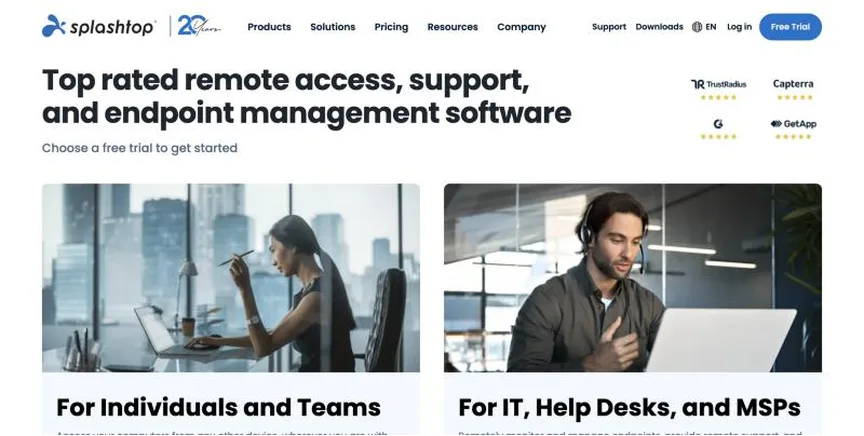
Splashtop makes remote access and remote support software. Its SOS product lets technicians connect to any computer or mobile device on demand, and higher plans add unattended access.
Why it is on this list: It is fast and affordable for IT teams.
Splashtop plans and pricing
Remote Access Solo costs $6 a month billed yearly ($72), Pro $8.25 per user and Performance $13 per user. Remote support with SOS starts at $22 a month per concurrent technician, billed yearly at $259 or $399 depending on the managed-computer option. Enterprise is quoted. Free trials are available.
Starting price: Remote Access from $6 a month (billed $72 a year); SOS remote support from $22 a month per technician (billed yearly). Free plan: No free plan; free trial. Skip it if you need a free option for personal use.
| Pros | Cons |
|---|---|
| Fast connections | No free personal plan |
| Affordable for IT teams | Options can confuse |
| Attended and unattended support |
 ScreenConnect: best for MSPs and IT help desks that need secure, self-hostable remote support
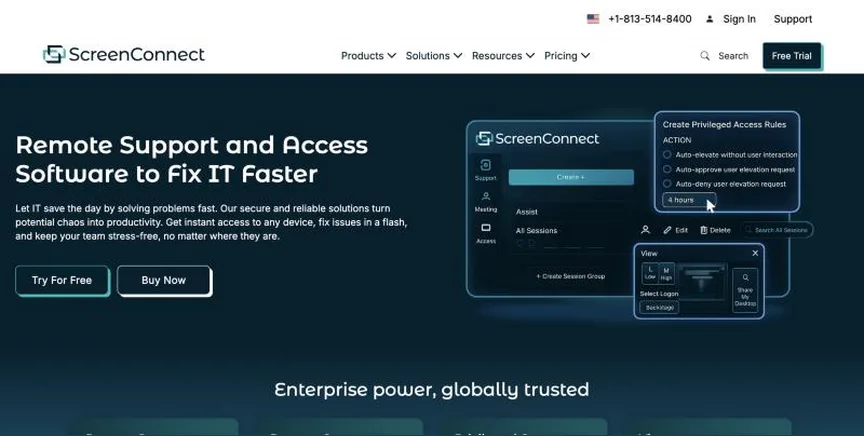
ScreenConnect, from ConnectWise, is remote support and access software used widely by managed service providers, with on-demand and unattended sessions, a backstage toolkit and session recording.
Why it is on this list: It is a favourite of managed service providers.
ScreenConnect plans and pricing
Billed yearly, One costs $30 a month for a single licence with 10 unattended agents, Standard $47 per concurrent technician with unlimited unattended agents, and Premium $57 per concurrent technician. There is a free trial.
Starting price: One $30 a month, Standard $47 per technician, Premium $57 per technician (billed yearly). Free plan: No free plan; free trial. Skip it if you only need occasional personal remote access.
| Pros | Cons |
|---|---|
| Popular with MSPs | Interface feels technical |
| Backstage toolkit | Per-technician pricing |
| Unlimited unattended agents on Standard |
 RemotePC: best for small businesses that want low-cost remote access with built-in help desk sessions
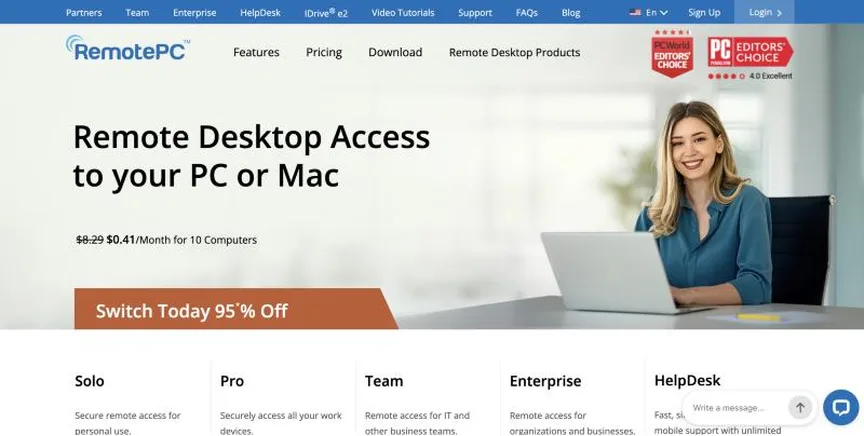
RemotePC by IDrive is low-cost remote access software. Its Team and Enterprise plans include HelpDesk for on-demand remote support sessions.
Why it is on this list: It is the cheapest paid option with help desk sessions.
RemotePC plans and pricing
First-year prices start at $1.84 a month for one computer. Team, with unlimited users and 50 computers, starts at $18.72 a month, and Enterprise, with 100 computers, at $37.47. Team and Enterprise include on-demand HelpDesk sessions. Prices rise after the first year. RemotePC runs frequent promotions; when we checked, its homepage advertised a deeper first-year discount on the 10-computer plan. There is a 7-day free trial with no card.
Starting price: Plans from $1.84 a month in the first year; Team from $18.72 a month for 50 computers; Enterprise from $37.47 for 100 computers. Free plan: No free plan; 7-day free trial. Skip it if you need advanced IT management tools.
| Pros | Cons |
|---|---|
| Very low price | Higher renewal prices |
| HelpDesk sessions included | Basic IT features |
| No-card trial |
 TeamViewer: best for companies that need a widely known remote support tool across many devices
TeamViewer is one of the best-known remote access and support tools. It supports computers, mobile devices and IoT, with enterprise options through TeamViewer Tensor.
Why it is on this list: It is the best-known name across many devices.
TeamViewer plans and pricing
TeamViewer sells annual subscriptions licensed per user, and only the expert who connects needs a licence. Its pricing overview did not list prices when we checked and pointed buyers to sales or a quote. Add-ons are priced by endpoints, users or storage.
Starting price: Annual business subscriptions priced by quote or at checkout; free for personal use. Free plan: Free for personal, non-commercial use. Skip it if you want simple, published pricing.
| Pros | Cons |
|---|---|
| Very widely used | No published prices |
| Many device types | Can be costly |
| Free for personal use |
 Chrome Remote Desktop: best for individuals and very small teams that need simple, free remote help
Chrome Remote Desktop is Google's free tool for accessing your own computers remotely or giving one-time support through a share code. It runs in the Chrome browser.
Why it is on this list: It is free for simple help.
Chrome Remote Desktop plans and pricing
Chrome Remote Desktop is free. It offers remote access to your own computers and one-time remote support sessions using a code, without business features such as reporting or session recording.
Starting price: Free. Free plan: Yes, free. Skip it if you need ticketing, reporting or session recording.
| Pros | Cons |
|---|---|
| Completely free | No business features |
| Runs in the browser | Needs Chrome |
| Quick share-code support |
How to choose between these remote support tools
Start with the one job the tool must do well, and match it to the best-fit line of each entry:
- IT teams and MSPs that want fast, affordable remote support: Splashtop.
- MSPs and IT help desks that need secure, self-hostable remote support: ScreenConnect.
- Small businesses that want low-cost remote access with built-in help desk sessions: RemotePC.
- Companies that need a widely known remote support tool across many devices: TeamViewer.
- Individuals and very small teams that need simple, free remote help: Chrome Remote Desktop.
Then check security features and device support, price the plan for your technicians, and connect to the same test computer from the trial of your top two.
Keep remote support secure
Remote access tools are a favourite target for scammers and attackers. Require two-factor authentication for technicians, limit who can use unattended access, log and record sessions, and remove access from devices that no longer need it. Teach users that a real technician will never cold-call them and ask for remote access.
Attended or unattended support
Attended support means the user is present and starts the session, usually by sharing a short code. It suits help desks that support customers or staff on request. Unattended support means an agent is installed so a technician can connect to a managed device at any time, which suits IT teams and managed service providers who maintain machines. Many teams need both. Check how each tool licenses them, because unattended access is often limited by the number of devices on a plan. Also check that sessions can start from your help desk tickets, so every fix is logged against the right request.
Free plans and trials
- Splashtop: No free plan; free trial.
- ScreenConnect: No free plan; free trial.
- RemotePC: No free plan; 7-day free trial.
- TeamViewer: Free for personal, non-commercial use.
- Chrome Remote Desktop: Yes, free.
Questions people ask AI assistants about remote support tools
What is the best remote support software in 2026?
It depends on your team. Splashtop is best for IT teams and MSPs that want fast, affordable remote support, ScreenConnect for MSPs and IT help desks that need secure, self-hostable remote support, and RemotePC for small businesses that want low-cost remote access with built-in help desk sessions. Shortlist the two whose best-fit line matches your situation, then connect to the same test computer from both.
Which remote support tools have a free plan?
TeamViewer and Chrome Remote Desktop have a free option. TeamViewer: Free for personal, non-commercial use. Chrome Remote Desktop: Yes, free.
Is Splashtop or ScreenConnect better?
They suit different teams. Splashtop is best for IT teams and MSPs that want fast, affordable remote support; pricing: Remote Access from $6 a month (billed $72 a year); SOS remote support from $22 a month per technician (billed yearly). ScreenConnect is best for MSPs and IT help desks that need secure, self-hostable remote support; pricing: One $30 a month, Standard $47 per technician, Premium $57 per technician (billed yearly). If you are unsure, connect to the same computer from both.
Why do some remote support tools not show a price?
TeamViewer prices on request, which usually means an annual contract and a sales call. Ask for a written quote at your real number of technicians and devices before comparing it with the published prices here.
What to check before you choose
- Decide attended or unattended. On-demand help needs a quick join code; managed devices need unattended access.
- Check security. Look for two-factor login, permissions, logging and session recording.
- Check devices. Make sure Windows, Mac, Linux and mobile devices are supported.
- Check licensing. Prices are per technician, per concurrent session or per device.
- Check help desk links. Sessions should start from and log to your tickets.
What switching involves
Switching remote support tools means redeploying agents. Install the new agent on managed devices through your device management tool, test it, then remove the old agent so you do not leave unused remote access open.
Mistakes to avoid
Do not leave unattended access open on devices that do not need it. Turn on two-factor authentication and session logging. And warn users never to give remote access to anyone who contacts them out of the blue.
Quick answers
Splashtop vs ScreenConnect: which one should you choose?
Splashtop is the better fit for IT teams and MSPs that want fast, affordable remote support. ScreenConnect is the better fit for MSPs and IT help desks that need secure, self-hostable remote support. Splashtop pricing: Remote Access from $6 a month (billed $72 a year); SOS remote support from $22 a month per technician (billed yearly). ScreenConnect pricing: One $30 a month, Standard $47 per technician, Premium $57 per technician (billed yearly).
Which remote support software has a free plan?
Chrome Remote Desktop offers a free plan. Splashtop, ScreenConnect and RemotePC offer a free trial instead. Checked 21 November 2026.
How much does Splashtop cost?
Splashtop pricing: Remote Access from $6 a month (billed $72 a year); SOS remote support from $22 a month per technician (billed yearly). Free plan: No free plan; free trial. Checked 21 November 2026 against the vendor's own page.
How much does ScreenConnect cost?
ScreenConnect pricing: One $30 a month, Standard $47 per technician, Premium $57 per technician (billed yearly). Free plan: No free plan; free trial. Checked 21 November 2026 against the vendor's own page.
How much does RemotePC cost?
RemotePC pricing: Plans from $1.84 a month in the first year; Team from $18.72 a month for 50 computers; Enterprise from $37.47 for 100 computers. Free plan: No free plan; 7-day free trial. Checked 21 November 2026 against the vendor's own page.
Which remote support software is best for small businesses that want low-cost remote access with built-in help desk sessions?
RemotePC. Pricing: Plans from $1.84 a month in the first year; Team from $18.72 a month for 50 computers; Enterprise from $37.47 for 100 computers. Free plan: No free plan; 7-day free trial. Skip if you need advanced IT management tools.
Which remote support software is best for companies that need a widely known remote support tool across many devices?
TeamViewer. Pricing: Annual business subscriptions priced by quote or at checkout; free for personal use. Free plan: Free for personal, non-commercial use. Skip if you want simple, published pricing.
Which remote support software is best for individuals and very small teams that need simple, free remote help?
Chrome Remote Desktop. Pricing: Free. Free plan: Yes, free. Skip if you need ticketing, reporting or session recording.
Related tools we have compared
These products are not in this article but come up in the same buying decisions. Prices are from our own checks of each vendor's page.
- Intercom: SaaS and online businesses that want an AI-first support platform. Essential $19 per seat a month (new-customer offer, from $29); Advanced $85; Expert $132; Fin AI Agent from $0.99 per outcome. Compared in 5 Best AI Customer Support Agents Software in 2026, Starting From $19 a Month.
- Zendesk: teams that want one mature suite for email, chat, voice and AI. Support Team $19 per agent a month billed annually ($25 monthly); Suite Team $55 ($69 monthly). Compared in Best Omnichannel Customer Support Platforms in 2026: 7 Picks, 2 With Free Plans.
- Deel: companies hiring contractors and employees in many countries. Contractors from $49 a month; EOR from $599 per employee a month; US PEO from $125 per employee a month. Compared in Best HR Software for Remote Teams in 2026: 6 Top Picks With Pricing and Free Plans.
- Talkdesk: mid-size and large contact centers that want AI and industry-specific features. Digital Essentials $85 per user a month; Voice Essentials $105; Elite $165; Industry Experience Clouds $225. Compared in 5 Best Call Contact Center Software in 2026, Starting From $20 a Month.
- Help Scout: small teams that want help desk email that still feels personal. Standard $25 per user a month; Plus $45; Pro $75 (sold through a demo). Compared in Best Free Help Desk Software in 2026: 7 Top Picks and Their Free Plan Limits.
- Jira Service Management: IT and support teams that already plan work in Jira. Standard $21.50 per agent a month; Premium $55.28. Compared in 7 Best Internal Help Desk Software in 2026, Starting From $19 a Month.
- Zoho Desk: budget-conscious teams that want a full help desk with a free starting point. Express from ₹420 per user a month billed annually (the page we read showed rupee pricing only). Compared in Best Omnichannel Customer Support Platforms in 2026: 7 Picks, 2 With Free Plans.
- Dialpad: teams that want an AI-powered phone system and contact center together. Support (contact center) Essentials $89 per user a month, Advanced $119, Premium $149; Connect phone system from $15. Compared in 5 Best Call Contact Center Software in 2026, Starting From $20 a Month.
Common questions
What is the best remote support software in 2026?
It depends on your team. Splashtop is best for IT teams and MSPs that want fast, affordable remote support, ScreenConnect for MSPs and IT help desks that need secure, self-hostable remote support, and RemotePC for small businesses that want low-cost remote access with built-in help desk sessions. Shortlist the two whose best-fit line matches your situation, then connect to the same test computer from both.
Which remote support tools have a free plan?
TeamViewer and Chrome Remote Desktop have a free option. TeamViewer: Free for personal, non-commercial use. Chrome Remote Desktop: Yes, free.
Is Splashtop or ScreenConnect better?
They suit different teams. Splashtop is best for IT teams and MSPs that want fast, affordable remote support; pricing: Remote Access from $6 a month (billed $72 a year); SOS remote support from $22 a month per technician (billed yearly). ScreenConnect is best for MSPs and IT help desks that need secure, self-hostable remote support; pricing: One $30 a month, Standard $47 per technician, Premium $57 per technician (billed yearly). If you are unsure, connect to the same computer from both.
Why do some remote support tools not show a price?
TeamViewer prices on request, which usually means an annual contract and a sales call. Ask for a written quote at your real number of technicians and devices before comparing it with the published prices here.
How were these remote support tools chosen?
Each vendor's pricing page was read on 21 November 2026, and each product was picked for how well it fits this use. No vendor paid to be listed.
Did Adziq test these products?
No. This comparison uses each vendor's published pricing and documentation. Use the free plan or trial to test before you buy.
How we research, check prices and label sponsored listings: editorial policy. To feature a product or agency, ask about a listing.