The short answer
Mixpanel is the best starting point for real-time product analytics, with a free tier and usage-based Growth pricing from $0 a month. Google Analytics 4 is free and suits marketing reporting. Amplitude suits teams that want generous free event volume, with the first 2 million events a month free on Plus.
Key takeaways
- Mixpanel Growth starts at $0 a month with usage-based pricing, and the free tier covers the basics.
- Amplitude Plus starts at $0 a month, with the first 2 million events a month free.
- Google Analytics 4 is free; the paid GA360 edition is priced on request.
- Datadog RUM Measure costs $0.15 per 1,000 sessions a month billed annually.
- Heap has a free plan for up to 10,000 monthly sessions, and Fullstory Free includes 30,000 monthly sessions.
Why teams look for real-time analytics
Most analytics tools show you what happened yesterday. That is fine for a weekly report, but it is not enough when a launch goes live, a checkout funnel breaks, or an experiment needs a same-day decision. Real-time analytics tools process events as they happen, so a funnel, a retention curve, or an alert reflects the last few minutes rather than the last day. The tools on this list all do that, but they differ in what they measure, how they charge, and how much free usage they give you.
What to look for in a real-time analytics tool
- Event model. Product tools like Mixpanel and Amplitude track events and users. Marketing tools like GA4 track sessions and pageviews. Pick the model that matches the questions you ask.
- Free limits. Free tiers are measured in events or sessions, not users. Check the monthly event cap before you commit, because the bill jumps when you pass it.
- Session replay. Fullstory and Datadog record what users actually did on the page. That is useful for debugging, but it costs extra and raises privacy questions.
- Pricing unit. Some tools charge per event, some per session, some per user, and some only by quote. A $0 starting price can still become a large bill at scale.
How we chose
The test for this list was whether a tool shows live data without a manual refresh or an overnight job, and whether a small team can start on a free tier or a published price. Prices and limits come from each vendor's pricing page, checked on 14 November 2026. No hands-on testing was done, so this post compares published pricing and documentation, checked on 14 November 2026. Where a vendor publishes no price, the post says so rather than quoting a figure from a review site.
1. Mixpanel: best for real-time product funnels and retention
Mixpanel is a product analytics platform that tracks events, funnels, retention, and cohorts as they happen. Growth is usage-based and starts at $0 a month, with volume discounts available and a free tier for getting started. Enterprise is quoted by sales and adds dedicated support and higher limits. The pricing page includes a calculator, because the bill depends on how many events you send: at 15 million events a month, the page shows about $1,722 a month on monthly billing.
Mixpanel fits a product team that wants to know what users do after signup, which step of a funnel loses people, and whether a new feature keeps users coming back. The reports update live, and the free tier is generous enough for a small product. The weakness is the event meter. Every click, pageview, and custom event counts, so a noisy tracking setup can push the bill up fast. You need to plan which events matter before you instrument everything.
Skip Mixpanel if you only need marketing reports, not product analytics. Google Analytics 4 covers that for free.
2. Amplitude: best for generous free event volume for startups
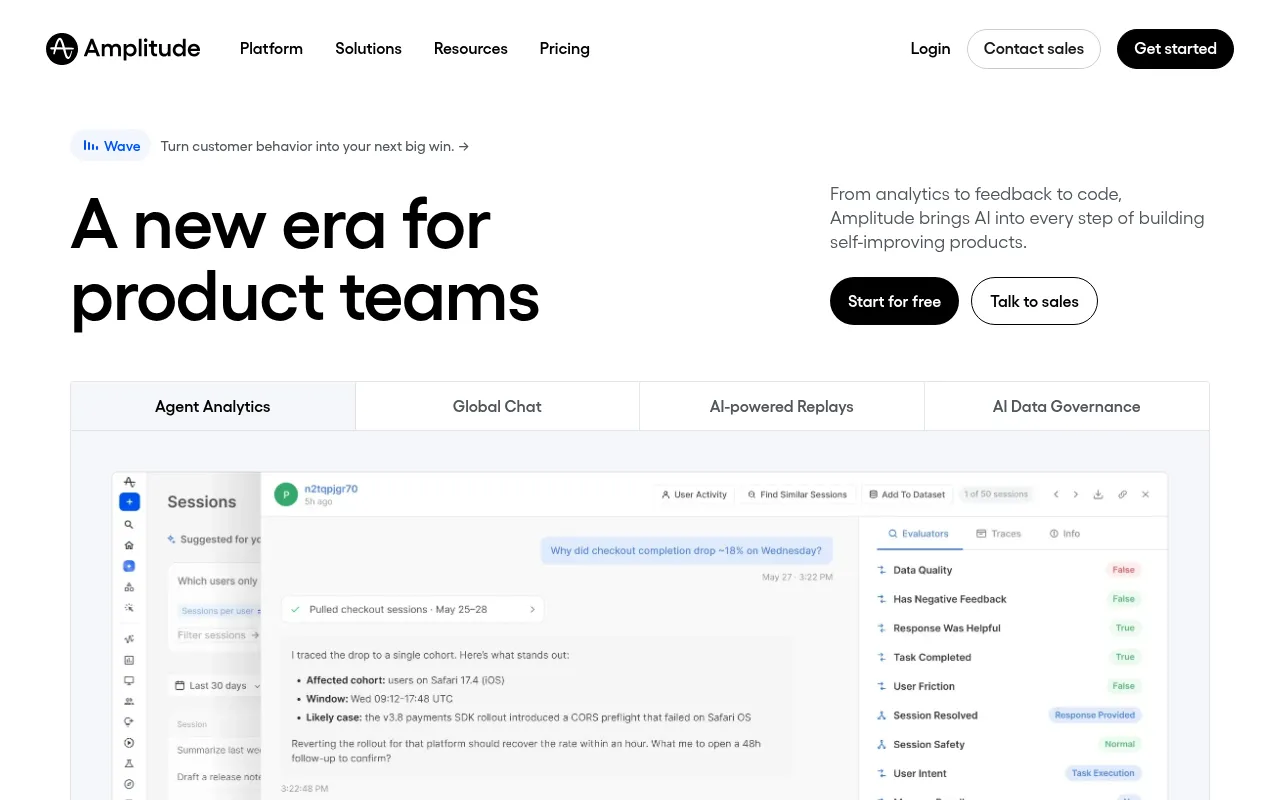
Amplitude is a product analytics platform with funnels, retention, cohorts, session replay, and experiments. Plus starts at $0 a month, with the first 2 million events a month free, and every plan includes the full platform with unlimited seats. Growth is custom priced by event volume, and Enterprise is quoted by sales.
Amplitude fits a startup that expects fast growth in event volume. Two million free events a month covers a small product with room to spare, and unlimited seats mean the whole team can look at the data without paying per user. The weakness is the step up. Once you pass the free allowance, Growth is a sales conversation rather than a published price, so budgeting the second year takes a call with the vendor.
Skip Amplitude if you need a published price for paid usage once you pass the free limits. Mixpanel's usage-based Growth plan lets you pay for what you use instead.
3. Google Analytics 4: best for free marketing and traffic reporting
Google Analytics 4 is Google's free analytics platform for websites and apps, covering traffic sources, engagement, conversions, and real-time reports that show active users in the last 30 minutes. It costs nothing for standard use. GA360, the paid edition, is priced on request and adds higher limits, unsampled reports, and enterprise support.
GA4 fits almost every marketing team as the default. It is free, it connects directly to Google Ads and Search Console, and the real-time report is enough to watch a launch or a campaign spike. The weakness is product depth. GA4 tracks sessions and pageviews, not individual user journeys through a product, and it has no session replay, no autocapture, and no in-app guides. It answers marketing questions, not product questions.
Skip GA4 if you need per-user product analytics and session replay. Mixpanel or Fullstory is the right shape for that job.
4. Heap: best for automatic event capture without tagging
Heap is a product analytics tool that captures every click, form submission, and pageview automatically, so teams do not have to tag events in advance. The Free plan covers up to 10,000 monthly sessions with core analytics charts, unlimited enrichment sources, guides integrations, and six months of data history. Growth adds unlimited users and reports, chart customization, and CSV export, and is priced on request. Enterprise is quoted by sales.
Heap fits a team that wants analytics without an instrumentation project. Because everything is captured from day one, you can define a funnel retroactively instead of waiting weeks for tagged data to accumulate. The weakness is the missing price. Growth has no published rate, so a team cannot budget it without talking to sales, and the free plan's 10,000-session cap is small for a busy site.
Skip Heap if you need a published price before you commit. Mixpanel publishes its usage-based Growth rates.
5. Datadog RUM: best for real user monitoring tied to infrastructure
Datadog Real User Monitoring measures frontend performance from real browsers and mobile apps, with session data, error tracking, and session replay. It is billed per 1,000 sessions a month, split into two parts: RUM Measure covers all traffic at $0.15 per 1,000 sessions billed annually, or $0.22 on demand, and RUM Investigate covers the filtered sessions you keep in full detail at $3 per 1,000 sessions billed annually. Session Replay is a separate add-on at $2.50 per 1,000 sessions. There is no free tier, only a free trial.
Datadog RUM fits an engineering-led team that already uses Datadog for infrastructure and APM, because a slow page can be traced from the browser session to the backend service in the same account. The weakness is the bill. The two-part meter is easy to underestimate: a site with 500,000 sessions a month pays $75 a month for Measure alone, and Investigate plus replay can multiply that several times over.
Skip Datadog RUM if you want flat pricing, not per-session billing. Mixpanel or GA4 will be easier to budget.
6. Pendo: best for product analytics plus in-app guides
Pendo combines product analytics with in-app guides, so a team can measure a feature and then nudge users toward it without shipping code. Base, Core, and Pulse are all priced on request, with custom monthly active user volumes. There is a free tier, Pendo Free, for getting started, and a free trial of the paid plans.
Pendo fits a SaaS team that wants analytics and onboarding in one tool. The guides let a product manager announce a feature, walk users through a new workflow, or collect feedback inside the product, and the analytics show whether the guide worked. The weakness is the quote-only pricing. With no published rate, a small team cannot compare Pendo against Mixpanel or Amplitude on price without a sales call.
Skip Pendo if you need a published price before you commit. Mixpanel covers the analytics half for a published rate.
7. Fullstory: best for session replay with product analytics

Fullstory pairs product analytics with session replay, so a team can see the numbers and then watch the sessions behind them. Business and Enterprise are priced on request. Fullstory Free includes 30,000 monthly sessions and 12 months of analytics retention, which is enough to evaluate the product properly.
Fullstory fits a team debugging a funnel or a checkout flow. When the numbers show a drop at one step, replay shows whether users hesitated, hit an error, or never saw the button. The weakness is the same as Pendo: paid pricing is quote-only, so the cost of the Business plan is unknown until you talk to sales. Replay also needs care with privacy, since recordings can capture personal data typed into forms.
Skip Fullstory if you need a published price before you commit. Heap Free covers autocapture for up to 10,000 sessions a month at no cost.
What the free plans really allow
| Tool | Free plan | Monthly limit | Data history |
|---|---|---|---|
| Google Analytics 4 | Yes | No published event cap | 14 months |
| Mixpanel | Yes, free tier | Usage-based, starts at $0 | Varies by plan |
| Amplitude | Yes, Starter | First 2M events a month free on Plus | Varies by plan |
| Heap | Yes, Free | 10,000 monthly sessions | 6 months |
| Fullstory | Yes, Fullstory Free | 30,000 monthly sessions | 12 months |
| Pendo | Yes, Pendo Free | Limited MAU, quoted | Varies by plan |
| Datadog RUM | No, free trial only | None | Varies by plan |
The free plans are real products, not demos, but the limits decide how long they last. A site with 50,000 sessions a month outgrows Heap Free and Fullstory Free quickly, while Amplitude's 2 million free events last much longer for a product with light event traffic.
Which real-time analytics tool fits your situation
- Marketing reports and campaign tracking: Google Analytics 4, free.
- Product funnels on a usage-based bill: Mixpanel Growth, from $0 a month.
- Startup with fast-growing event volume: Amplitude Plus, first 2 million events a month free.
- No tagging work, small site: Heap Free, up to 10,000 monthly sessions.
- Debugging a funnel with replay: Fullstory Free, 30,000 monthly sessions.
- Analytics plus in-app onboarding: Pendo, priced on request.
- Frontend performance tied to backend: Datadog RUM, from $0.15 per 1,000 sessions a month.
Mistakes to avoid with real-time analytics
- Tracking everything and paying for noise. Every event costs money on usage-based plans. Instrument the five or six events that define your funnel, not every click on the page.
- Confusing real-time with accurate. Live data is fast, not clean. A funnel that looks broken in the first hour of a launch may just be a small sample. Wait for enough sessions before changing anything.
- Recording sessions without a privacy check. Session replay can capture names, emails, and card details typed into forms. Mask sensitive fields before you turn replay on.
- Comparing a per-event price with a per-session price. Mixpanel charges per event, Datadog charges per session, and Heap charges by sessions on its free plan. Work out your monthly volume in each unit before comparing.
For a deeper look at dashboard options, see the 7 best AI data analytics tools and the best website analytics software. The Google Analytics audit guide helps you check whether your GA4 data is trustworthy before you build on it. Adziq's analytics services cover setup and reporting, and the marketing report metrics guide shows which numbers belong in a monthly report.
Real Time Data Analytics Tools Compared at a glance
| Pick | Best for | Starting price | Free plan |
|---|---|---|---|
| Mixpanel | Real-time product funnels and retention | Free; Growth usage-based from $0 a month | Yes, free tier |
| Amplitude | Generous free event volume for startups | From $0 a month (Plus, first 2M events a month free) | Yes, Starter free |
| Google Analytics 4 | Free marketing and traffic reporting | Free; GA360 pricing on request | Yes |
| Heap | Automatic event capture without tagging | Free; Growth pricing on request | Yes, up to 10,000 monthly sessions |
| Datadog RUM | Real user monitoring tied to infrastructure | From $0.15 per 1,000 sessions a month (RUM Measure, billed annually) | No, free trial |
| Pendo | Product analytics plus in-app guides | Pricing on request | Yes, Pendo Free |
| Fullstory | Session replay with product analytics | Pricing on request | Yes, Fullstory Free (30,000 monthly sessions) |
Common questions
What is the best free real-time analytics tool?
Google Analytics 4, for marketing and traffic reporting. For product analytics, Mixpanel and Amplitude both have free tiers: Mixpanel Growth starts at $0 a month with usage-based pricing, and Amplitude Plus includes the first 2 million events a month free.
How much does Datadog RUM cost?
RUM Measure costs $0.15 per 1,000 sessions a month billed annually, or $0.22 on demand. RUM Investigate costs $3 per 1,000 sessions a month billed annually, and Session Replay is a separate add-on at $2.50 per 1,000 sessions.
What is the difference between Mixpanel and Amplitude?
Both do real-time product analytics with funnels, retention, and cohorts. Mixpanel prices Growth usage-based from $0 a month, while Amplitude Plus starts at $0 a month with the first 2 million events a month free. The practical difference is which interface your team prefers and which integrations you need.
Does Heap have a free plan?
Yes. Heap Free covers up to 10,000 monthly sessions with core analytics charts, unlimited enrichment sources, and six months of data history. Growth and Enterprise are priced on request.
Do I need real-time analytics or is daily reporting enough?
Daily reporting is enough for marketing campaigns and weekly reviews. Real-time data matters when you run live experiments, watch a launch, monitor an outage, or need to see a funnel break the same hour it breaks.
Sources
- Mixpanel pricing
- Amplitude pricing
- Google Analytics 4
- Heap pricing
- Datadog RUM pricing
- Pendo pricing
- Fullstory pricing
Adziq sells marketing services and does not accept payment for placement in its articles. See our editorial policy.