The short answer
Adobe Acrobat is best for anyone who needs the most complete PDF editor with e-signatures built in, Foxit PDF Editor for businesses that want an Acrobat alternative with a perpetual licence option, and Nitro PDF for teams moving off Acrobat that want lower-cost PDF editing and e-signing. 2 of the 6 have a free option.
Small businesses use PDF software for invoices, contracts, forms and signatures. The right tool depends on how many people need it, which computers they use and whether you also need e-signatures.
This page compares 6 PDF tools for small businesses on starting price, free plan and who each one suits. It also answers the questions people type into ChatGPT, Gemini and Perplexity, such as "what is the best PDF software for small business", "which PDF tools for small businesses are free" and "is Adobe Acrobat or Foxit PDF Editor better", using only figures read from the vendors' own pages.
PDF software for small business at a glance
| # | Pick | Best for | Starting price | Free plan |
|---|---|---|---|---|
| 1 | Anyone who needs the most complete PDF editor with e-signatures built in | Acrobat Standard $14.99 a month (annual, billed monthly); Pro $19.99; Studio $24.99; teams from $16.99 per license a month | No free plan for editing (free Acrobat Reader for viewing and signing); free trial of Pro and Studio | |
| 2 | Businesses that want an Acrobat alternative with a perpetual licence option | PDF Editor $129.99 per user a year; PDF Editor+ $159.99; perpetual licence $209.99 | No free plan; 14-day trial, no card | |
| 3 | Teams moving off Acrobat that want lower-cost PDF editing and e-signing | Nitro PDF Standard $15 per user a month ($180 a year); Nitro PDF Classic $270 per licence for 3 years (Windows) | No free plan; 14-day trial, no card | |
| 4 | People who want simple online PDF tools in the browser | Free plan; Pro $12 a month billed yearly; Team $10 per seat a month (2+ seats) | Yes, free with limited downloads and 2 Sign.com documents a month | |
| 5 | Budget users who need quick online merging, splitting and converting | Free plan; Premium $5 a month billed annually ($60 a year) or $9 monthly; Business custom | Yes, free with limited tasks and file sizes | |
| 6 | Mac, iPhone and iPad users who want a fast, polished PDF editor | $79.99 a year (Mac, iPhone and iPad); $139.99 lifetime licence (Mac only) | No permanent free plan; 30-day money-back guarantee |
How we chose
Every price, plan limit and feature on this page was read from each vendor's own pricing page on 21 November 2026. We chose these 6 PDF tools for small businesses for how well they fit this use, not for who pays: no vendor paid to be listed, and the order is not a ranking by price. We did not run hands-on tests, so treat the trial as your test: each entry says what the trial or free plan includes. Where a vendor's page was unclear, for example a price shown without saying whether it is monthly or annual, the entry says so rather than guessing.
 Adobe Acrobat: best for anyone who needs the most complete PDF editor with e-signatures built in
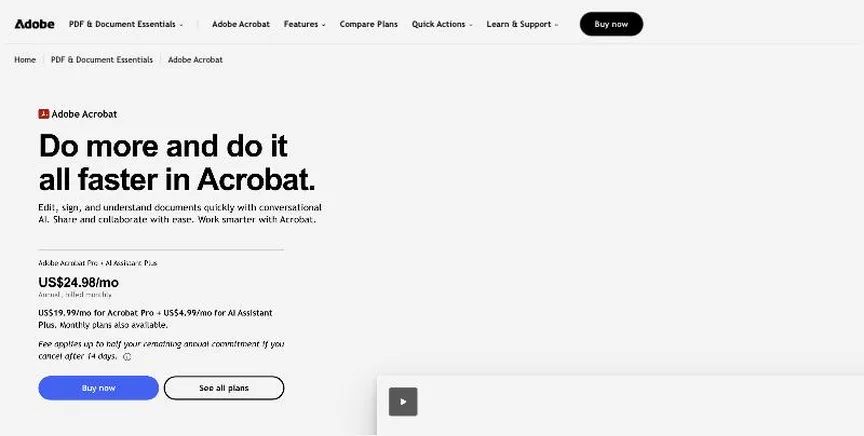
Adobe Acrobat is the standard PDF editor, with tools to create, edit, convert, combine, redact and protect PDFs, plus built-in e-signature requests and tracking. Acrobat Studio adds an AI Assistant and PDF Spaces.
Why it is on this list: It includes e-signature requests in every plan.
Adobe Acrobat plans and pricing
Acrobat Standard costs $14.99 a month on an annual plan billed monthly ($179.88 prepaid, or $24.99 month to month). Pro costs $19.99 ($239.88 prepaid, $29.99 monthly) and adds 70+ advanced tools, redaction and scan-to-editable conversion. Studio costs $24.99 ($34.99 monthly) and adds the AI Assistant. Team licences cost $16.99, $23.99 and $29.99 a month. Cancelling an annual plan after 14 days can carry a fee.
Starting price: Acrobat Standard $14.99 a month (annual, billed monthly); Pro $19.99; Studio $24.99; teams from $16.99 per license a month. Free plan: No free plan for editing (free Acrobat Reader for viewing and signing); free trial of Pro and Studio. Skip it if you only need to merge or compress a few files.
| Pros | Cons |
|---|---|
| Most complete PDF editor | Pricier than rivals |
| E-signatures included | Cancellation fees on annual plans |
| AI Assistant on Studio |
 Foxit PDF Editor: best for businesses that want an Acrobat alternative with a perpetual licence option
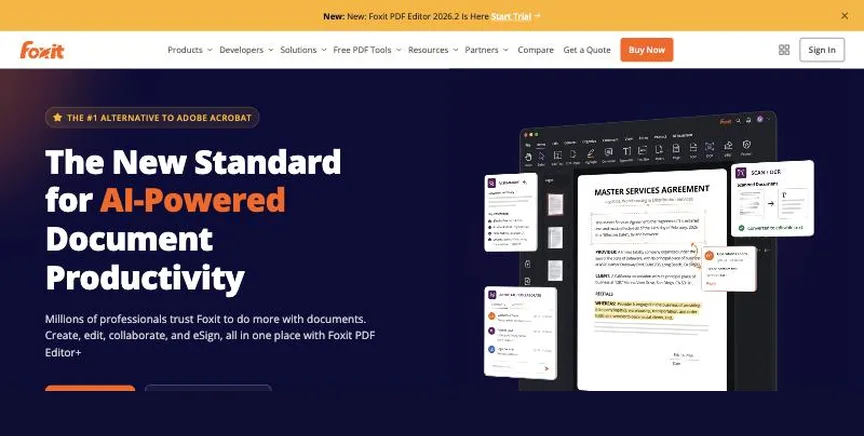
Foxit PDF Editor edits, converts, protects and signs PDFs on Windows, Mac and the web, with OCR, PDF comparison and forms. PDF Editor+ adds mobile apps, AI Smart Redact and Foxit eSign.
Why it is on this list: It offers a one-off licence instead of a subscription.
Foxit PDF Editor plans and pricing
PDF Editor costs $129.99 per user a year for desktop and web. PDF Editor+, at $159.99, adds iOS and Android apps, AI Smart Redact and Foxit eSign with 150 envelopes a year. A perpetual licence of PDF Editor 14 costs $209.99 per user. Monthly billing is available from $10.99, and volume licensing for 30+ users is priced by quote. Every plan has a 14-day trial without a card.
Starting price: PDF Editor $129.99 per user a year; PDF Editor+ $159.99; perpetual licence $209.99. Free plan: No free plan; 14-day trial, no card. Skip it if you only need occasional online tools.
| Pros | Cons |
|---|---|
| Perpetual licence option | No free plan |
| Windows, Mac and web | AI costs extra |
| eSign on Editor+ |
 Nitro PDF: best for teams moving off Acrobat that want lower-cost PDF editing and e-signing
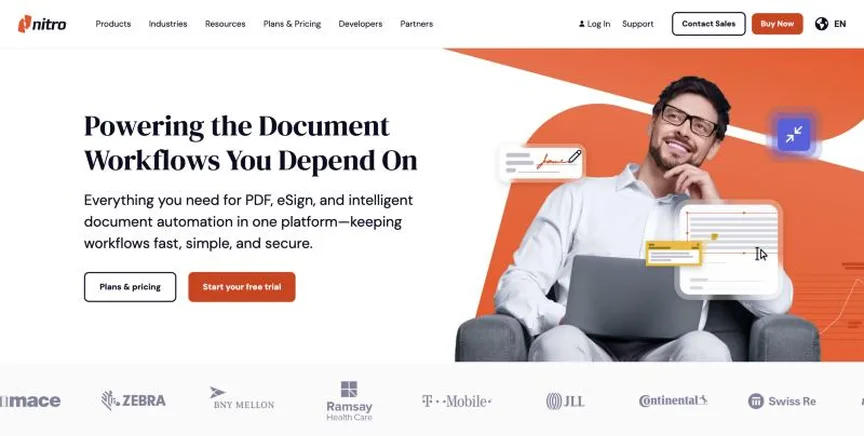
Nitro offers PDF editing and conversion with Nitro PDF and e-signatures with Nitro Sign, plus an admin portal and AI tools. It is a popular lower-cost Acrobat alternative for businesses.
Why it is on this list: It has a team admin portal at a lower price.
Nitro PDF plans and pricing
Nitro PDF Standard costs $15 per user a month, or $180 a year, to create, convert, edit, annotate and combine PDFs. Nitro PDF Plus adds SSO and analytics and is priced by sales. Nitro PDF Classic is a three-year Windows licence for $270, billed once. Nitro Sign is sold separately. There is a 14-day trial with full access.
Starting price: Nitro PDF Standard $15 per user a month ($180 a year); Nitro PDF Classic $270 per licence for 3 years (Windows). Free plan: No free plan; 14-day trial, no card. Skip it if you need Mac desktop software on the Classic licence.
| Pros | Cons |
|---|---|
| Lower cost than Acrobat | Classic is Windows only |
| Team admin portal | Sign sold separately |
| 14-day trial |
 Smallpdf: best for people who want simple online PDF tools in the browser
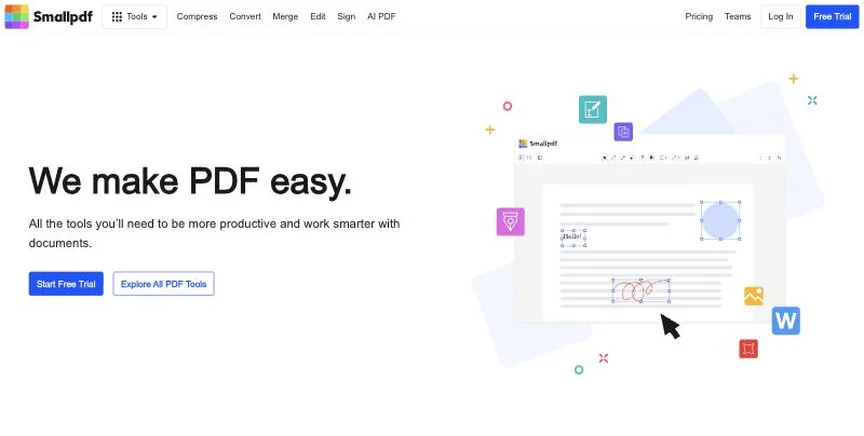
Smallpdf is a browser-based PDF toolkit from Switzerland with 30+ tools to compress, convert, merge, edit and sign PDFs, plus mobile apps and a Sign.com e-signature subscription on paid plans.
Why it is on this list: Its team plan is cheap per seat.
Smallpdf plans and pricing
The free plan includes the tools with limited downloads and 2 Sign.com documents a month. Pro costs $12 a month billed yearly (monthly billing costs more) for unlimited use, OCR, strong compression, AI tools and unlimited signing. Team costs $10 per seat a month for two or more seats, with central billing and member management. There is a 7-day free trial.
Starting price: Free plan; Pro $12 a month billed yearly; Team $10 per seat a month (2+ seats). Free plan: Yes, free with limited downloads and 2 Sign.com documents a month. Skip it if you need advanced desktop editing or redaction.
| Pros | Cons |
|---|---|
| Easy browser tools | Free downloads limited |
| Free plan | Online-first |
| Signing included on Pro |
 iLovePDF: best for budget users who need quick online merging, splitting and converting
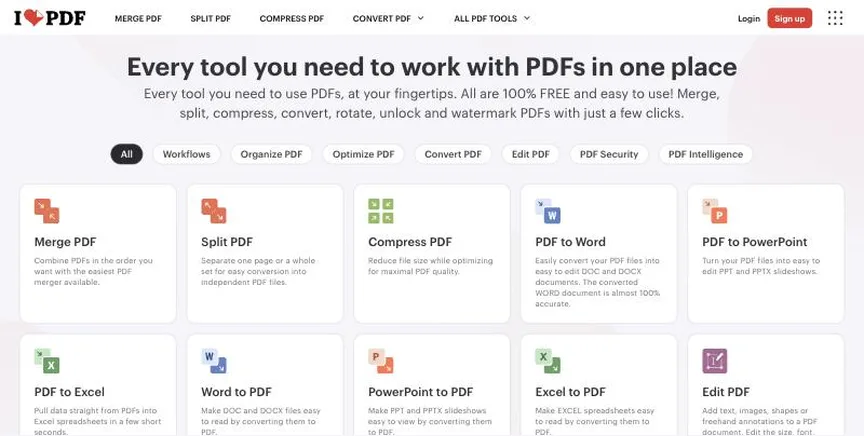
iLovePDF is a low-cost online PDF toolkit for merging, splitting, compressing, converting, signing, redacting and OCR, with desktop and mobile apps on Premium.
Why it is on this list: Premium costs $5 a month billed annually.
iLovePDF plans and pricing
The free plan covers the essential tools with limits on batch size and file size and no desktop or mobile apps. Premium costs $5 a month billed annually ($60 a year) or $9 monthly, with unlimited processing, desktop and mobile apps, digital signatures and workflows, for 1 to 25 users. Business, for 25+ users, adds SSO and a dedicated account manager.
Starting price: Free plan; Premium $5 a month billed annually ($60 a year) or $9 monthly; Business custom. Free plan: Yes, free with limited tasks and file sizes. Skip it if you need a full desktop editor.
| Pros | Cons |
|---|---|
| Very cheap Premium | Free limits are tight |
| Free plan | Basic editing |
| Desktop and mobile apps |
 PDF Expert: best for mac, iPhone and iPad users who want a fast, polished PDF editor
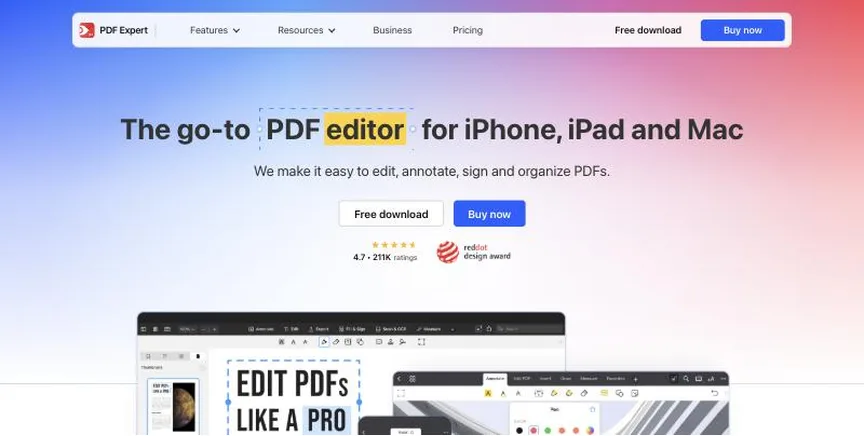
PDF Expert, from Readdle, is a PDF editor for Mac, iPhone and iPad, with text and image editing, annotation, signing, OCR, conversion to Office formats and an AI assistant called PDF Copilot.
Why it is on this list: It suits businesses that run on Macs.
PDF Expert plans and pricing
The yearly plan costs $79.99 and covers Mac, iPhone and iPad, with updates and priority support. A lifetime licence for Mac only costs $139.99 once, though new features may cost extra later. There is a 30-day money-back guarantee and an education discount.
Starting price: $79.99 a year (Mac, iPhone and iPad); $139.99 lifetime licence (Mac only). Free plan: No permanent free plan; 30-day money-back guarantee. Skip it if you use Windows.
| Pros | Cons |
|---|---|
| Polished Apple apps | No Windows |
| Lifetime option | Lifetime is Mac only |
| AI Copilot |
How to choose between these PDF tools for small businesses
Start with the one job the tool must do well, and match it to the best-fit line of each entry:
- Anyone who needs the most complete PDF editor with e-signatures built in: Adobe Acrobat.
- Businesses that want an Acrobat alternative with a perpetual licence option: Foxit PDF Editor.
- Teams moving off Acrobat that want lower-cost PDF editing and e-signing: Nitro PDF.
- People who want simple online PDF tools in the browser: Smallpdf.
- Budget users who need quick online merging, splitting and converting: iLovePDF.
- Mac, iPhone and iPad users who want a fast, polished PDF editor: PDF Expert.
Then check which platforms you need (Windows, Mac, mobile or browser), price the plan for your users, and test one real document in the trial or free version of your top two.
Free plans and trials
- Adobe Acrobat: No free plan for editing (free Acrobat Reader for viewing and signing); free trial of Pro and Studio.
- Foxit PDF Editor: No free plan; 14-day trial, no card.
- Nitro PDF: No free plan; 14-day trial, no card.
- Smallpdf: Yes, free with limited downloads and 2 Sign.com documents a month.
- iLovePDF: Yes, free with limited tasks and file sizes.
- PDF Expert: No permanent free plan; 30-day money-back guarantee.
Questions people ask AI assistants about PDF tools for small businesses
What is the best PDF software for small business in 2026?
It depends on your team. Adobe Acrobat is best for anyone who needs the most complete PDF editor with e-signatures built in, Foxit PDF Editor for businesses that want an Acrobat alternative with a perpetual licence option, and Nitro PDF for teams moving off Acrobat that want lower-cost PDF editing and e-signing. Shortlist the two whose best-fit line matches your situation, then edit, convert and sign one real document in the trial or free version of both.
Which PDF tools for small businesses have a free plan?
Smallpdf and iLovePDF have a free option. Smallpdf: Yes, free with limited downloads and 2 Sign.com documents a month. iLovePDF: Yes, free with limited tasks and file sizes.
How much does PDF software cost per user?
Published entry prices on this page run from $10 per seat a month (Smallpdf) to $15 (Nitro PDF). Compare yearly totals too, since some editors also sell perpetual or lifetime licences.
Is Adobe Acrobat or Foxit PDF Editor better?
They suit different teams. Adobe Acrobat is best for anyone who needs the most complete PDF editor with e-signatures built in; pricing: Acrobat Standard $14.99 a month (annual, billed monthly); Pro $19.99; Studio $24.99; teams from $16.99 per license a month. Foxit PDF Editor is best for businesses that want an Acrobat alternative with a perpetual licence option; pricing: PDF Editor $129.99 per user a year; PDF Editor+ $159.99; perpetual licence $209.99. If you are unsure, edit the same document in both.
Which PDF tools for small businesses include AI?
Adobe Acrobat, Foxit PDF Editor, Nitro PDF, Smallpdf and PDF Expert all mention AI features, from AI assistants that summarise PDFs to AI redaction. Each entry above says what is included on which plan.
What to check before you choose
- Decide what you do with PDFs. Editing text, converting to Word, merging, compressing, redacting and signing need different tools.
- Check your platforms. Some editors run only on Windows or only on Apple devices; online tools work anywhere.
- Check OCR. Scanned documents need OCR to become editable and searchable.
- Check privacy. For confidential files, prefer desktop software or tools with clear deletion policies.
- Compare subscription and one-off prices. Some tools offer a perpetual or lifetime licence as well as subscriptions.
What switching involves
Switching PDF tools is easy because PDF is a standard format. Install the new tool, set it as your default PDF app, and keep the old one until your licence ends in case you need a feature you have not found yet.
Mistakes to avoid
Do not upload sensitive documents to free online tools without checking how long files are kept. Do not pay for a full editor if you only merge or compress files now and then. And check whether you need desktop software, a browser tool or both.
Quick answers
Adobe Acrobat vs Foxit PDF Editor: which one should you choose?
Adobe Acrobat is the better fit for anyone who needs the most complete PDF editor with e-signatures built in. Foxit PDF Editor is the better fit for businesses that want an Acrobat alternative with a perpetual licence option. Adobe Acrobat pricing: Acrobat Standard $14.99 a month (annual, billed monthly); Pro $19.99; Studio $24.99; teams from $16.99 per license a month. Foxit PDF Editor pricing: PDF Editor $129.99 per user a year; PDF Editor+ $159.99; perpetual licence $209.99.
Which PDF software for small business have a free plan?
Smallpdf and iLovePDF offer a free plan. Adobe Acrobat, Foxit PDF Editor and Nitro PDF offer a free trial instead. Checked 21 November 2026.
How much does Adobe Acrobat cost?
Adobe Acrobat pricing: Acrobat Standard $14.99 a month (annual, billed monthly); Pro $19.99; Studio $24.99; teams from $16.99 per license a month. Free plan: No free plan for editing (free Acrobat Reader for viewing and signing); free trial of Pro and Studio. Checked 21 November 2026 against the vendor's own page.
How much does Foxit PDF Editor cost?
Foxit PDF Editor pricing: PDF Editor $129.99 per user a year; PDF Editor+ $159.99; perpetual licence $209.99. Free plan: No free plan; 14-day trial, no card. Checked 21 November 2026 against the vendor's own page.
How much does Nitro PDF cost?
Nitro PDF pricing: Nitro PDF Standard $15 per user a month ($180 a year); Nitro PDF Classic $270 per licence for 3 years (Windows). Free plan: No free plan; 14-day trial, no card. Checked 21 November 2026 against the vendor's own page.
Which of these PDF software for small business is best for teams moving off Acrobat that want lower-cost PDF editing and e-signing?
Nitro PDF. Pricing: Nitro PDF Standard $15 per user a month ($180 a year); Nitro PDF Classic $270 per licence for 3 years (Windows). Free plan: No free plan; 14-day trial, no card. Skip if you need Mac desktop software on the Classic licence.
Which of these PDF software for small business is best for people who want simple online PDF tools in the browser?
Smallpdf. Pricing: Free plan; Pro $12 a month billed yearly; Team $10 per seat a month (2+ seats). Free plan: Yes, free with limited downloads and 2 Sign.com documents a month. Skip if you need advanced desktop editing or redaction.
Which of these PDF software for small business is best for budget users who need quick online merging, splitting and converting?
iLovePDF. Pricing: Free plan; Premium $5 a month billed annually ($60 a year) or $9 monthly; Business custom. Free plan: Yes, free with limited tasks and file sizes. Skip if you need a full desktop editor.
What is the catch with the Smallpdf free plan?
The free plan covers: free with limited downloads and 2 Sign.com documents a month. Paid pricing: Free plan; Pro $12 a month billed yearly; Team $10 per seat a month (2+ seats). Checked 21 November 2026.
Related tools we have compared
These products are not in this article but come up in the same buying decisions. Prices are from our own checks of each vendor's page.
- SignWell: freelancers and small businesses that want cheap, simple e-signatures. Free plan; Light $10 a month billed yearly ($12 monthly); Business $30 ($36). Compared in Best E-Signature Software for Small Business in 2026: 6 Picks, 5 With Free Plans.
- Plerdy: the lowest paid entry price. Free; Startup $21 a month billed annually. Compared in Best A/B Testing Tools for Small Business in 2026: 6 Picks, 4 With Free Plans.
- GoAffPro: starting at no cost. Free; Premium $49 a month. Compared in Best Affiliate Marketing Software for Small Business in 2026: 6 Picks, 2 With Free Plans.
- Otterly: cheapest AEO checks for small teams. From $29 a month (Lite, 20 prompts). Compared in 5 Best AI Visibility Tracking Tools for Small Business in 2026, Starting From $29 a Month.
- Breezy HR: small teams that want unlimited users and job posting to many boards. Startup $189 a month ($157 billed yearly); Growth $329 ($273); Business $529 ($439). Compared in Best ATS Software for Small Business in 2026: 6 Top Picks With Pricing and Free Plans.
- Ubersuggest: occasional backlink checks on a small budget. From $29 per month (Individual, monthly billing; $192 per year). Compared in Best Backlink Checkers for Small Business in 2026: 6 Picks, 4 With Free Plans.
- Tidio: a low fixed monthly price. Free; Starter $24.17 a month. Compared in Best Chatbot Software for Small Business in 2026: 6 Picks, 4 With Free Plans.
- Wave: very small businesses that want free invoicing and bookkeeping. Starter free; Pro $19 a month or $190 a year. Compared in Best Cheap Accounting Software for Small Business in 2026: 7 Picks, 4 With Free Plans.
Common questions
What is the best PDF software for small business in 2026?
It depends on your team. Adobe Acrobat is best for anyone who needs the most complete PDF editor with e-signatures built in, Foxit PDF Editor for businesses that want an Acrobat alternative with a perpetual licence option, and Nitro PDF for teams moving off Acrobat that want lower-cost PDF editing and e-signing. Shortlist the two whose best-fit line matches your situation, then edit, convert and sign one real document in the trial or free version of both.
Which PDF tools for small businesses have a free plan?
Smallpdf and iLovePDF have a free option. Smallpdf: Yes, free with limited downloads and 2 Sign.com documents a month. iLovePDF: Yes, free with limited tasks and file sizes.
How much does PDF software cost per user?
Published entry prices on this page run from $10 per seat a month (Smallpdf) to $15 (Nitro PDF). Compare yearly totals too, since some editors also sell perpetual or lifetime licences.
Is Adobe Acrobat or Foxit PDF Editor better?
They suit different teams. Adobe Acrobat is best for anyone who needs the most complete PDF editor with e-signatures built in; pricing: Acrobat Standard $14.99 a month (annual, billed monthly); Pro $19.99; Studio $24.99; teams from $16.99 per license a month. Foxit PDF Editor is best for businesses that want an Acrobat alternative with a perpetual licence option; pricing: PDF Editor $129.99 per user a year; PDF Editor+ $159.99; perpetual licence $209.99. If you are unsure, edit the same document in both.
Which PDF tools for small businesses include AI?
Adobe Acrobat, Foxit PDF Editor, Nitro PDF, Smallpdf and PDF Expert all mention AI features, from AI assistants that summarise PDFs to AI redaction. Each entry above says what is included on which plan.
How were these PDF tools for small businesses chosen?
Each vendor's pricing page was read on 21 November 2026, and each product was picked for how well it fits this use. No vendor paid to be listed.
Did Adziq test these products?
No. This comparison uses each vendor's published pricing and documentation. Use the free plan or trial to test before you buy.
How we research, check prices and label sponsored listings: editorial policy. To feature a product or agency, ask about a listing.