The short answer
Toggl is best for teams that want simple time tracking with billable rates, Clockify for teams that want low-cost time tracking with invoicing, and Harvest for teams that bill by the hour and want time, invoices and expenses together. 5 of the 6 have a free option.
Freelancers bill by the hour or need to know whether fixed-price work pays. A good time tracking app is free or cheap for one person, works on every device and turns hours into invoices.
This page compares 6 freelance time tracking apps on starting price, free plan and who each one suits. It also answers the questions people type into ChatGPT, Gemini and Perplexity, such as "what is the best freelance time tracking app", "which freelance time tracking apps are free" and "is Toggl or Clockify better", using only figures read from the vendors' own pages.
Freelance Time Tracking App at a glance
| # | Pick | Best for | Starting price | Free plan |
|---|---|---|---|---|
| 1 | Teams that want simple time tracking with billable rates | Starter $9 per user a month billed yearly ($12 monthly); Premium $16 ($24 monthly) | Yes, free for up to 3 users on a team | |
| 2 | Teams that want low-cost time tracking with invoicing | Free for up to 5 users; Basic $3.99 per seat a month billed yearly ($4.99 monthly); Standard $5.49 ($6.99); Pro $7.99 ($9.99); Enterprise $11.99 ($14.99) | Yes, free for up to 5 users | |
| 3 | Teams that bill by the hour and want time, invoices and expenses together | Free for 1 seat; Teams $11 per seat a month ($9 billed yearly); Enterprise $17.50 ($14 billed yearly) | Yes, free for 1 seat and 2 projects; 30-day trial of paid plans with no card | |
| 4 | Small teams and freelancers tracking billable hours on projects | Free for up to 5 active users; Basic $4 per user a month billed annually ($5 monthly); Pro $8 ($9 monthly) | Yes, free for up to 5 active users; 14-day Pro trial, no card | |
| 5 | Small agencies and freelancers that want time tracking, projects and invoicing together | Free plan; Solo $9.90 a month; Plus $15.90 and Pro $23.90 per user a month (monthly billing; first 3 months discounted) | Yes, free with 1 client and 2 projects; 15-day trial of paid plans | |
| 6 | Freelancers and small agencies that want proposals, contracts and invoices together | Basic $15 per user a month ($9 billed yearly); Essentials $25 ($19); Premium $39 ($29); Elite $59 ($49) | No free plan; 7-day trial |
How we chose
Every price, plan limit and feature on this page was read from each vendor's own pricing page on 21 November 2026. We chose these 6 freelance time tracking apps for how well they fit this use, not for who pays: no vendor paid to be listed, and the order is not a ranking by price. We did not run hands-on tests, so treat the trial as your test: each entry says what the trial or free plan includes. Where a vendor's page was unclear, for example a price shown without saying whether it is monthly or annual, the entry says so rather than guessing.
 Toggl: best for teams that want simple time tracking with billable rates
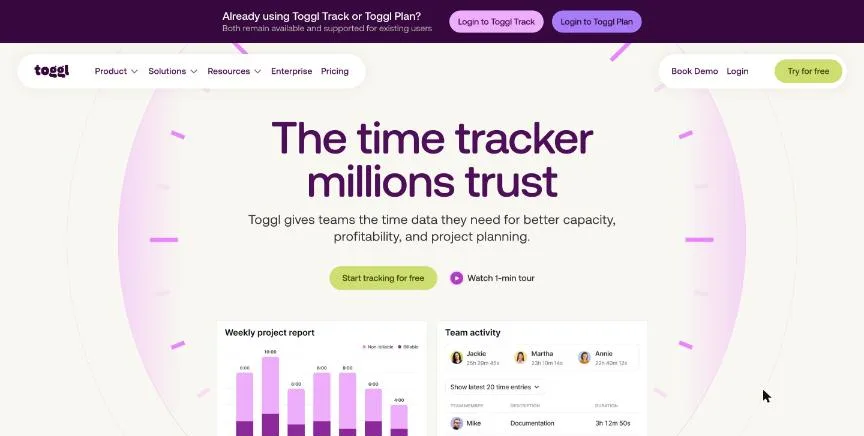
Toggl is a time tracker known for one-click timers. Its homepage now markets the product simply as Toggl and tells existing Toggl Track and Toggl Plan users that both remain available and supported. The free plan covers small teams of up to three users.
Why it is on this list: Its free plan and one-click timer suit solo work.
Toggl plans and pricing
Billable rates start on Starter, and project member rates need Premium. The pricing page mentions invoicing but does not say which plan includes it, so check before you rely on it. Annual billing saves up to 33%.
Starting price: Starter $9 per user a month billed yearly ($12 monthly); Premium $16 ($24 monthly). Free plan: Yes, free for up to 3 users on a team. Skip it if you want invoicing confirmed on a specific plan.
| Pros | Cons |
|---|---|
| Easy one-click timers | Invoicing plan not stated on the pricing page |
| Free for up to 3 users | Premium costs $16 per user yearly |
| Billable rates from Starter |
 Clockify: best for teams that want low-cost time tracking with invoicing
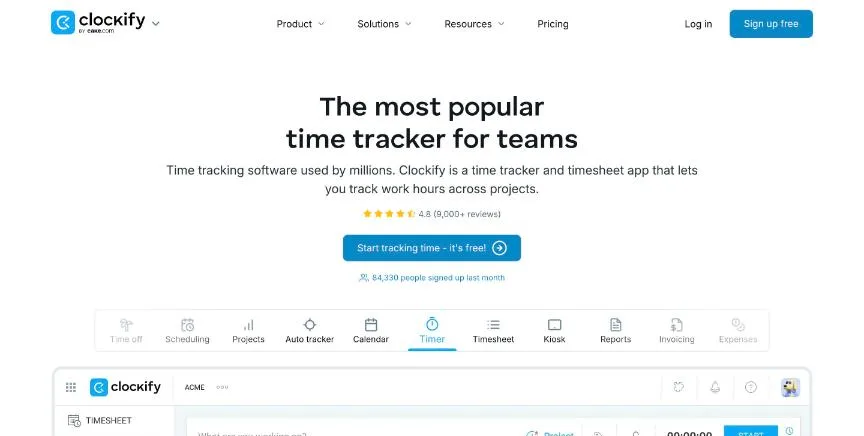
Clockify is a time tracker with a free plan for up to five users and low per-seat prices above that. Every active or invited user on the team page counts as a paid seat.
Why it is on this list: It is free with unlimited tracking.
Clockify plans and pricing
Invoicing starts on the Standard plan and expense tracking on Pro. Enterprise adds the top tier of controls. Annual billing is cheaper than monthly on every paid plan.
Starting price: Free for up to 5 users; Basic $3.99 per seat a month billed yearly ($4.99 monthly); Standard $5.49 ($6.99); Pro $7.99 ($9.99); Enterprise $11.99 ($14.99). Free plan: Yes, free for up to 5 users. Skip it if you want invoicing on the free plan.
| Pros | Cons |
|---|---|
| Free for up to 5 users | Expenses need Pro |
| Low per-seat prices | Every invited user counts as a seat |
| Invoicing from Standard |
 Harvest: best for teams that bill by the hour and want time, invoices and expenses together
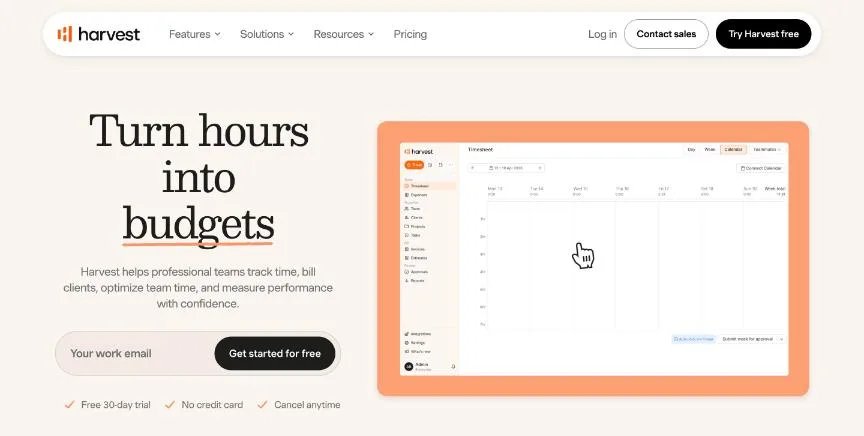
Harvest combines time tracking, invoicing and expense tracking, and all three are included even on the free plan for one seat and two projects.
Why it is on this list: Its free seat covers one person with invoicing.
Harvest plans and pricing
Teams adds unlimited seats, team reporting and accounting and payment integrations. Enterprise adds unlimited custom reports, profitability reporting, timesheet approvals, an activity log and SAML SSO. Annual billing takes 20% off.
Starting price: Free for 1 seat; Teams $11 per seat a month ($9 billed yearly); Enterprise $17.50 ($14 billed yearly). Free plan: Yes, free for 1 seat and 2 projects; 30-day trial of paid plans with no card. Skip it if you need more than two projects for free.
| Pros | Cons |
|---|---|
| Time, invoices and expenses even on free | Free plan limited to 2 projects |
| 30-day trial with no card | Per-seat pricing adds up |
| Profitability reports on Enterprise |
 My Hours: best for small teams and freelancers tracking billable hours on projects
My Hours is a simple time tracker for logging hours against projects, tasks and clients, with billable rates and clear reports. It suits small professional-services teams that bill by the hour.
Why it is on this list: It is a simple, free tracker for billable hours.
My Hours plans and pricing
Free allows up to 5 active users. Basic, at $4 per user a month billed annually or $5 monthly, adds unlimited projects and clients, billable rates and detailed reports. Pro, at $8 or $9, adds rate and budget calculations, user permissions and an approval workflow with audit log. Enterprise adds SSO and a dedicated success manager.
Starting price: Free for up to 5 active users; Basic $4 per user a month billed annually ($5 monthly); Pro $8 ($9 monthly). Free plan: Yes, free for up to 5 active users; 14-day Pro trial, no card. Skip it if you need GPS or attendance tracking.
| Pros | Cons |
|---|---|
| Simple and cheap | No GPS or attendance |
| Free for 5 users | Basic reporting on Free |
| Approval workflow on Pro |
 Paymo: best for small agencies and freelancers that want time tracking, projects and invoicing together
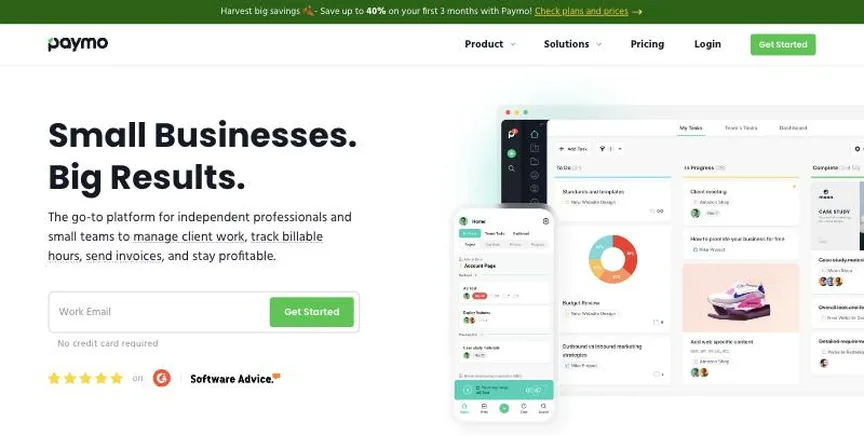
Paymo combines time tracking, task and project management and invoicing in one app. Tracked time flows straight into invoices, and the Pro plan adds Gantt charts, scheduling and timesheet approvals.
Why it is on this list: It combines time, tasks and invoices for one person.
Paymo plans and pricing
Free includes unlimited time tracking, tasks and invoices for one client and two projects. Solo costs $9.90 a month for one user, after $5.90 for the first three months. Plus costs $15.90 per user a month and adds unlimited projects, timesheet reports, profitability and expenses. Pro costs $23.90 and adds Gantt charts, scheduling, timesheet approvals and leave management. Annual billing saves up to 40%.
Starting price: Free plan; Solo $9.90 a month; Plus $15.90 and Pro $23.90 per user a month (monthly billing; first 3 months discounted). Free plan: Yes, free with 1 client and 2 projects; 15-day trial of paid plans. Skip it if you only need a timer.
| Pros | Cons |
|---|---|
| Time, projects and invoices together | Monthly prices rise after 3 months |
| Free plan | Free plan limited to 2 projects |
| Gantt on Pro |
 Bonsai: best for freelancers and small agencies that want proposals, contracts and invoices together
Bonsai is client management software for freelancers and agencies, and its logo now reads Bonsai by Zoom. Every plan includes time tracking, tasks, unlimited projects and clients, a CRM and mobile apps.
Why it is on this list: It adds proposals, contracts and invoicing around your hours.
Bonsai plans and pricing
Essentials adds invoices and payments, proposals and contracts, forms, scheduling, a client portal and expense and income tracking. Premium adds project insights, a deals pipeline, profit reports, removal of Bonsai branding and QuickBooks, Xero and Zapier integrations. Elite needs at least three users.
Starting price: Basic $15 per user a month ($9 billed yearly); Essentials $25 ($19); Premium $39 ($29); Elite $59 ($49). Free plan: No free plan; 7-day trial. Skip it if you need full double-entry accounting.
| Pros | Cons |
|---|---|
| Proposals, contracts and invoices together | Invoicing starts on Essentials |
| Time tracking on every plan | Accounting integrations need Premium |
| Client portal |
How to choose between these freelance time tracking apps
Start with the one job the tool must do well, and match it to the best-fit line of each entry:
- Teams that want simple time tracking with billable rates: Toggl.
- Teams that want low-cost time tracking with invoicing: Clockify.
- Teams that bill by the hour and want time, invoices and expenses together: Harvest.
- Small teams and freelancers tracking billable hours on projects: My Hours.
- Small agencies and freelancers that want time tracking, projects and invoicing together: Paymo.
- Freelancers and small agencies that want proposals, contracts and invoices together: Bonsai.
Then price the plan for your real team, including any base fee or seat minimum, and track a real week of work in the free plan or trial of your top two.
Free plans and trials
- Toggl: Yes, free for up to 3 users on a team.
- Clockify: Yes, free for up to 5 users.
- Harvest: Yes, free for 1 seat and 2 projects; 30-day trial of paid plans with no card.
- My Hours: Yes, free for up to 5 active users; 14-day Pro trial, no card.
- Paymo: Yes, free with 1 client and 2 projects; 15-day trial of paid plans.
- Bonsai: No free plan; 7-day trial.
Questions people ask AI assistants about freelance time tracking apps
What is the best freelance time tracking app in 2026?
It depends on your team. Toggl is best for teams that want simple time tracking with billable rates, Clockify for teams that want low-cost time tracking with invoicing, and Harvest for teams that bill by the hour and want time, invoices and expenses together. Shortlist the two whose best-fit line matches your situation, then track a real week of work in the free plan or trial of both.
Which freelance time tracking apps have a free plan?
Toggl, Clockify, Harvest, My Hours and Paymo have a free option. Toggl: Yes, free for up to 3 users on a team. Clockify: Yes, free for up to 5 users. Harvest: Yes, free for 1 seat and 2 projects. My Hours: Yes, free for up to 5 active users. Paymo: Yes, free with 1 client and 2 projects.
How much does time tracking software cost per user?
Published entry prices on this page run from $3.99 per seat a month (Clockify) to $23.9 (Paymo). Several time trackers add a monthly base fee or an admin licence on top of the per-user price, so add both at your real team size.
Is Toggl or Clockify better?
They suit different teams. Toggl is best for teams that want simple time tracking with billable rates; pricing: Starter $9 per user a month billed yearly ($12 monthly); Premium $16 ($24 monthly). Clockify is best for teams that want low-cost time tracking with invoicing; pricing: Free for up to 5 users; Basic $3.99 per seat a month billed yearly ($4.99 monthly); Standard $5.49 ($6.99); Pro $7.99 ($9.99); Enterprise $11.99 ($14.99). If you are unsure, track the same week in both.
What to check before you choose
- Decide what you are tracking time for. Client billing, payroll, project budgets and productivity monitoring need different features.
- Check how people will track. Timers, manual timesheets, automatic tracking, kiosks and GPS clock-ins suit different teams.
- Check the integrations. Time should flow into your invoicing, payroll or project tool without retyping.
- Add up the real price. Look for base fees, admin licences and seat minimums on top of the per-user price.
- Be clear about monitoring. If you use screenshots or activity tracking, tell staff and check local privacy rules.
What switching involves
Switching time trackers is simplest at the start of a pay period or billing cycle. Export past timesheets for your records, recreate clients, projects and rates in the new tool, and run both for one week to check totals match before you switch off the old one.
Mistakes to avoid
Do not choose monitoring features your team will resent: screenshots and activity tracking need clear consent and a good reason. Do not forget base fees and seat minimums when comparing prices. And make sure tracked time flows into the invoicing or payroll tool you already use, or you will retype it.
Quick answers
What is the cheapest freelance time tracking app?
Clockify has the lowest published starting price of the 6 options here that charge per user per month: Free for up to 5 users; Basic $3.99 per seat a month billed yearly ($4.99 monthly); Standard $5.49 ($6.99); Pro $7.99 ($9.99); Enterprise $11.99 ($14.99). Toggl, Clockify, Harvest, My Hours and Paymo also have a free plan. Checked 21 November 2026.
Toggl vs Clockify: which one should you choose?
Toggl is the better fit for teams that want simple time tracking with billable rates. Clockify is the better fit for teams that want low-cost time tracking with invoicing. Toggl pricing: Starter $9 per user a month billed yearly ($12 monthly); Premium $16 ($24 monthly). Clockify pricing: Free for up to 5 users; Basic $3.99 per seat a month billed yearly ($4.99 monthly); Standard $5.49 ($6.99); Pro $7.99 ($9.99); Enterprise $11.99 ($14.99).
Which freelance time tracking app has a free plan?
Toggl, Clockify, Harvest, My Hours and Paymo offer a free plan. Bonsai offers a free trial instead. Checked 21 November 2026.
How much does Toggl cost?
Toggl pricing: Starter $9 per user a month billed yearly ($12 monthly); Premium $16 ($24 monthly). Free plan: Yes, free for up to 3 users on a team. Checked 21 November 2026 against the vendor's own page.
How much does Clockify cost?
Clockify pricing: Free for up to 5 users; Basic $3.99 per seat a month billed yearly ($4.99 monthly); Standard $5.49 ($6.99); Pro $7.99 ($9.99); Enterprise $11.99 ($14.99). Free plan: Yes, free for up to 5 users. Checked 21 November 2026 against the vendor's own page.
How much does Harvest cost?
Harvest pricing: Free for 1 seat; Teams $11 per seat a month ($9 billed yearly); Enterprise $17.50 ($14 billed yearly). Free plan: Yes, free for 1 seat and 2 projects; 30-day trial of paid plans with no card. Checked 21 November 2026 against the vendor's own page.
Which freelance time tracking app is best for teams that bill by the hour and want time, invoices and expenses together?
Harvest. Pricing: Free for 1 seat; Teams $11 per seat a month ($9 billed yearly); Enterprise $17.50 ($14 billed yearly). Free plan: Yes, free for 1 seat and 2 projects; 30-day trial of paid plans with no card. Skip if you need more than two projects for free.
Which freelance time tracking app is best for small teams and freelancers tracking billable hours on projects?
My Hours. Pricing: Free for up to 5 active users; Basic $4 per user a month billed annually ($5 monthly); Pro $8 ($9 monthly). Free plan: Yes, free for up to 5 active users; 14-day Pro trial, no card. Skip if you need GPS or attendance tracking.
Which freelance time tracking app is best for small agencies and freelancers that want time tracking, projects and invoicing together?
Paymo. Pricing: Free plan; Solo $9.90 a month; Plus $15.90 and Pro $23.90 per user a month (monthly billing; first 3 months discounted). Free plan: Yes, free with 1 client and 2 projects; 15-day trial of paid plans. Skip if you only need a timer.
What is the catch with the Toggl free plan?
The free plan covers: free for up to 3 users on a team. Paid pricing: Starter $9 per user a month billed yearly ($12 monthly); Premium $16 ($24 monthly). Checked 21 November 2026.
Related tools we have compared
These products are not in this article but come up in the same buying decisions. Prices are from our own checks of each vendor's page.
- busybusy: construction companies that want GPS time tracking and equipment tracking. Free plan; Pro $9.99 per user a month billed annually ($11.99 monthly); Premium $14.99 ($17.99), plus $40 a month for admin licences. Compared in Best Construction Time Tracking App in 2026: 6 Picks, 2 With Free Plans.
- ClickUp: teams that want tasks, docs, chat and AI in one highly configurable workspace. Free plan; Core $9 per user a month and Business $17 billed annually; Enterprise by quote. Compared in Best Project Management Software With Time Tracking in 2026: 6 Picks, 5 With Free Plans.
- Gusto: US small businesses that want simple full-service payroll with HR tools. Simple $49 a month + $6 per person; Plus $80 + $12 per person; Premium $180 + $22 per person. Compared in Best Payroll Software With Time Tracking in 2026: 7 Top Picks.
- Doodle: finding one time that suits a whole group. Pro $11 per seat a month billed annually; Team $16 per seat a month billed annually (2 seats or more); Enterprise from $15,000 a year. Compared in Best Group Scheduling App in 2026: 6 Top Picks With Pricing and Free Plans.
- ClockShark: field service and construction crews that need GPS clock-ins and job costing. Not published on the pricing page; Standard and Pro are a base fee plus a per-user fee on a 3-year contract. Compared in Best Construction Time Tracking App in 2026: 6 Picks, 2 With Free Plans.
- QuickBooks Time: US businesses on QuickBooks that want time to flow into payroll and invoices. Time Premium $20 a month base + $10 per user; Time Elite $40 base + $12 per user (base fee discounted for the first 3 months). Compared in Best Time Tracking Software for Accountants in 2026: 6 Picks, 4 With Free Plans.
- Timely: consultants and teams that want automatic, AI-assisted timesheets. Starter $9, Premium $16, Unlimited $22 per user a month billed yearly ($11, $20, $28 monthly). Compared in Best Time Tracking Software for Consultants in 2026: 6 Picks, 4 With Free Plans.
- TimeCamp: teams that want automatic time tracking with a generous free plan. Free plan; Starter $3.99, Premium $6.99, Ultimate $9.99 per user a month billed annually. Compared in Best Time Tracking Software for Nonprofits in 2026: 6 Picks, 6 With Free Plans.
Common questions
What is the best freelance time tracking app in 2026?
It depends on your team. Toggl is best for teams that want simple time tracking with billable rates, Clockify for teams that want low-cost time tracking with invoicing, and Harvest for teams that bill by the hour and want time, invoices and expenses together. Shortlist the two whose best-fit line matches your situation, then track a real week of work in the free plan or trial of both.
Which freelance time tracking apps have a free plan?
Toggl, Clockify, Harvest, My Hours and Paymo have a free option. Toggl: Yes, free for up to 3 users on a team. Clockify: Yes, free for up to 5 users. Harvest: Yes, free for 1 seat and 2 projects. My Hours: Yes, free for up to 5 active users. Paymo: Yes, free with 1 client and 2 projects.
How much does time tracking software cost per user?
Published entry prices on this page run from $3.99 per seat a month (Clockify) to $23.9 (Paymo). Several time trackers add a monthly base fee or an admin licence on top of the per-user price, so add both at your real team size.
Is Toggl or Clockify better?
They suit different teams. Toggl is best for teams that want simple time tracking with billable rates; pricing: Starter $9 per user a month billed yearly ($12 monthly); Premium $16 ($24 monthly). Clockify is best for teams that want low-cost time tracking with invoicing; pricing: Free for up to 5 users; Basic $3.99 per seat a month billed yearly ($4.99 monthly); Standard $5.49 ($6.99); Pro $7.99 ($9.99); Enterprise $11.99 ($14.99). If you are unsure, track the same week in both.
How were these freelance time tracking apps chosen?
Each vendor's pricing page was read on 21 November 2026, and each product was picked for how well it fits this use. No vendor paid to be listed.
Did Adziq test these products?
No. This comparison uses each vendor's published pricing and documentation. Use the free plan or trial to test before you buy.
How we research, check prices and label sponsored listings: editorial policy. To feature a product or agency, ask about a listing.