The short answer
ECP suits assisted living admissions to care, Eldermark suits CRM with marketing automation, and HubSpot suits free start for one community. Aline pricing: Pricing on request. ECP pricing: Pricing on request. Eldermark pricing: Pricing on request. 1 of the 5 alternatives have a free plan.
Why look for a Aline alternative
Aline is the senior living operating platform formed from the combination of Sherpa, Enquire, and Glennis, serving more than 9,000 communities. Aline CRM is its flagship sales platform, with subscription tiers called Essentials and Complete, plus skilled nursing variants. It scores prospect readiness, recommends next steps, automates follow-up, and embeds the Prospect-Centered Selling method Sherpa was known for. Aline Connect, an AI outbound agent built into the CRM, follows up on digital inquiries within minutes. Aline fits a multi-community operator that wants one vendor for CRM, marketing automation, contact centre, leasing, billing, care, and business intelligence. Buying the CRM inside the suite means prospect data flows into care and billing without re-entry, and the AI recommendations learn from the full record. The weakness is scope: Aline CRM is sold as part of a platform, not as a small standalone tool, so a single community buys more system than it needs and pays for it through a custom quote.
People usually switch for one of three reasons: the price at their size, a limit on the plan they are on, or a feature that sits on a higher tier. Aline's own figures, for reference: starting price Pricing on request; free plan: No.
Aline Alternatives at a glance
| # | Pick | Best for | Starting price | Free plan |
|---|---|---|---|---|
| 1 | Assisted living admissions to care | Pricing on request | No | |
| 2 | CRM with marketing automation | Pricing on request | No | |
| 3 | Free start for one community | Free CRM; Sales Hub from $20 a seat a month (list rate) | Yes, free CRM | |
| 4 | Fast rollout with published pricing | From $550 a community a month (Core) | No | |
| 5 | Operators already on Yardi Voyager | Pricing on request | No |
How we chose
These are the products that Adziq compares side by side with Aline in 6 Best Senior Living CRM Software for Communities. Prices and free-plan details were read from each vendor's pricing page and last checked on 2026-11-14. No hands-on testing was done. The order is not a ranking by price.
 ECP: best for assisted living admissions to care
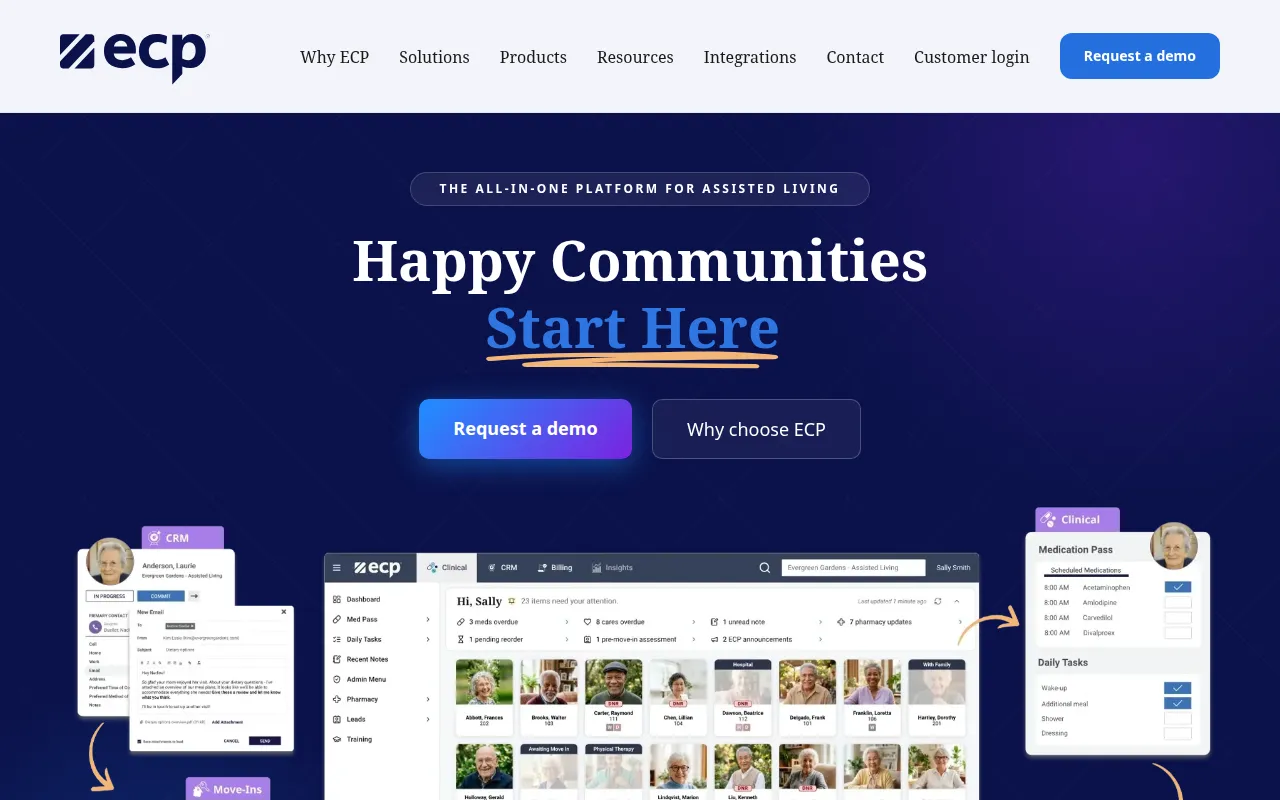
ECP fits an assisted living operator that already runs ECP for clinical operations, or one that wants admissions and care on one record. Its CRM is built around the assisted living admissions journey, with lead capture, automated follow-up, prospect communication tracking, campaign management with ROI tracking, and Microsoft Office 365 integration. The weakness is breadth: ECP is a full platform with eMAR, EHR, billing, and Insights, so a buyer that only needs a CRM pays for a platform decision, not a point tool.
Starting price: Pricing on request. Free plan: No. Skip if you only need a CRM, since ECP sells CRM inside its full assisted living platform.
 Eldermark: best for CRM with marketing automation
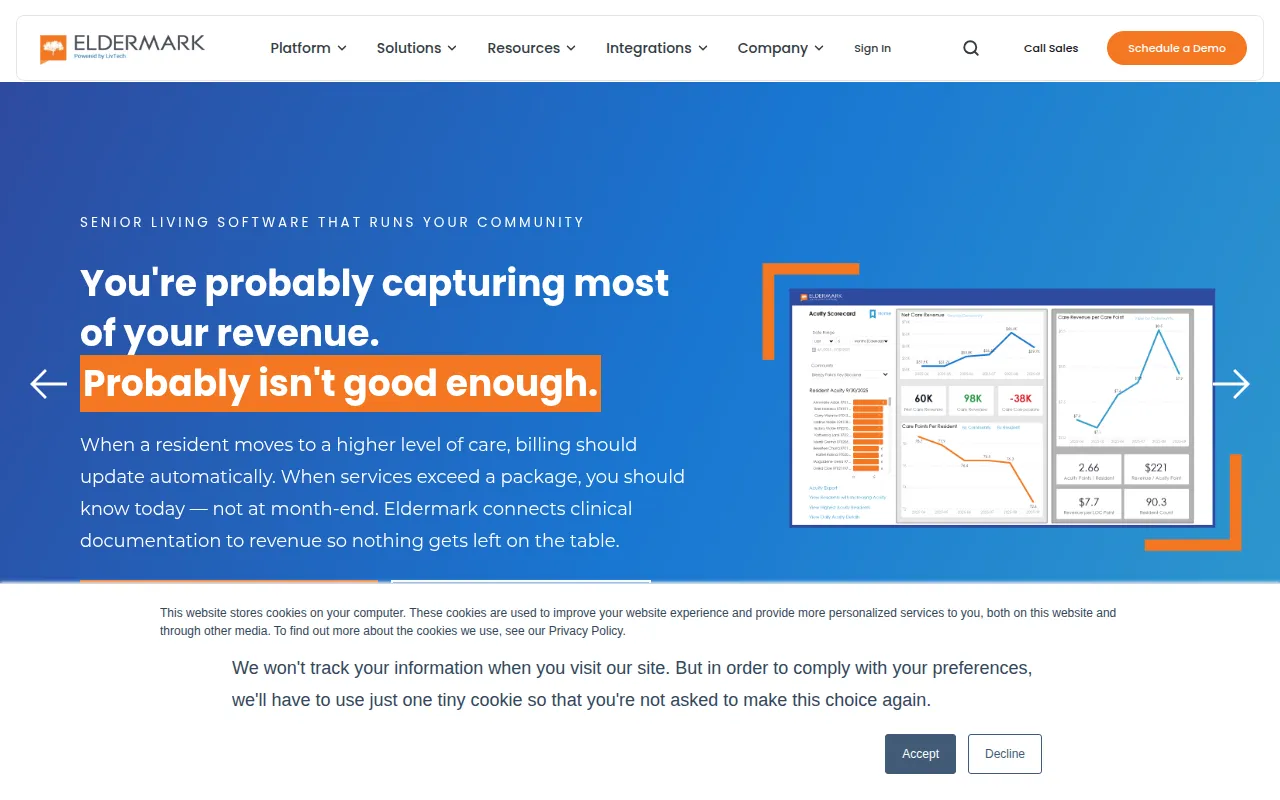
Suite is a sales and marketing product rather than a full clinical platform.
Starting price: Pricing on request. Free plan: No. Skip if you want published pricing before a sales call, since Eldermark lists no prices.
 HubSpot: best for free start for one community
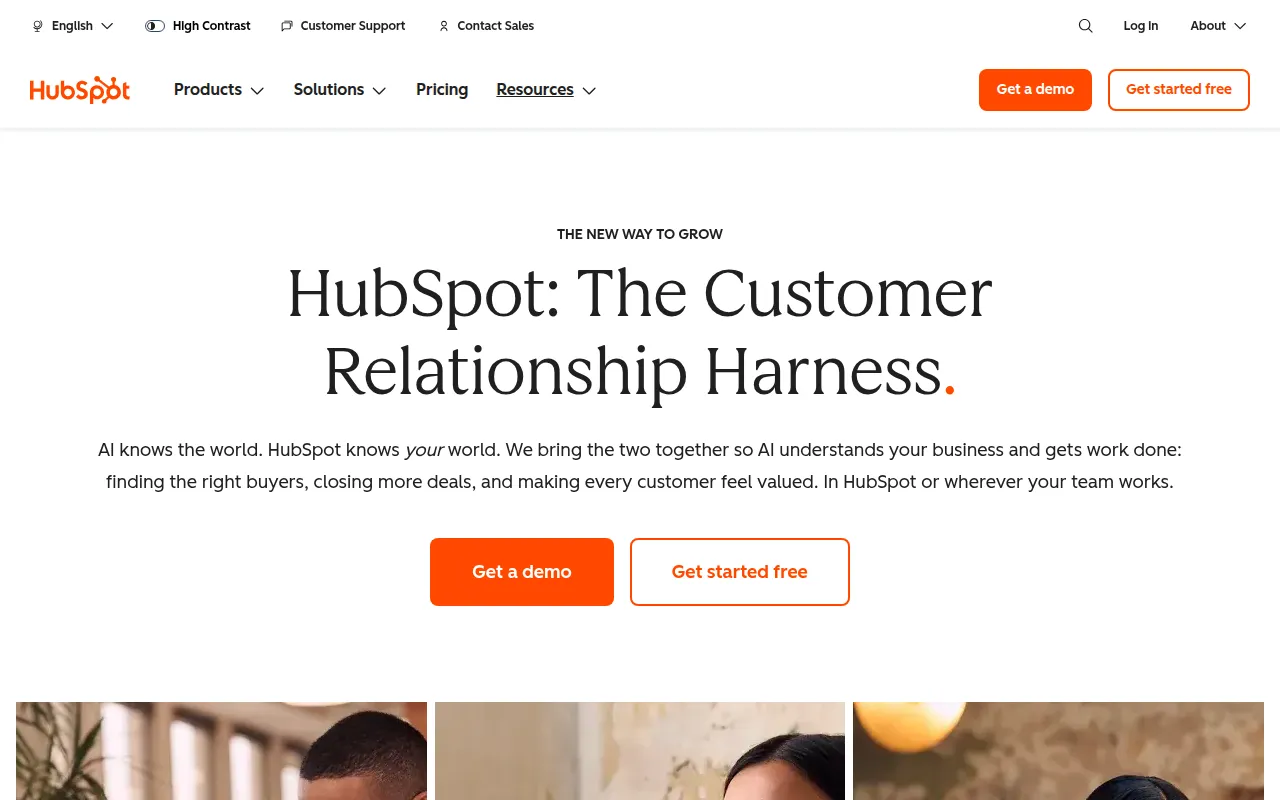
HubSpot fits a single community with simple needs and no budget, or an operator that already runs HubSpot for marketing and wants sales in the same system. The free tier is genuinely usable, and the paid tiers add automation and reporting that purpose-built tools charge far more for. The weakness is fit: HubSpot has no senior living workflows built in. Tours, move-ins, care levels, referral sources, and occupancy tracking all need custom fields, pipelines, and training, and the setup work falls on the operator. HubSpot's Sales Hub is free for up to 2 users. It includes up to 1,000 fully customizable workflows, deal and quote approvals, predictive lead scoring, recurring revenue tracking, advanced permissions and 5,000 HubSpot Credits a month, which pay for AI agents and some automated features. HubSpot fits teams whose pipeline starts in marketing and who want sales, marketing and service data in one place without building integrations. HubSpot's free CRM covers up to 2 users and 1,000 contacts, with contact and deal management, forms, live chat and a meeting link. One system holds the contact list, the email invitations, the follow-up sequences and the post-event reporting, and automation workflows are easy to build without an admin. Marketing Hub at higher tiers adds multi-event attribution and list segmentation at scale. Skip HubSpot when you run ticketed events and need registration inside the same tool. Pick it when the work after the event — follow-up, nurturing and reporting — matters more than the registration page. The free CRM covers up to 2 users with contact and deal tracking, meeting scheduling, email tracking and live chat. Skip HubSpot if the relationship map is the feature you use daily. Choose it if your team needs a standard CRM that plugs into everything else you run. HubSpot is a CRM platform with a free CRM at its core, and the HubSpot mobile app is included on every plan, including the free one. From the phone you can view and edit contacts and deals, log calls, send one-to-one email and check your pipeline. HubSpot fits a small team that sells on the move and wants to pay nothing to start. The free CRM has no time limit, and the mobile app covers the daily selling jobs rather than a cut-down viewer. The features that make a sales team faster, like sequences, forecasting and call transcription, sit on paid tiers, and paid Sales Hub plans are priced per seat, so the bill grows with every hire. Projects and tasks sit alongside deals, so follow-up work stays attached to the contact it belongs to. HubSpot also charges per seat, so a growing team feels every hire in the CRM bill. Starter brings up to 15 pipelines and 500 calling minutes; Professional adds sequences, up to 300 workflows, forecasting and 3,000 minutes. The jump from Starter to Professional is the thing to plan for: it quadruples the per-seat price and adds a four-figure onboarding fee, with no intermediate tier. HubSpot fits when marketing and sales share one system. Skip it if you only need a sales pipeline, because you will pay for a platform you never open. It covers contacts, deals, email, sequences and reporting, with a large integration marketplace. HubSpot fits a marketing-led CRE team that needs a CRM running this week and already uses HubSpot for marketing. Sales Hub Starter adds pipelines, sequences and forecasting tools, with 500 HubSpot Credits included. Skip HubSpot if your team has more than two users and a tight budget, because the per-seat bill starts as soon as the third person joins. HubSpot is a general-purpose CRM, not a contractor tool, so it has no bid tracking, estimating, or production scheduling. For a one- or two-person search fund tracking a handful of deals, HubSpot is enough, and the price is hard to beat. What it lacks is everything PE-specific: no fund records, no LP onboarding, no portfolio monitoring, no relationship intelligence. Skip HubSpot once the firm runs a fund with LPs to report to, because the workarounds in custom properties will not scale. HubSpot fits a small college or a single programme that needs contact management, email and a pipeline fast, with no implementation project. The weakness is that nothing about it is built for admissions: application reading, decision release and counselor territories all need custom objects or third-party tools, and the per-seat price climbs quickly once Professional is needed. HubSpot gives a two-person founding team a working CRM for nothing. That is a genuine starting point, not a 14-day teaser. The strength is breadth: marketing, sales and service tools share the same contact record, so a lead from a form can move into a deal without a re-key. The weakness is the jump to Professional. You would pay for breadth you never open. Skip HubSpot if you need complex territory logic.
Starting price: Free CRM; Sales Hub from $20 a seat a month (list rate). Free plan: Yes, free CRM. Skip if you need senior living workflows like tours and move-ins, since HubSpot has none built in.
 WelcomeHome: best for fast rollout with published pricing
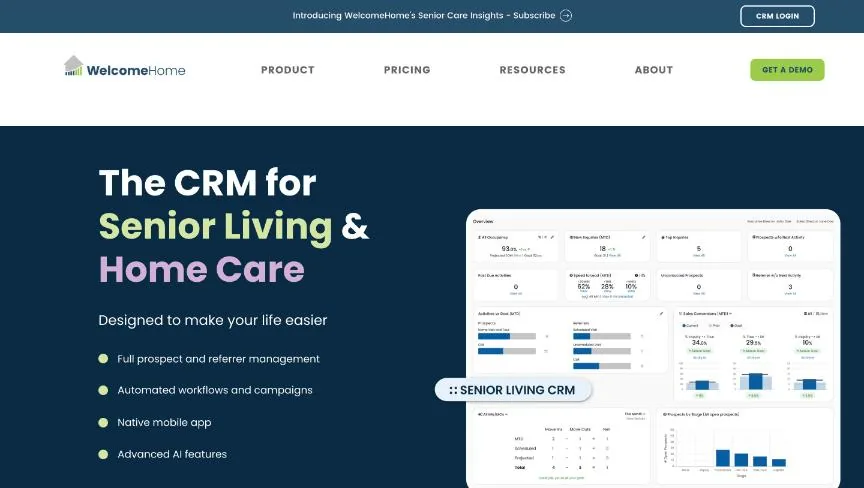
WelcomeHome fits an operator that wants to know the price before the first sales call and to be live quickly. Core is the cheapest WelcomeHome tier WelcomeHome is a CRM built only for senior living and home care sales. Enhanced costs $700 a community a month and adds enhanced call tracking with five lines included, a visual email builder, pre-built automation templates, post-tour surveys, and campaign-to-move-in attribution. The flat per-community price with unlimited users makes the bill easy to predict as headcount changes.
Starting price: From $550 a community a month (Core). Free plan: No. Skip if your budget is under $550 a community a month, since Core is the cheapest WelcomeHome tier.
 Yardi Senior CRM: best for operators already on Yardi Voyager
Yardi has to adopt the wider platform to get the CRM.
Starting price: Pricing on request. Free plan: No. Skip if you do not run Yardi Voyager, since Senior CRM is built into the Yardi suite.
Which Aline alternative fits which need
- Assisted living admissions to care: ECP, Pricing on request.
- CRM with marketing automation: Eldermark, Pricing on request.
- Free start for one community: HubSpot, Free CRM; Sales Hub from $20 a seat a month (list rate).
- Fast rollout with published pricing: WelcomeHome, From $550 a community a month (Core).
- Operators already on Yardi Voyager: Yardi Senior CRM, Pricing on request.
Free plans and trials
Aline: No. The alternatives:
- ECP: No.
- Eldermark: No.
- HubSpot: Yes, free CRM.
- WelcomeHome: No.
- Yardi Senior CRM: No.
What to check before you choose
The same five checks apply to every tool on this page, and they matter more than the starting price.
- Price at your real seat count. Most CRMs charge per user per month, and the plan you need is often one tier above the entry plan. Multiply the price of that tier by the people who will log in, then add any onboarding fee.
- Where the limits sit. Check the caps on contacts, pipelines, custom fields, automations and email sends on the plan you would buy. A cheap plan with one pipeline is not cheap if you run three.
- How it fits the way you sell. A team that sells by phone needs calling and logging. A team that sells by email needs sequences and tracking. Pick the tool built around your main channel.
- Integrations you already depend on. List your email, calendar, accounting and form tools, then confirm each one connects natively. A connection through a third-party automation tool adds cost and one more thing to break.
- Reporting you will actually read. Ask for the pipeline, forecast and activity reports on the plan you would buy. Advanced reporting is one of the most common features held back for higher tiers.
What switching from Aline involves
Moving CRMs is mostly a data job. Export contacts, companies, deals, notes and activity history as CSV files, and check that the new tool can import each one with its links intact, so a deal still points to its contact and company. Custom fields need to be created in the new tool before the import. Automations, email templates and reports do not transfer and have to be rebuilt. Plan for a short overlap in which both systems run, and pick a quiet week in your sales cycle for the cut-over. If you are on an annual contract with Aline, check the renewal date and notice period first.
Mistakes to avoid
Do not switch on headline price alone. The starting prices here use different units (per user, per contact, per site), so price each alternative at your own usage, and check which features sit on the plan you would actually buy.
Quick answers
ECP vs Eldermark: which one should you choose?
ECP is the better fit for assisted living admissions to care. Eldermark is the better fit for CRM with marketing automation. ECP does not publish prices; pricing is on request. Eldermark does not publish prices; pricing is on request.
Which of these alternatives has a free plan?
HubSpot offers a free plan. Checked 14 November 2026.
How much does ECP cost?
ECP does not publish prices; pricing is on request. Checked 14 November 2026 against the vendor's own page.
How much does Eldermark cost?
Eldermark does not publish prices; pricing is on request. Checked 14 November 2026 against the vendor's own page.
How much does HubSpot cost?
HubSpot pricing: Free CRM; Sales Hub from $20 a seat a month (list rate). Free plan: Yes, free CRM. Checked 14 November 2026 against the vendor's own page.
Which alternative is best for free start for one community?
HubSpot. Pricing: Free CRM; Sales Hub from $20 a seat a month (list rate). Free plan: Yes, free CRM. Skip if you need senior living workflows like tours and move-ins, since HubSpot has none built in.
Which alternative is best for fast rollout with published pricing?
WelcomeHome. Pricing: From $550 a community a month (Core). Skip if your budget is under $550 a community a month, since Core is the cheapest WelcomeHome tier.
Which alternative is best for operators already on Yardi Voyager?
Yardi Senior CRM. Pricing is on request. Skip if you do not run Yardi Voyager, since Senior CRM is built into the Yardi suite.
Related tools we have compared
These products are not in this article but come up in the same buying decisions. Prices are from our own checks of each vendor's page.
- Attio: cheaper relationship-first CRM. $100 per month (Pro workspace, billed annually) plus $79 per extra user. Compared in Affinity CRM Talent Teams Alternatives: 6 Picks.
- Buildertrend: residential builders who want CRM inside project management. $499 per month, Essential, unlimited users and projects. Compared in Best AccuLynx Alternatives: 6 Compared.
- Affinity: PE and VC teams that win deals through relationships. $2,000 per user per year, Essential, billed annually. Compared in Best Altvia Alternatives: 6 Compared.
- Buildout: brokerages wanting marketing plus deals. From $125 a user a month, plus a platform maintenance fee. Compared in Best AscendixRE Alternatives: 6 Compared.
- Close: MLM leaders who sell by phone. $9 per month, Solo, billed annually ($19 billed monthly). Compared in Best Bitrix24 Alternatives: 7 Compared.
- Cvent: enterprise conferences and trade shows. Pricing on request. Compared in Best Bizzabo Alternatives: 6 Compared.
- DealCloud: large PE firms and investment banks. Pricing on request. Compared in Best Altvia Alternatives: 6 Compared.
- ClientLook: brokers wanting LightBox property data. From $129 a user a month ($89 a user a month billed annually). Compared in Best AscendixRE Alternatives: 6 Compared.
Common questions
What is the best alternative to Aline?
It depends on what you need. ECP suits assisted living admissions to care, Eldermark suits CRM with marketing automation, and HubSpot suits free start for one community.
How much does Aline cost?
Aline pricing: Pricing on request. Free plan: No. Checked 2026-11-14 against the vendor's page.
Is there a free alternative to Aline?
Yes. HubSpot has a free plan. Check the limits before you rely on one.
How were these Aline alternatives chosen?
They are the products Adziq already compares alongside Aline, with prices read from each vendor's pricing page.
Did Adziq test these products?
No. This comparison uses each vendor's published pricing and documentation, checked on the dates shown.
Sources
How we research, check prices and label sponsored listings: editorial policy. To feature a product or agency, ask about a listing.